23 Best Exit-Intent Popup Examples for Your Website


Summarize
Someone is about to leave your website. What could make staying — or coming back — worth their while?
We looked at 23 real exit-intent popups from ecommerce, SaaS, and B2B sites to see how brands answer that question. For each example, we explain what’s worth borrowing and what could be improved or tested.
You’ll also find best practices for planning your own popup and a short Claspo tutorial on setting up exit intent and choosing where it appears.
TL;DR
Exit intent tells you when someone may leave, but not why. Choose the message based on what they were doing on your site.
Claspo email-capture popups using exit intent as their only behavioral display condition averaged a 2.47% signup CR.
A gamified popups subset using exit intent as their only display condition averaged 5.98%.
What is an exit-intent popup and how does it work?
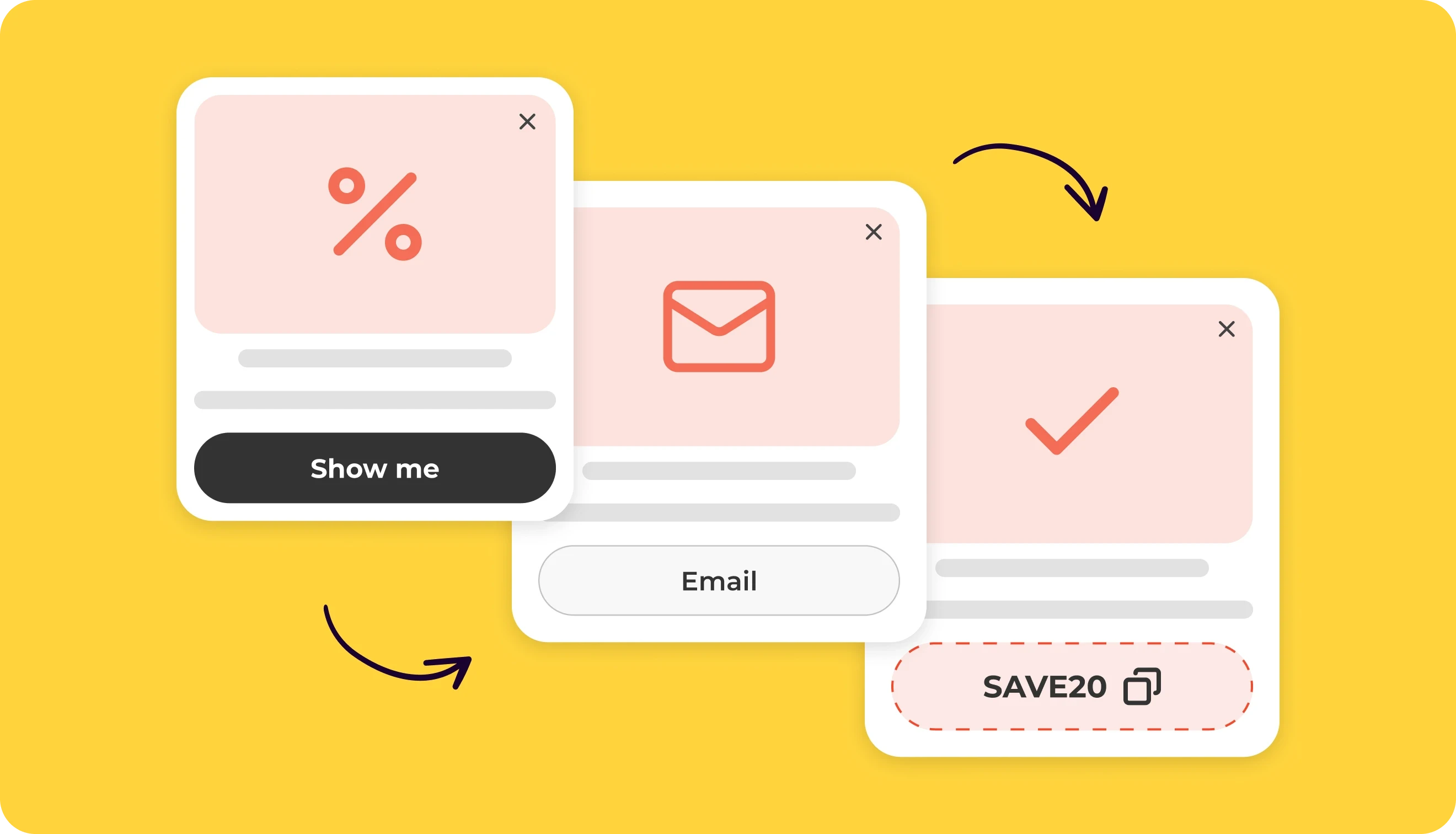
An exit-intent popup is a conversion tool that appears when visitors are about to leave your site. By using behavioral tracking, the exit-intent popup software identifies “the point of no return” and delivers a final offer to rescue the session before bounce.
How it works on a desktop
On a desktop, the system tracks the mouse cursor’s X and Y coordinates. The exit popup triggers when the cursor moves:
Out of the active area of your browser’s window.
Towards the close button.
Towards the address bar.
How it works on mobile devices
Since mobile devices lack cursors, mobile exit-intent popups employ heuristic behavioral monitoring to track active gestures such as dwell duration, scroll depth and speed, and tab switching.
Why use exit-intent popups?
An exit-intent popup gives you one last chance to help a visitor take the next step. They may have missed your sale section, or a discount may be enough to make the purchase worthwhile. If they aren’t ready to buy, an email offer gives you a way to reach them later and invite them back.
In our analysis, email-capture popups with exit intent as their only behavioral display condition averaged a 2.47% signup conversion rate among widgets with at least 100 valid views. Our separate look at gamified popups with the same trigger found a 5.98% average.
The difference gives marketers something to test beyond timing: the offer, its relevance to the page, and how visitors interact with it. The examples below show how brands use that moment in different ways.
23 exit-intent popup examples for your website
To keep visitors engaged, you need to give them a compelling reason to stay or to share their contacts. In their newsletter study, Storydoc found that 39% of people will share an email for a discount. But on the other hand, the highest-performing popups often offer something more personal or interactive.
1. Keep the welcome offer low-pressure
Brand: The Turmeric Co. | Trigger: Desktop exit-intent | Why it works: low-pressure messaging and clear incentive
Follow The Turmeric Co.’s lead. In the example below, they offer a first-order discount but reassure users that there is “no rush” to use it.
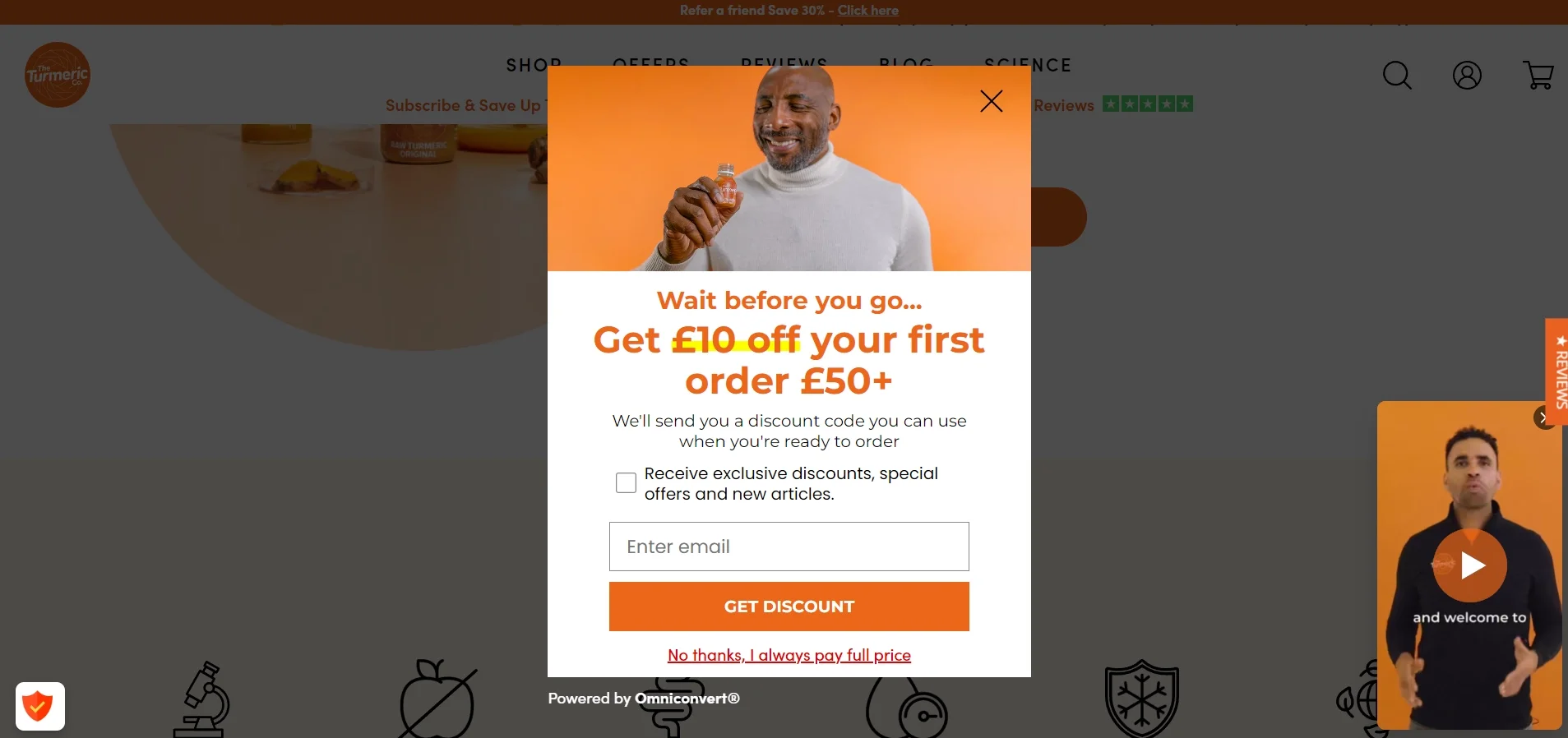
Claspo insight: We found that 100% of the Top 10% ecommerce popups use a friendly, non-pushy tone.
2. Discount popup to prevent exit intent
Brand: Gift Basket Australia | Trigger: Desktop exit-intent | Why it works: zero-friction click-to-copy button
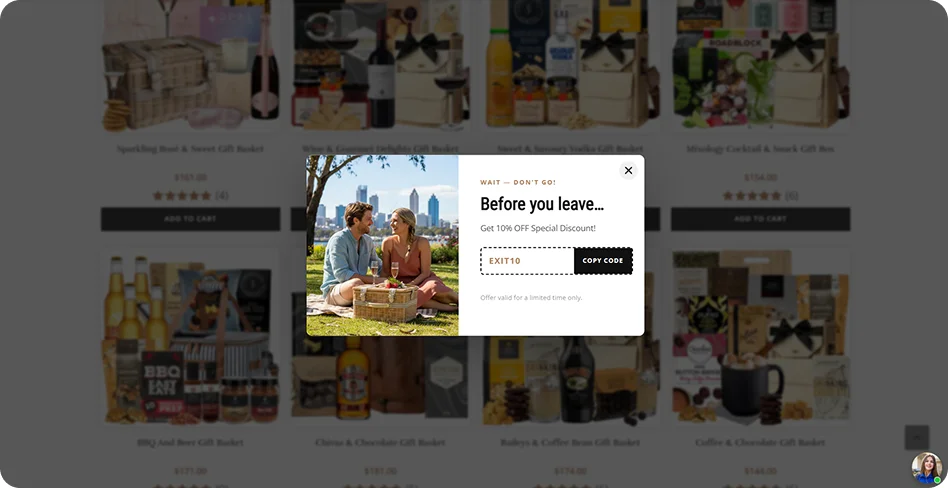
Gift Basket Australia gives departing shoppers an easy-to-copy 10% code. If you use a discount to collect emails, though, don’t assume a bigger offer will bring more subscribers. In the broader benchmark featured in our 2026 BFCM Popup Playbook, comparable signup forms offering 20% off averaged a 4.01% signup CR, while offers above 20% averaged 2.57%. So, test the offer before giving away more margin. You’ll find plenty more practical popup insights in the playbook, including ideas you can use beyond Black Friday.
3. Direct shoppers to sale items
Brand: Gaâla | Trigger: Exit intent | Why it works: a bold discount directs visitors to a sale selection.

Gaâla puts “Up to 30% Off” at the center of a popup that takes seconds to read. The button leads shoppers to sale items instead of giving them a sitewide code, so full-price products stay outside the offer.
4. Connect the offer to the gift search
Brand: Groovy Guy Gifts | Trigger: Exit intent | Why it works: gift-specific copy gives a familiar 10% offer a reason to appear.
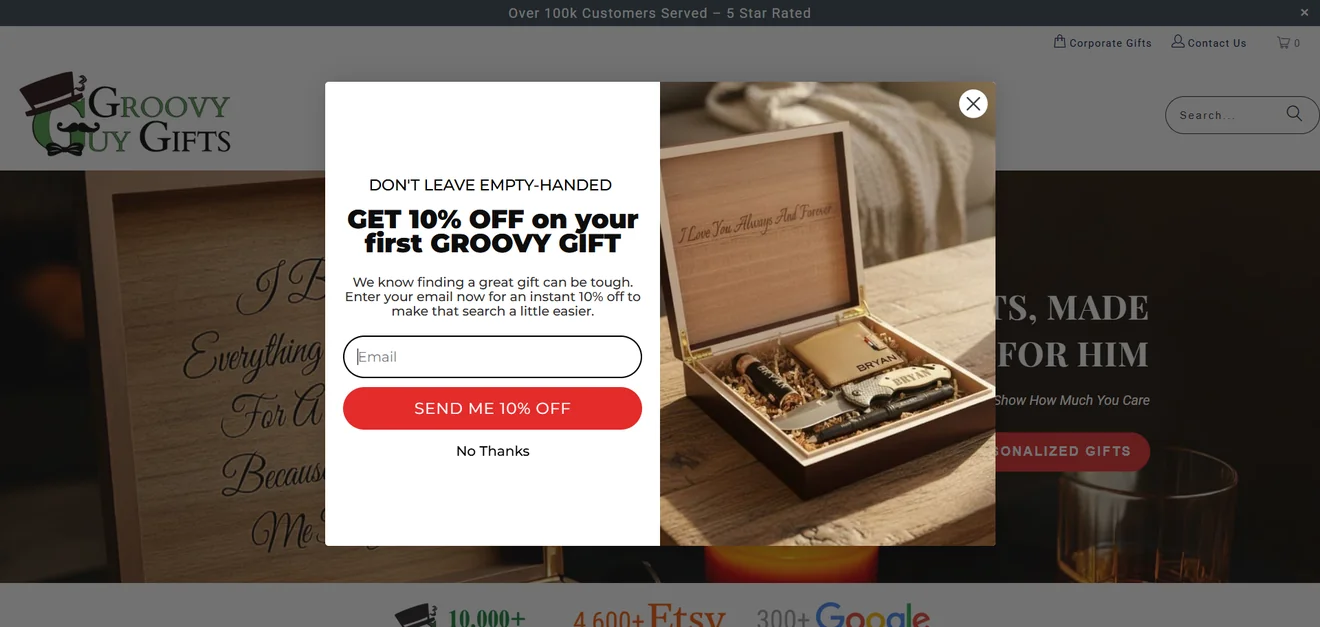
“Don’t leave empty-handed” connects the visitor’s exit with their search for a gift. The photo shows a personalized gift, while “Send me 10% off” makes the exchange for an email clear.
What to improve: the copy acknowledges that finding a gift is hard, but the discount only helps with the price. A route to a gift selection could help visitors who are still deciding what to buy.
5. Highlight money savings
Brand: WJS Home | Trigger: Exit intent
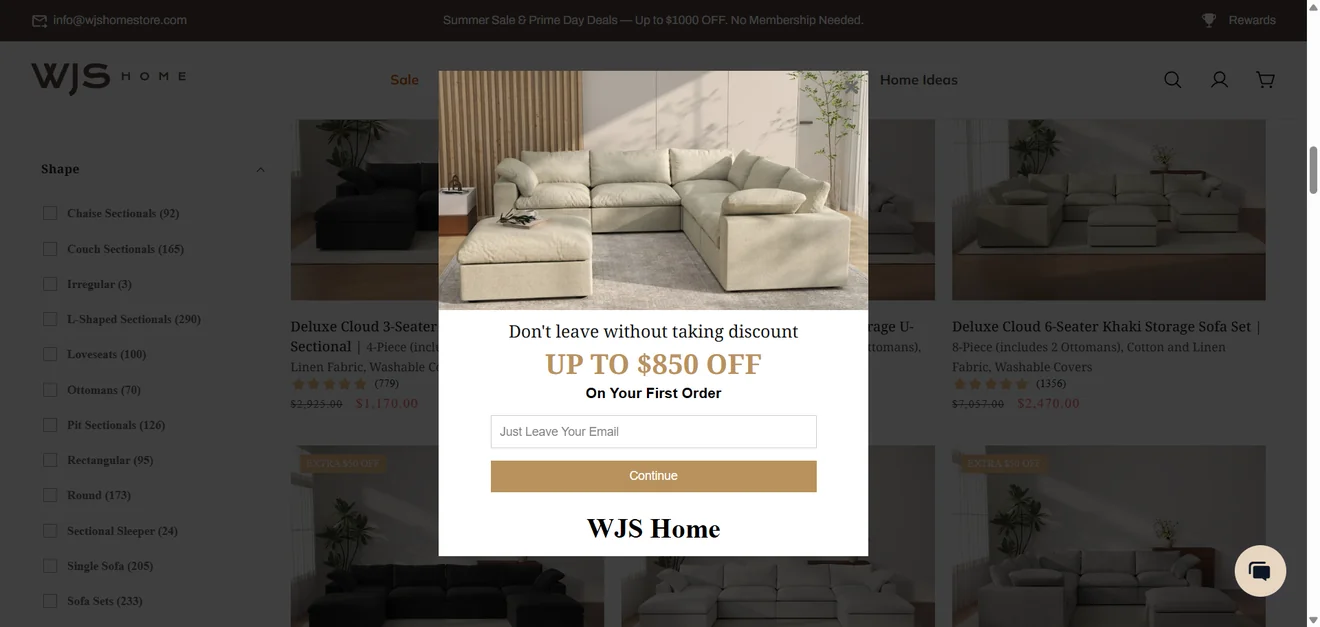
Why it works: “Up to $850 off” is a striking figure on a page of high-priced sofas. The product image makes the offer relevant to what shoppers were browsing.
What to improve: the site banner already advertises up to $1,000 off without membership. The popup should explain which orders qualify for the $850 offer and what shoppers gain by sharing their email.
6. Keep the product in view
Brand: Simply Soles | Trigger: Exit intent on a product page
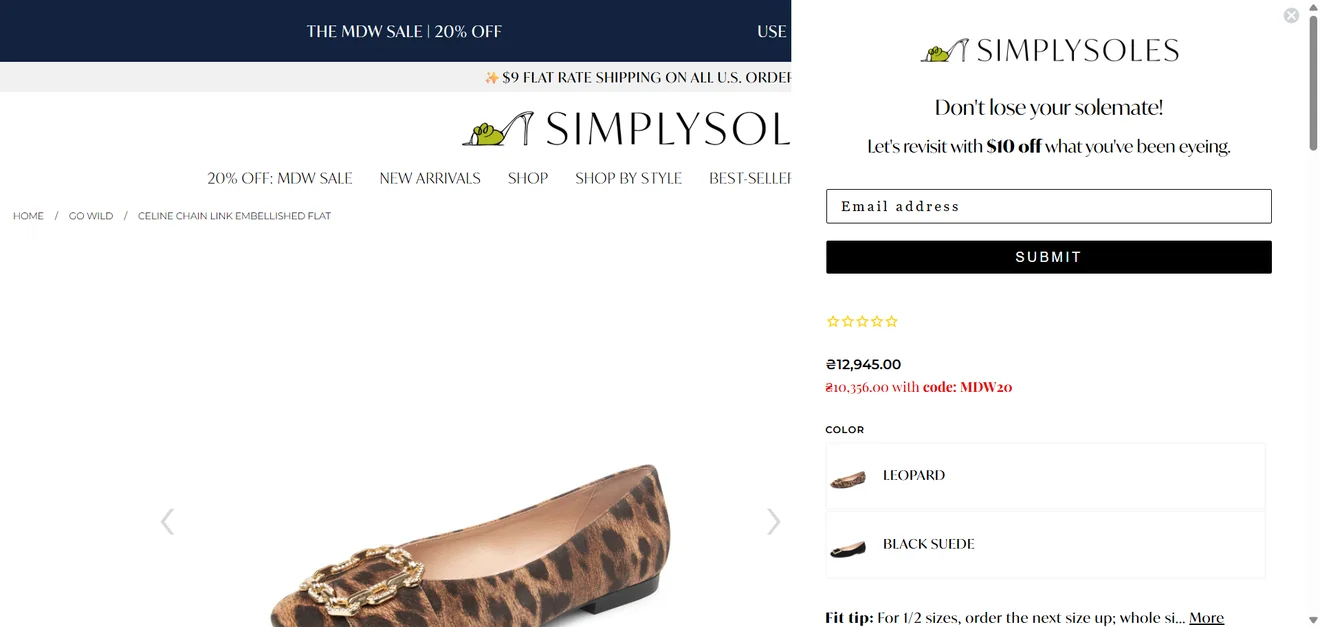
Why it works: the floating box leaves the shoe visible while offering “$10 off what you’ve been eyeing”. The “solemate” line fits the brand, and the single email field keeps the form short.
What to improve: the page already advertises 20% off. The popup should clarify whether shoppers can combine the offers and replace “Submit” with a button that explains what happens next.
7. Suggest lower-priced products
Brand: Kate Spade | Trigger: Exit intent on a product page
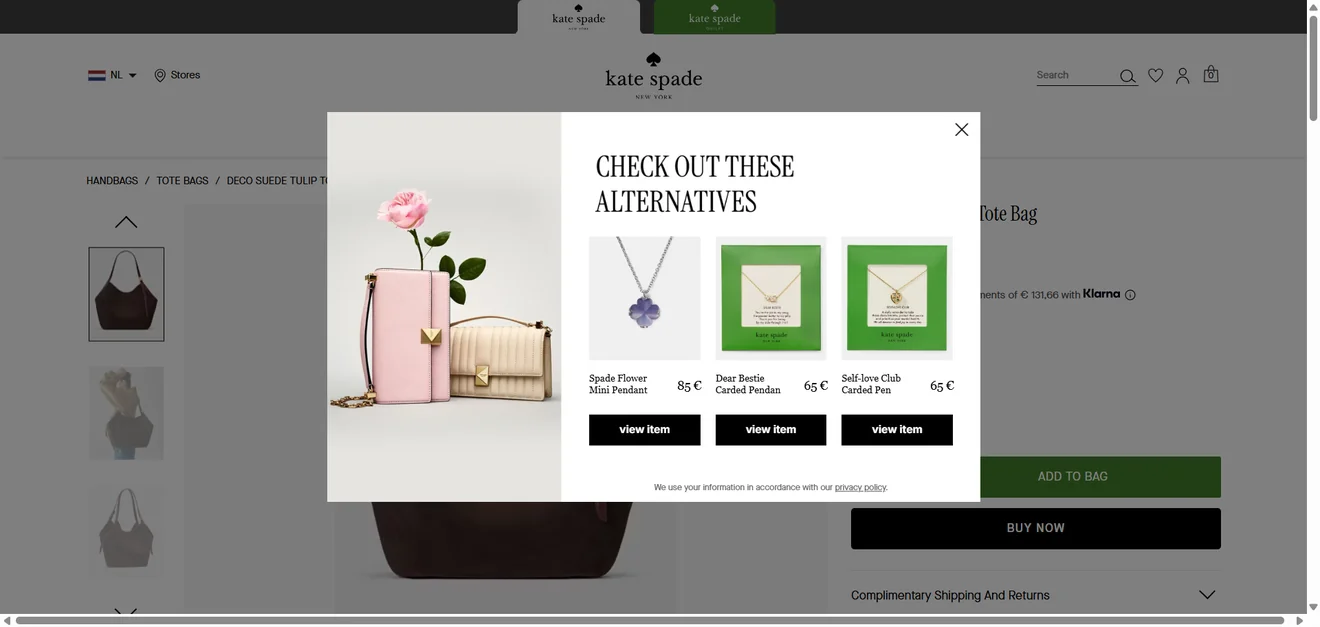
Why it works: priced product recommendations give visitors another way to keep shopping. Kate Spade shows three pendants priced at €65-€85, each with a direct link to its product page. A shopper who isn’t ready to buy the bag can still explore a less expensive purchase from the brand.
What to improve: “Alternatives” suggests products that could replace the bag, but these are jewelry. A heading such as “More to explore” would fit the selection better; if the goal is to offer true alternatives, show other bags.
8. Spell out discount conditions
Brand: HOMAGE | Trigger: Exit intent | Why it works: clear discount terms.
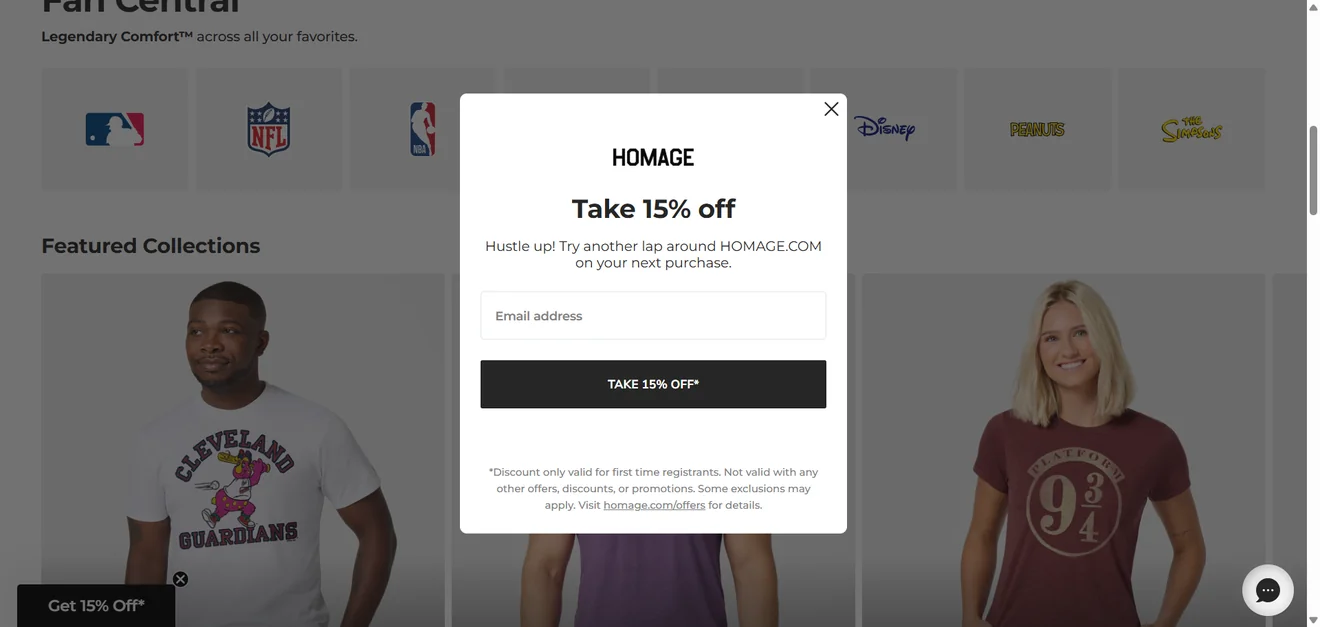
“Take 15% off” makes the reward for signing up clear, while “another lap” fits the sports-themed page. The popup also states that the offer is for first-time registrants, cannot be combined with other promotions, and links to the full terms. Shoppers can check whether the discount applies before sharing their email.
9. Prevent cart abandonment
Brand: Littlebitz | Trigger: Exit-intent with items in cart | Why it works: big discount and easy-to-copy promo code
Visitors who add items to the cart but don’t proceed to checkout can often be recovered with a well-timed exit popup and incentive, just like Littlebitz did in their exit-intent popup below.
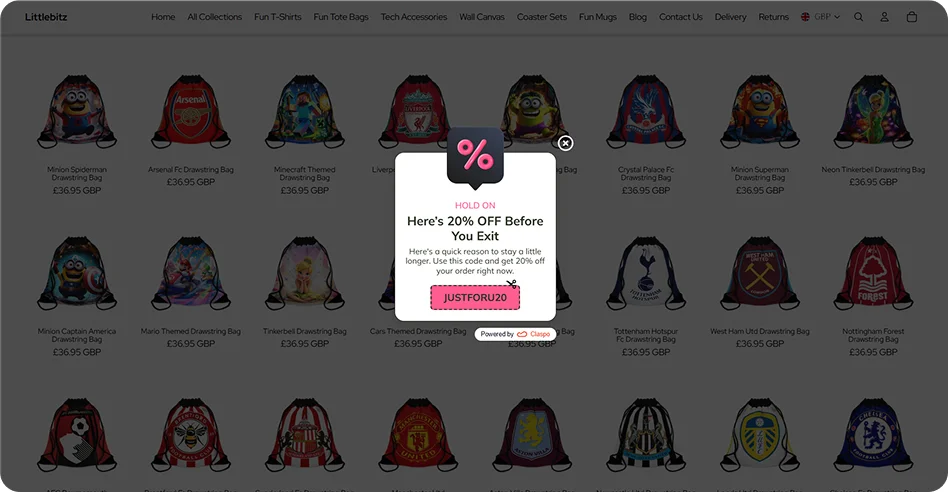
For such popups, you can set specific display rules, such as when users add items to their cart but then want to leave the site and start closing the tab.
10. Lead magnet exit-intent popups: eBooks
Brand: Super Tasty Recipes | Trigger: Recipe-page exit intent | Why it works: turns recipe browsing into a relevant email offer.
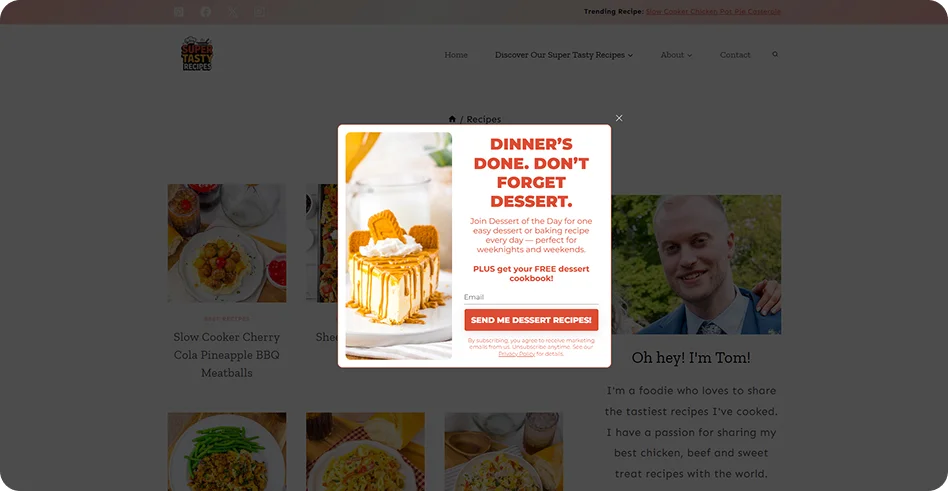
“Dinner’s done. Don’t forget dessert” picks up where the savory recipes on the page leave off. The popup offers a free dessert cookbook and tells visitors what will follow in their inbox: one dessert recipe a day. That makes the signup more specific than a generic promise of “more recipes”.
11. Offer a smaller step than event registration
Brand: Big Data & Analytics Summit Canada | Trigger: B2B site exit intent | Why it works: captures interest before visitors are ready to register.
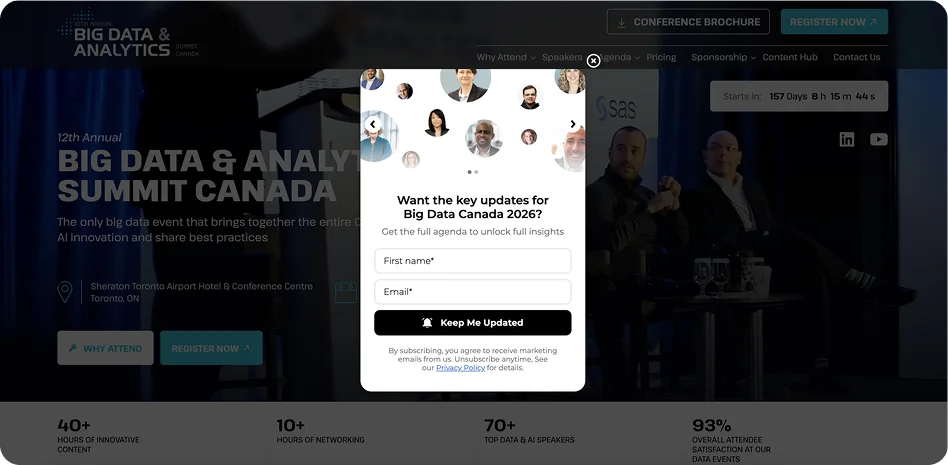
The page invites visitors to register for the summit. The exit popup makes a smaller ask: leave an email for event updates and the agenda. That gives the organizers a way to stay in touch with people who are interested but aren’t ready to book a place yet.
12. Give agency expertise a workshop format
Brand: Winning Media | Trigger: High-intent B2B exit-intent | Why it works: makes the agency’s “clarity” promise tangible.
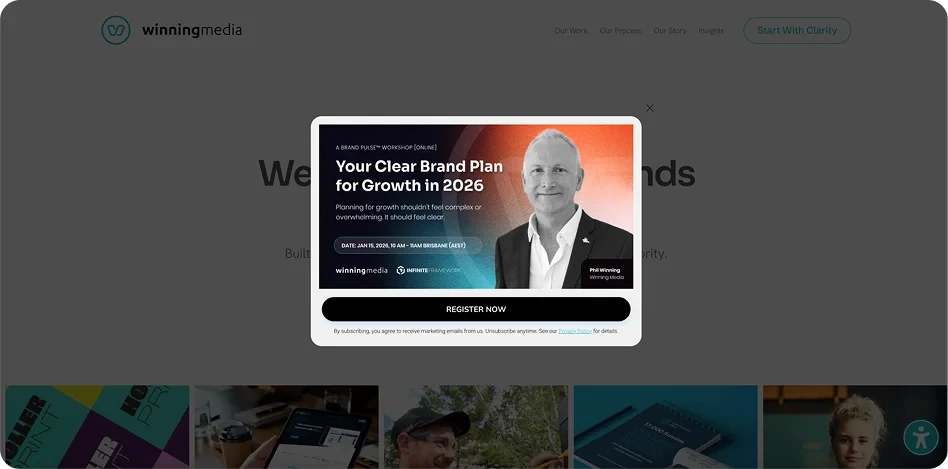
Winning Media’s header invites visitors to “Start With Clarity.” The exit popup gives that idea a concrete next step: an online workshop on building a brand plan for growth, led by Phil Winning. Visitors get a chance to see how the agency thinks before considering a project.
The popup has no email field. “Register Now” leads to the signup step, so completed workshop registrations matter more than clicks on the popup.
13. Put a product prize on the wheel
Brand: Navas Bellus | Trigger: Ecommerce exit-intent | Why it works: swaps friction for instant reward
76% of top gamified popups use the Spin-the-Wheel game (Spin-to-Win, Wheel of Fortune). It replaces the friction of signing up with the dopamine of winning. Our internal data shows that the average conversion rate for Spin-the-Wheel popups is 7.92%.
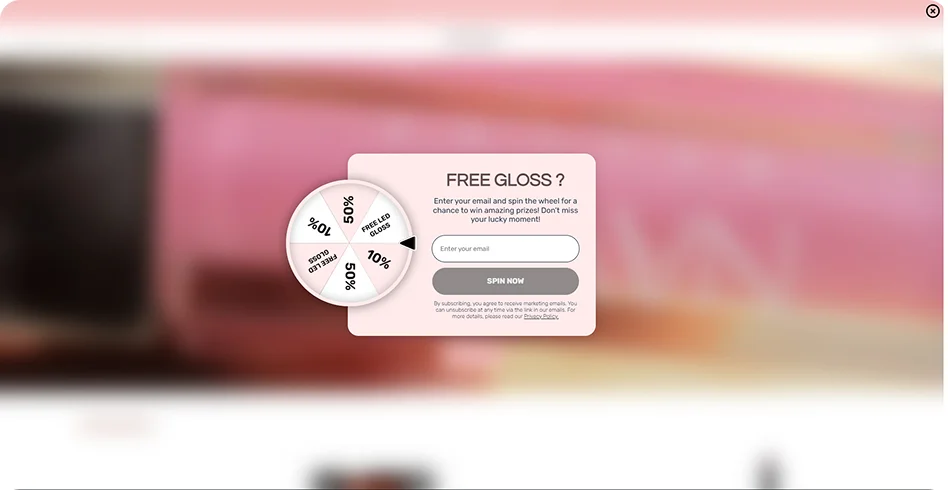
In this exit-intent popup example by Navas Bellus, the popup catches a visitor with a sweet offer of a free gloss. What a smart CRO approach. Show us a beauty shopper who would say no to a “won” physical product.
14. Offer a mystery gift before exit
Brand: CLEANR | Trigger: Seasonal exit-intent | Why it works: users pick a reward themselves, which increases redemption rates
Let an abandoning visitor pick a reward before they leave. Pick a gift popup will trigger the Endowment effect. By making the user select a box, they feel a sense of ownership, which makes them 2x more likely to use the coupon than if it were simply handed to them — as shown by a 7.02% CR among Claspo clients.
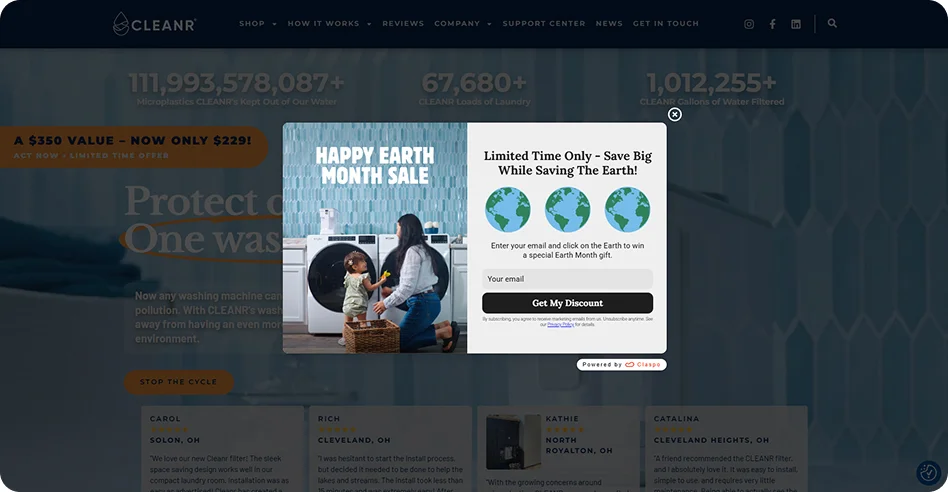
CLEANR did a fantastic job of customizing our gift box template to align the exit popup with their brand, values, mission, and the Earth Month celebration.
15. Use a scratch card to spark curiosity
Brand: Fave Luxe | Trigger: Inactivity or exit-intent | Why it works: sparks curiosity with an unrevealed incentive
When a visitor gets bored, spends too long inactive, play your curiosity ace. Scratch cards are one of the highest performers in our study, with a 8.66% CR — people just can’t help but ignore the itch to scratch and see what’s hidden.
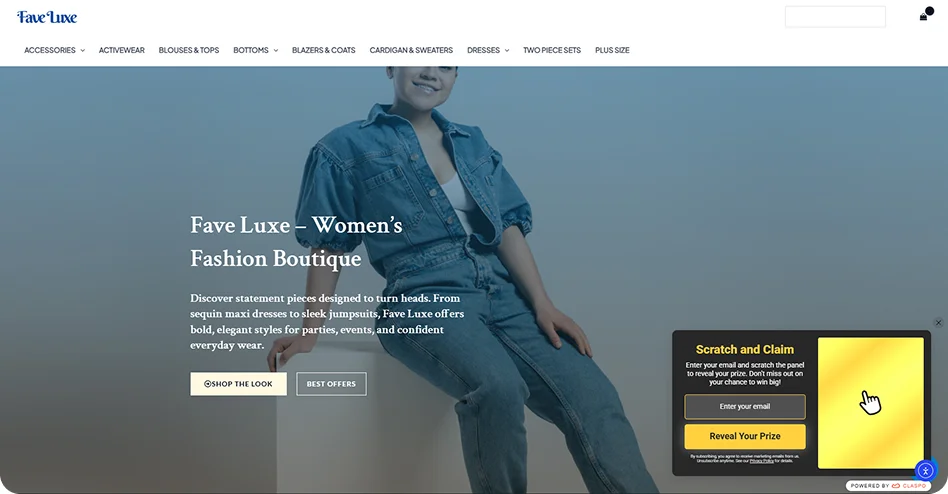
Fave Luxe played it smart by using a slide-in floating box that works perfectly on desktop and doesn’t clog the mobile screen.
16. Turn the exit offer into a treasure hunt
Brand: KREAMY | Trigger: Collection launch exit-intent | Why it works: multi-step game builds tension and interest
Savvy shoppers are used to seeing discount popups when leaving. Spice things up with a treasure hunt like KREAMY did in their exit-intent popup: unlike one-click games, this gives users a set number of chances to find a hidden prize.
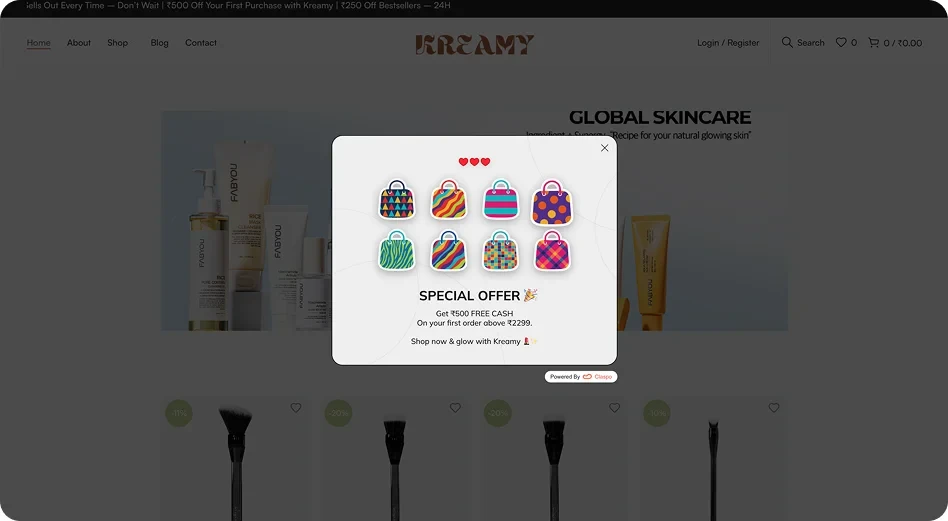
Every missed click increases the tension and the perception of the prize value. There are signup numbers behind the game, too. In our 2026 popup conversion benchmark, Treasure Hunt averaged a 9.77% email signup CR. We analyzed around 170 million impressions across games and other popup formats, so take a look at the article if you’re weighing what to test next.
17. Give visitors one more spin before they leave
Brand: Reward Land | Trigger: Desktop exit-intent | Why it works: re-engages users with a game
Reward Land used a high-energy format that mimics the spinning reels of a casino, making the user feel like they beat the odds to get a discount.
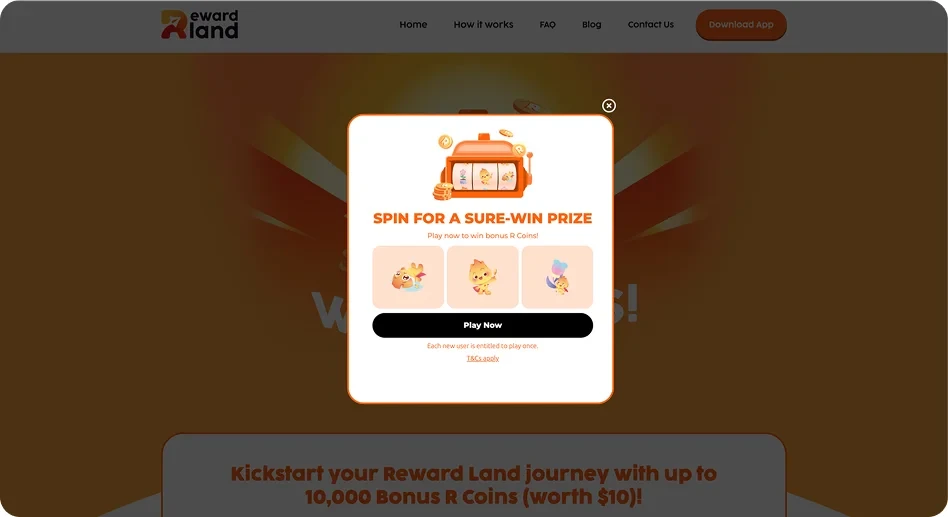
Across the games in our benchmark, Slot Machine came out on top for average email signup CR at 12.60%.
18. Shake up the holiday exit offer
Brand: Urban Elegance | Trigger: Holiday-themed exit-intent | Why it works: aligns with seasonal mood.
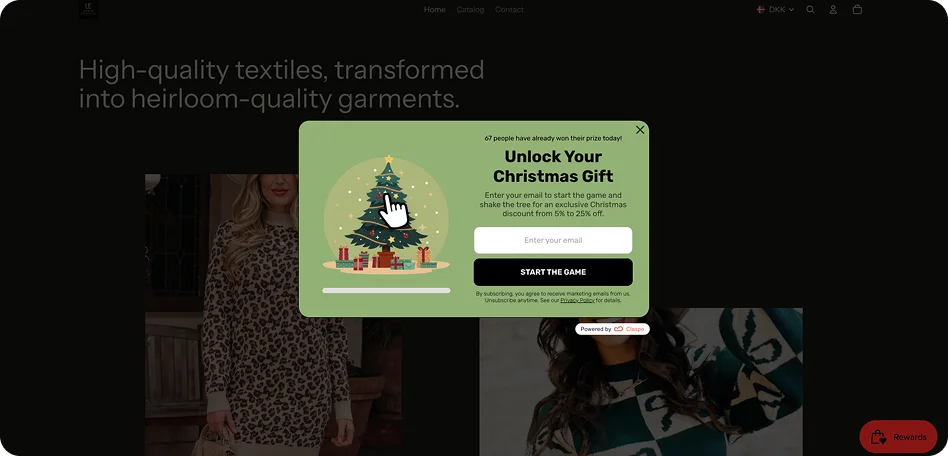
During holidays, users are overwhelmed by generic “SALE” popups. Seasonal popups solve it by matching design and mechanics with the user's festive mood. Seasonal games are like digital toys. Shaking a Christmas tree creates contextual relevance.
19. Give undecided shoppers a quiz
Brand: Go Hydrate | Trigger: Catalog/Product exit-intent | Why it works: helps users decide faster and gathers user preferences
Go Hydrate has a rich variety of flavors, so this exit-intent popup with a quiz helps visitors beat choice paralysis.
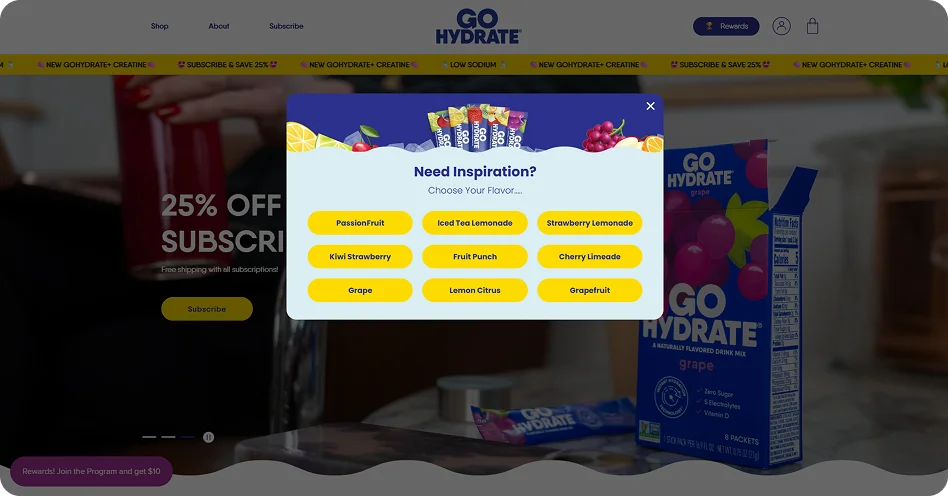
Ask for an email after the choice, and the answer can help shape follow-up messages. In our benchmark, Claspo popups with Choice buttons averaged a 5% email signup CR — about 1.36× the 3.67% baseline for standard Grow Email List popups.
20. Show the deadline beside the discount
Brand: Siragluxe | Trigger: Ecommerce exit-intent | Why it works: reward and urgency drive faster purchase decisions.
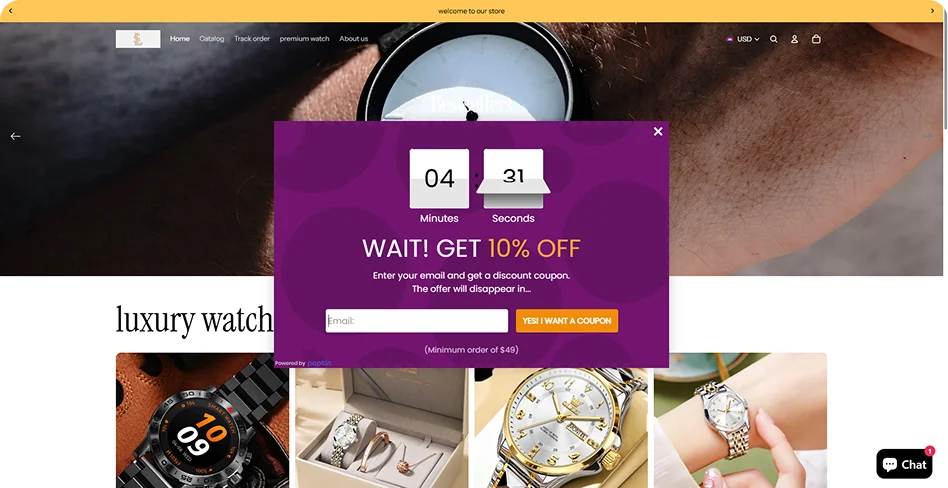
Siragluxe offers a 10% coupon for an email and places a countdown above the offer. In our benchmarks, email-only forms averaged a 2.48% signup CR, compared with 2.56% for email + timer and 3.42% for email + timer + promo code. The timer alone made little difference in this comparison; the highest average belonged to the setup with a coupon.
21. Exit-intent surveys: ask why visitors are leaving
Brand: amika | Trigger: Exit intent | Why it works: captures a specific reason for leaving while it’s still fresh
Amika’s floating box asks visitors to choose a reason, such as high prices, shipping costs, or not finding what they wanted. The answers help the team tell a pricing objection from a product discovery problem, while the page remains visible behind the survey.
What to improve: the answer doesn’t change what happens next. A tailored follow-up could show shipping terms or help visitors find a product before they leave.
22. Make the demo the exit offer
Brand: Attentive | Trigger: Exit intent | Why it works: gives departing SaaS buyers one clear next step
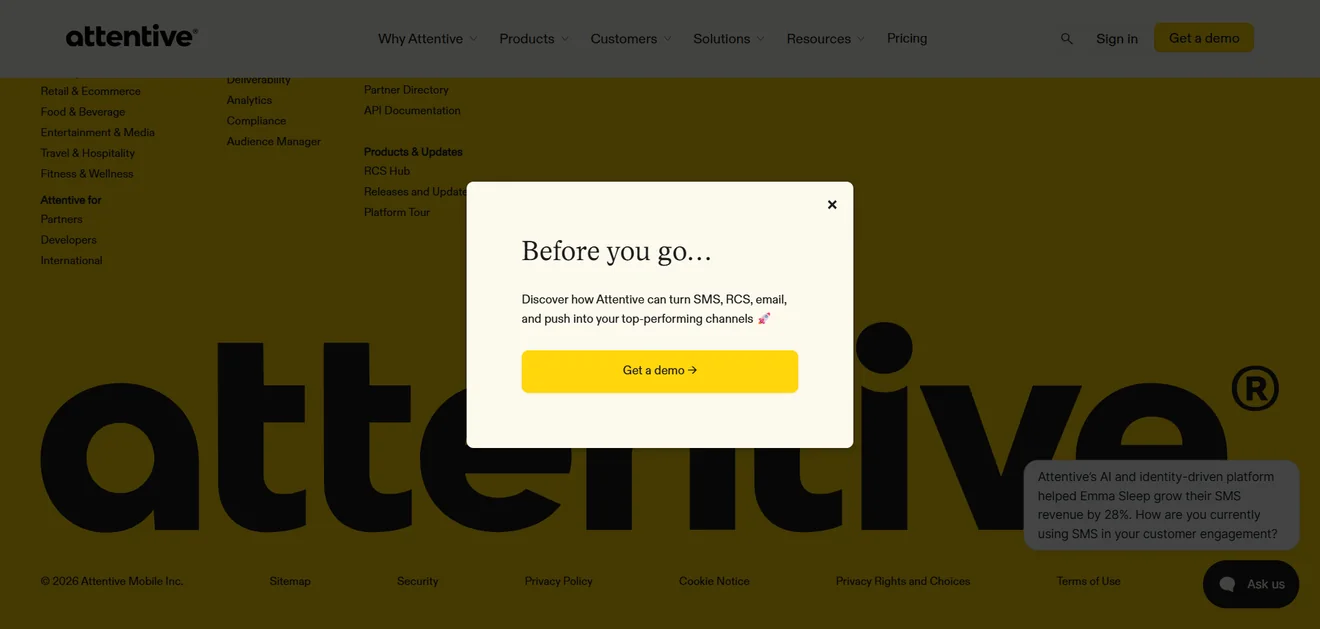
Attentive invites visitors to explore how its SMS, RCS, email, and push tools work in a demo. The popup keeps the choice simple: one button leads to the demo flow.
What to improve: “Get a demo” is already in the header. A specific use case or customer result would give visitors a new reason to click when the popup appears.
23. Make the refund terms the exit offer
Brand: The Motley Fool (Stock Advisor) | Trigger: Exit intent | Why it works: brings the 30-day refund option into focus before a paid signup
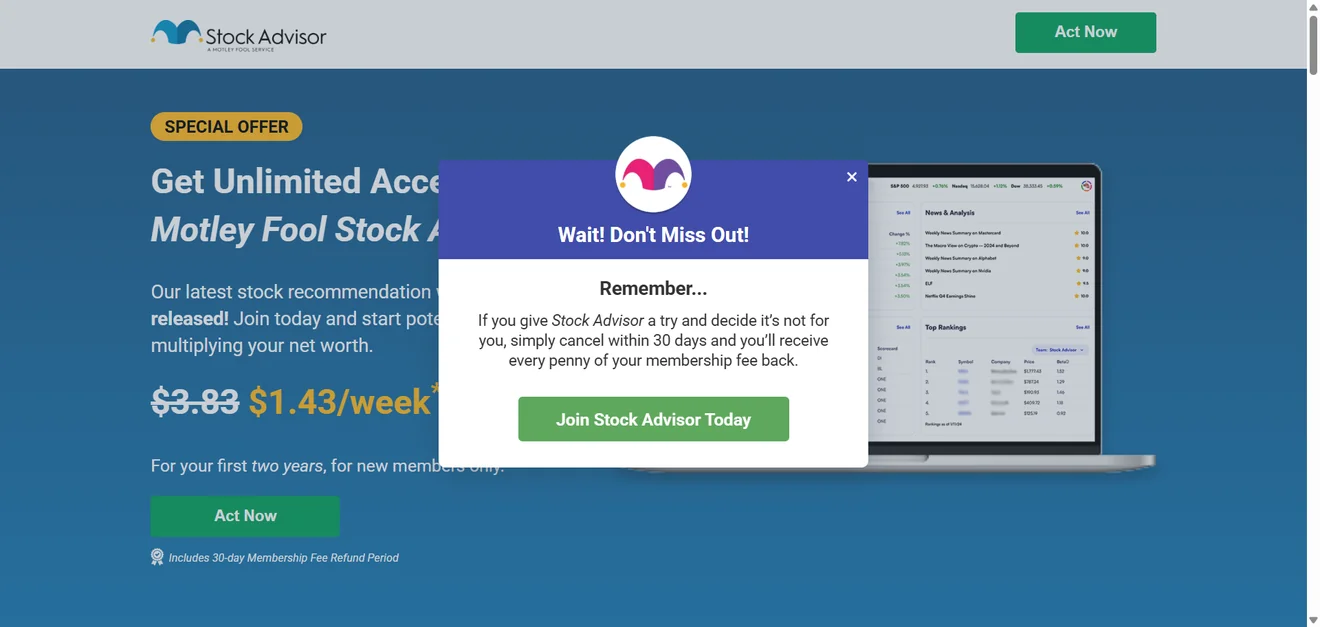
The page mentions the refund period in a small note. The popup spells out what it means: try the membership, cancel within 30 days if it isn’t for you, and get the membership fee back. That gives visitors weighing the subscription a concrete reason to reconsider.
What to improve: “Wait! Don’t Miss Out!” feels disconnected from the reassurance below. A headline about the 30-day refund would make the point sooner.
Looking for more inspiration beyond exit-intent? Browse through 45+ additional website popup examples and templates to see what's currently working.
Exit-intent popup best practices
A screenshot shows the offer. It won’t tell you who sees it, what other campaigns run alongside it, or whether the visitor buys after clicking. Use this quick check before turning an example into a campaign.
Goal | Where to show it | Check before launch | Measure |
Recover a purchase | Cart; checkout where the platform supports it | Test the offer and CTA on the actual checkout; exclude post-purchase pages | Purchases, revenue per visitor |
Grow the email list | Pages where you have a useful reason to follow up | Exclude existing subscribers | Signup CR and later purchases |
Help visitors decide | Product, category, or pricing pages | Make sure the suggested next step fits what they were viewing | Purchases or demo requests |
Learn why visitors leave | Search results, category, or product pages | Keep the survey short; decide what to do with each answer | Responses and recurring reasons |
Decide which message gets the exit moment
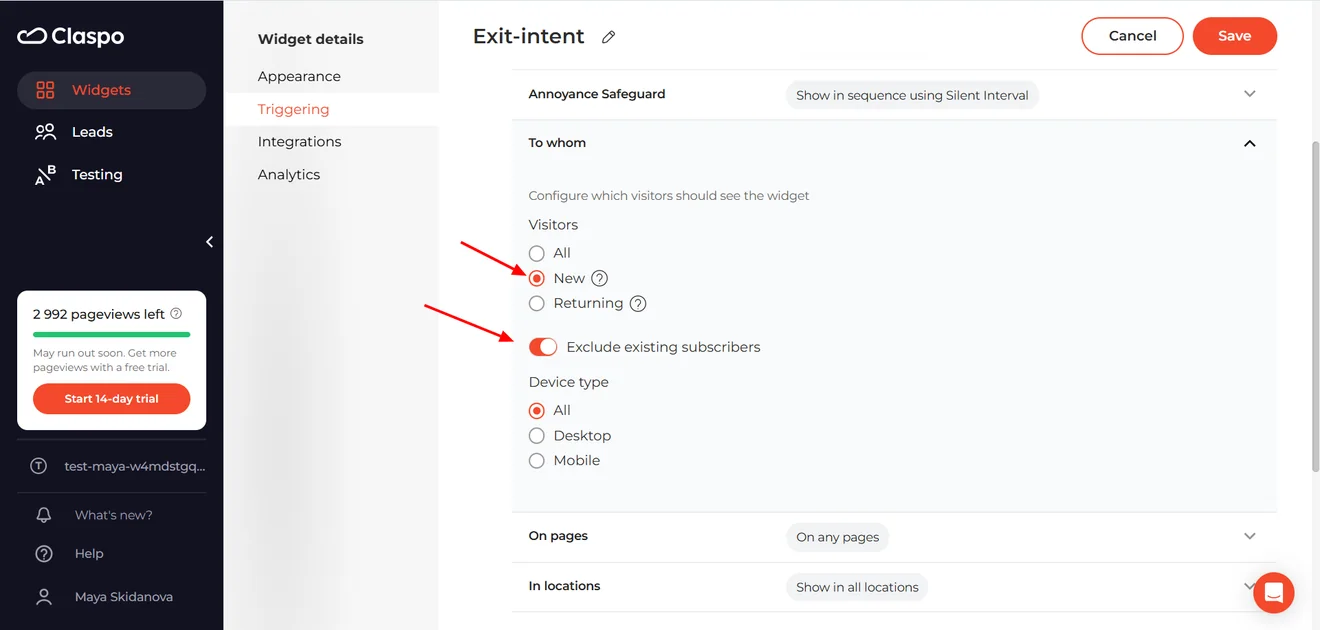
A visitor may already have seen a welcome offer. If they try to leave soon afterward, your exit popup might have to wait under the site’s display rules. Claspo’s Annoyance Safeguard, for example, can show widgets in sequence. Decide which offer should take priority, then test that sequence in a real visit.
Check the less obvious cases, too. Should a returning customer see the same first-order offer as a new visitor? Should someone who has already subscribed see another email form? Set exclusions before launch rather than relying on visitors to dismiss irrelevant popups.
Test the whole visit on desktop and mobile
An editor preview tells you how the popup looks. Open the site as a visitor and check when it appears, whether the close button is easy to reach, and where the CTA takes you. If there’s a code, try using it on an eligible order. If the popup recommends products, check that they’re available and relevant to the page.
Repeat the journey on a real phone. Trigger the mobile version, tap through its steps, and make sure the visitor can still access the page. Google’s guidance is to avoid dialogs that obstruct the content; there’s no universal screen-percentage rule to substitute for checking the experience.
Test against the outcome you want
Choose the main metric from the table before you run an experiment. Clicks can help diagnose whether people notice an offer, but a sales popup needs to be judged on purchases and the value left after the incentive. For an email popup, follow the subscribers beyond the initial signup.
Compare variants shown to the same kind of visitors, on the same pages, with the same trigger. Change one meaningful thing at a time: the offer, for instance, or the way it’s presented. If you want to know whether the popup creates additional sales, compare it with a group that doesn’t see the campaign. A higher conversion rate among people who saw a popup alone can’t answer that question.
How to create an exit-intent popup in Claspo
Start with an exit-intent popup template and adapt its offer and design to your site. Our template customization guide walks through the editor; here, let’s focus on when and where the popup appears.
Open Audience & Triggering.
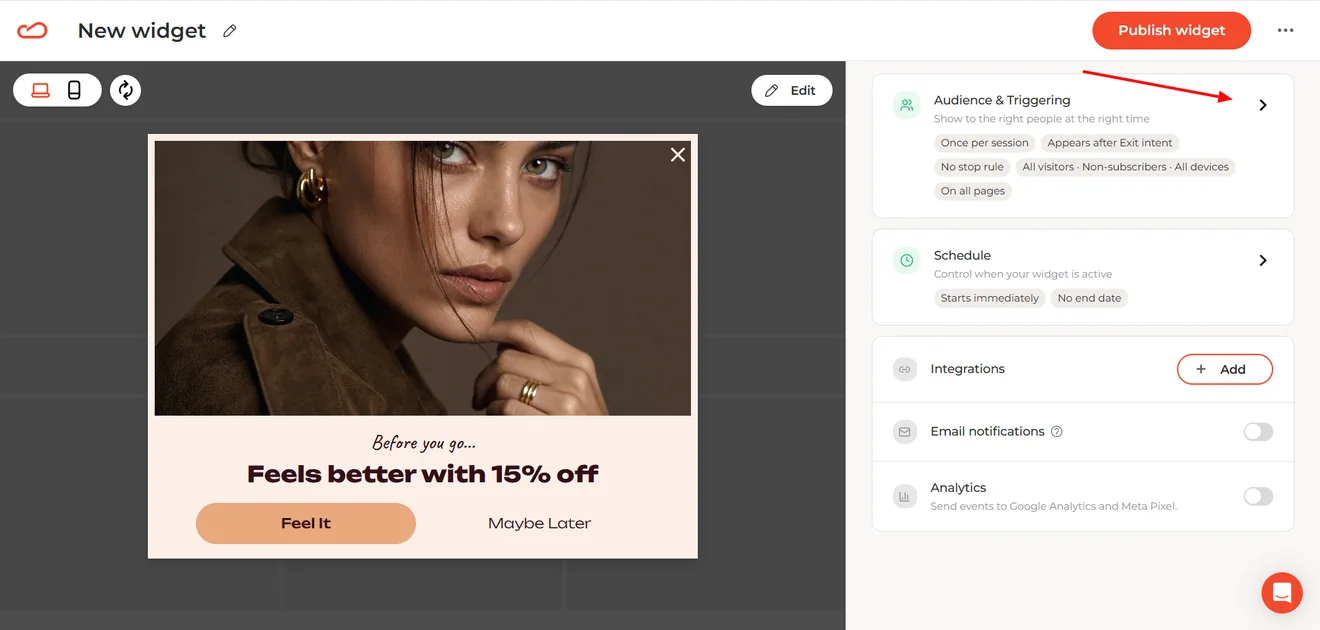
Then When to display. Turn on Exit intent.

If you chose an exit-intent template, check whether it’s already enabled. One toggle works on both desktop and mobile: Claspo uses mouse movement on desktop and a quick upward scroll on mobile.
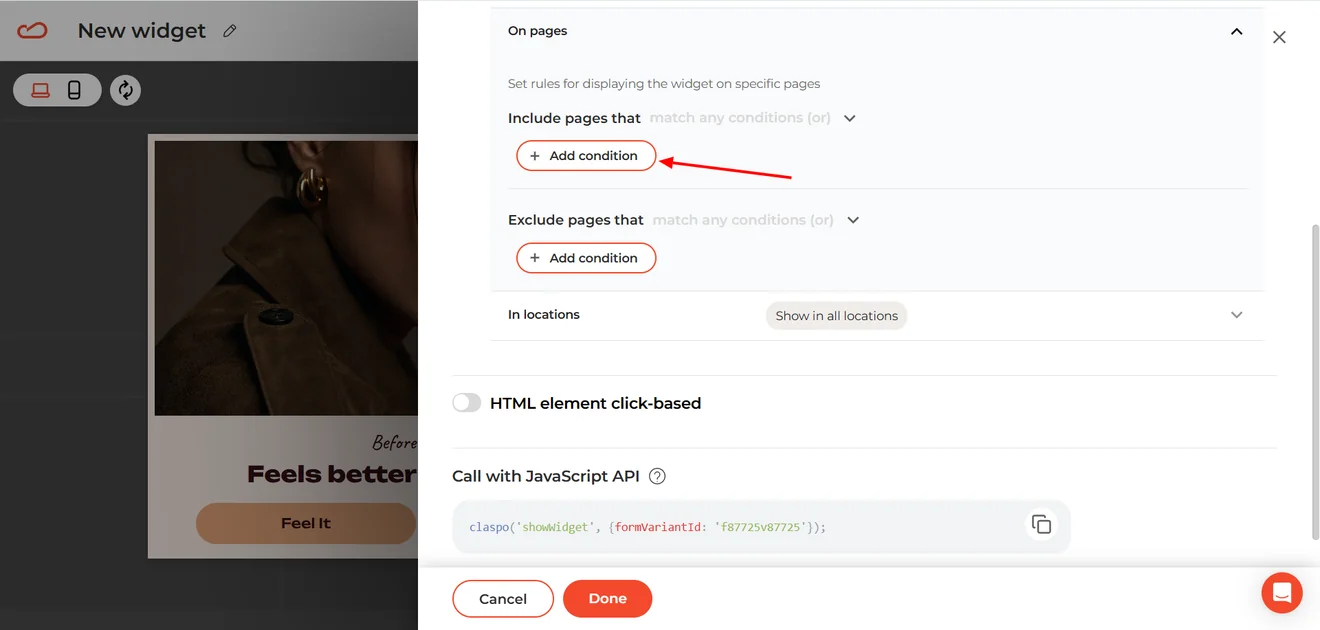
To target a specific page, go to On pages and click Add condition.
Select URL, choose a matching rule such as Equals, and enter the page URL.
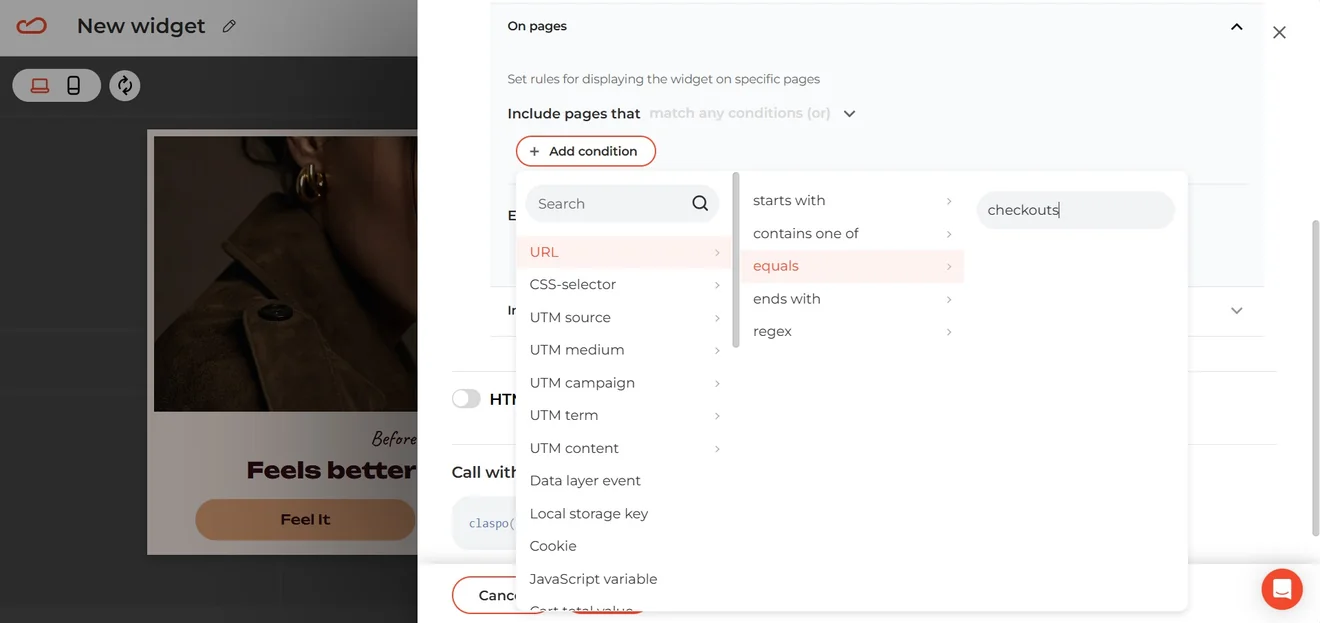
For example, you could show a cart recovery offer only when someone tries to leave the checkout page.
Publish the widget and test the exit behavior on your site, including on a real mobile device.
If you’re on Shopify and want to show visitors the products they left in their cart, follow our guide to creating a personalized cart abandonment popup.
Give the exit moment a purpose
Across these 23 examples, visitors get very different reasons to stay a bit longer. They can explore sale items, get help choosing a product, book a demo, or sign up to hear from a brand later. An exit survey can even show you what kept them from moving forward.
So before borrowing a design or a game mechanic, decide what you want that moment to achieve: a purchase, a way to bring someone back, a qualified lead, or a clearer picture of what needs fixing. That purpose should shape the popup—and how you judge whether it worked.
FAQ
What should an exit-intent popup say?
Tell visitors what they’ll get and what to do next. “Get 10% off your first order” is clearer than “Wait! We have a surprise”. If the offer has conditions, such as a minimum order value or exclusions, make them visible before asking for an email. The message should also fit what visitors were doing on the site: someone struggling to choose a product may find help more useful than another discount.
Should an exit-intent popup run sitewide or only on selected pages?
A sitewide campaign can work when its message is relevant wherever visitors leave. If the offer depends on what they’re doing, target the pages where it makes sense. A shipping reminder may be useful in the cart or checkout; a product finder belongs where shoppers are comparing options.
Should I ask for an email before showing the offer?
Let visitors see what the offer is before asking for their address. Then decide whether they need to sign up to claim it. A visible code or direct link makes it easier to shop right away. An email form gives you a way to follow up later, but adds a step. Compare purchases as well as signups to see which approach serves your goal.
What should happen after someone signs up through an exit-intent popup?
Deliver what you promised. Show a clear confirmation, and tell subscribers where to find their code, guide, or other reward. If it arrives by email, say so. Make any redemption terms easy to find, stop showing that person the same signup offer, and follow up with messages related to what interested them in the first place.