Countdown Timer Templates for Websites
Create urgency and boost conversions on your website with countdown timer templates by Claspo. Announce exclusive deals and encourage quick action before time runs out!
We haven't created templates with selected parameters yet. Please let us know if you need precisely these templates.
Request Widget


Top Template Categories
Take your website conversations and customer journey to the next level with zero coding and design skills. Claspo widgets are your key to maximum results with minimal effort.
GDPR Compliant. Your data is safe and secure with us.
FAQ: Countdown Timer Templates for Websites
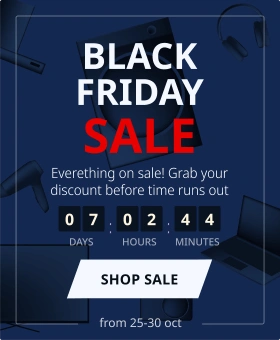
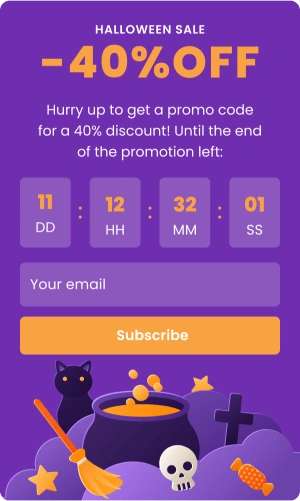
A countdown timer template is a pre-built widget that puts a ticking clock on your website. The clock shows the visitor how much time remains for the offer, sale, event, or launch. A countdown timer template consists of an actual clock, engaging copy, and a call to action (CTA). It is one of the most effective ways to create urgency and get visitors to act.
Countdown timers are a strategic tool. A timer creates a chain reaction: you place a countdown timer on you website’s high-traffic pages → the timer creates urgency → the urgency triggers fear of missing out (FOMO) → the FOMO increases conversions. Simply said, countdown timers tell visitors that it's now or never.
Use a countdown timer on your website to:
- Create urgency: Countdown timers tap into the FOMO by reminding visitors that time is running out on a deal, encouraging them to act fast before it’s too late.
- Encourage immediate action: When customers see a ticking clock, they’re more likely to make a purchase or take action quickly, rather than second-guessing.
- Boost conversions: Limited-time offers paired with countdown timers can significantly increase conversions, as customers feel more compelled to act in the moment to avoid losing out.
- Increase engagement: A countdown timer for websites keeps visitors engaged and focused on the offer or event.
- Promote special events or offers: On your website, countdown timers effectively highlight time-sensitive deals and events, like product launches, flash sales, or seasonal promotions.
Yes, Claspo offers free countdown website templates with any plan. Besides, we have a free plan with access to all features, unlimited widgets, and users. The free plan comes with a 10,000-pageview cap, so you can test what works for you.
Yes, they are fully customizable. Our team designs countdown templates to fit different use cases and industries, but you can definitely make them fully yours. You can change any detail of the countdown template according to your website design and your brand: colors, fonts, spacing, columns, elements, etc.
No, you don't need to be a developer or have experience in anything like this. Our timers are plug-and-play, so you can just find the best-fitting countdown template and use it. However, you can also play with it and tune it up so it feels part of your website. The countdown templates are fully customizable, responsive, and optimized for use on any website, be it an e-commerce store, a landing page, or a digital service portal.
Yes, significantly. Our benchmark shows that offers with countdown timers convert 112% better than standard forms. The explanation is simple: a ticking clock keeps customers focused on the offer and shifts their mindset from “browsing” to “deciding”.
It is all about psychology. A countdown clock widget grabs attention and leverages three key psychological triggers:
- Urgency: Nobody wants to miss out.
- Scarcity: Limited time or availability adds weight to the decision.
- Focus: The countdown clock widget draws attention to your deals.
In cases where urgency meets opportunity, such as flash sales, product launches, seasonal promotions, or incentives like free shipping, countdown templates prove to be a match made in heaven.
You can use countdown timer templates on any page of your website, but they work best on high-traffic pages where visitors make a final decision.
- Product pages. Pop a countdown timer right next to the product description or CTA button for inspiring quick decisions.
- Landing pages: A prominently displayed countdown timer makes the offer feel even more urgent.
- Homepage: Use a floating bar with a countdown in your header or footer to announce a site-wide sale.
- Cart pages: Use a timer here to reduce abandonment by reminding users that their cart reservation or discount is about to expire.
Claspo’s countdown templates are versatile and can be used for a wide variety of campaigns and promotions. Below are some of the most popular countdown HTML templates and their ideal use cases.
- Flash sale countdown timer. This countdown website template creates urgency around flash sales, limited-time offers, and special promotions. It’s perfect if you want to encourage quick purchasing decisions.
- Event countdown timer. This countdown template counts down to a specific event date. Promote upcoming events, webinars, product launches, or conferences and build anticipation.
- Limited-time offer countdown timer. This timer promotes time-sensitive offers, such as discounts, free trials, or exclusive deals. It tells visitors that generous offers don’t last forever, and that it’s better to buy right now. Using a timer to prompt a decision is a strategy you'll see in many high-performing limited time offer examples.
- Pre-order countdown timer. This countdown timer website template can help you build excitement and urgency before you even launch your product. It shows visitors the time remaining until they can pre-order a product, so they can secure their purchase before the official release date.
- Cart recovery timer. This HTML countdown timer template helps re-engage customers who have abandoned their shopping cart. It reminds them that their cart reservation is about to expire.
Claspo provides highly customizable countdown website templates for free. They are easy to integrate, mobile-optimized, and designed to drive conversions. Whether you’re looking to add a countdown to a sale, event, or limited-time promotion, Claspo’s countdown timer templates make it easy to create an engaging, urgency-driven experience for your visitors.
- Customizable & scalable countdown templates. Claspo’s countdown templates are customizable to fit your specific needs. You can adjust the design, color scheme, font, and display options to match your brand and promotional goals. Additionally, Claspo’s countdown templates are scalable, so you can display a timer on any page of your website or across multiple pages for maximum visibility.
- Mobile-optimized designs. A lot of people prefer shopping on mobile devices, so your countdown timer should look great and work well on all screen sizes. Claspo’s countdown timer templates for websites are fully mobile-optimized, ensuring they display beautifully and function on desktops, tablets, and smartphones.
- Real-time countdown. Claspo’s countdown timers display real-time, ticking clocks that show visitors exactly how much time is left until your sale, event, or offer expires. This feature helps create a sense of urgency and encourages immediate action from your customers.
- Built-in conversion tracking. Claspo’s countdown templates include built-in conversion tracking, so you can measure the success of your time-sensitive campaigns. You can track how many visitors interacted with the widget, how many conversions or purchases occurred, and assess the effectiveness of your countdown timer in driving sales.
- Easy integration with promotions. Claspo lets you integrate countdown timers directly into your promotional campaigns, including sales, discounts, and events. You can link the countdown timer widget to a specific product page, sale section, or event registration page, making it easy for visitors to take immediate action once the timer reaches zero.
- Multiple timer types. Claspo offers different timer formats to suit various needs. You can create a traditional countdown timer with hours, minutes, and seconds, or opt for one that counts down to a specific event date (e.g., a product launch or webinar). This is rather handy because your timer can work for any occasion, campaign, or promotion.
No. Claspo widgets score a perfect 100 on Google PageSpeed Insights. Thus, you don't have to worry about lag or bad user experience. Your site will stay just as fast as it is now.
Yes, you can respond to how visitors browse. Instead of showing the timer to everyone right away, you can set it to appear only for engaged visitors. They can be those who have spent 20 seconds on a page, scrolled halfway down, or viewed 3 pages. You can even mix and match these conditions.
Behavioral triggers let you activate pop-ups based on how your visitors behave. Claspo gives you plenty of options to get creative:
- Time spent: Show a countdown timer on a website after a visitor has been on it for, say, 15 seconds. This way you can be sure that they're interested enough to notice your offer.
- Scroll depth: If someone scrolls 50% down a page, they’re clearly interested. Use a timer to inspire action.
- Number of pages viewed: Reward your explorers! Trigger a pop-up like, “Thanks for checking us out! Here’s 10% off if you buy in the next 20 minutes.”
- Inactivity: Notice a visitor pausing for a while? Pop up a friendly nudge like, “Still thinking? This offer ends in 30 minutes!”
- Exit intent: Before visitors bounce, catch their attention with a countdown timer featuring a free shipping promo code, for instance.
- Identify newcomers: With Claspo, you can target new visitors. Greet them with a special offer like "Get 10% off if you subscribe within 10 minutes." Such a message can motivate them to do what you need.
- Geotargeting: If you host a local event, you can target visitors by country, region, or city for maximum local engagement.
- Device targeting: Tailor your message for mobile vs. desktop. A sleek mobile-friendly pop-up works for on-the-go shoppers, while desktop users might see a larger design.
- UTM-driven personalization: Show widgets that align with the ad campaign they clicked. If they came from a "Summer Sale" ad, show them a matching "Final Hours" countdown.
You can also use Smart Rules to keep things non-intrusive. Features like Silence Intervals (adding a time gap between popups) and Overlapping Protection keep your site professional and user-friendly.
Yes. Claspo comes with a drag-and-drop editor, so it's easy to create a custom design. You can change fonts, colors, sizes, and animations. Start from scratch or base your design on one of our countdown templates and edit it until it fits your brand perfectly.
It’s easy and takes just a few minutes. First, select a pre-built countdown template that fits your goal (like a flash sale). Next, use the drag-and-drop editor to refine the look and set the time duration. Finally, set the desired display rules (triggers) and copy-paste the installation code onto your website to go live.
Here’s a more detailed guide:
Step 1. Pick a countdown template. Select a countdown timer template for your website from Claspo’s library. Our library has over 1,000 templates, so you will be sure to find what fits your goals, whether it’s a flash sale, event promotion, or product launch.
Step 2. Customize the countdown template. Use Claspo’s drag-and-drop editor to edit the look of your countdown timer. Play with the colors, type, and layout. Besides, you can go beyond text. Add eye-catching visuals, animations, and even videos to match your website’s design and branding.
Step 3. Set your targeting & triggers. To unleash your countdown countdown template’s full power, you need to be strategic with your triggers and targeting. Claspo makes this easy, giving you control without requiring HTML coding knowledge. With our targeting options, your countdown popups will target particular audiences (new vs. returning), devices (mobile vs. desktop), or locations (geo-targeting). Additionally, there are behavioral triggers like:
- Time spent: Show the timer after 15 seconds.
- Scroll depth: Trigger when a user scrolls 50% down the page.
- Exit intent: Catch visitors before they bounce with a last-minute offer.
Besides, we recommend trying out our relative countdown timer, which works for each visitor individually. It counts down for a set period, then vanishes for that user. The magic is that this timer will still appear for the rest of your visitors. This lets you run an “evergreen” promotion with clear time limits for each visitor. With it, you’ll avoid the impression of a perpetual sale that might devalue your products.
Step 4. Sync with marketing tools. Connect your widgets with a host of well-known ESP, CDP, CRM, and CMS platforms using Claspo's native integrations. Whether you’re nurturing leads, running email campaigns, or tracking customer data, our pop-up builder has you covered.
Step 5. Go live and track performance. Once ready, simply add the widget to your site. If you use Shopify, WordPress, or WooCommerce, you can use our dedicated plugins to install it instantly. Want the data on unique views, target actions, and conversions? It’s all there, neatly organized in your dashboard. Need more detailed insights? Connect to Google Analytics and track events across every page where you use countdown timers.
Claspo’s countdown timer templates are proven to increase urgency, drive conversions, and improve customer engagement. Here’s why businesses trust Claspo:
- Increase urgency and conversions. Countdown timers encourage visitors to act quickly, boosting conversion rates and sales.
- Boost engagement. A well-placed countdown timer captures attention and keeps visitors focused, prompting them to take action before the offer expires.
- Seamless user experience. Claspo’s mobile-optimized and easy-to-use countdown templates ensure a smooth, professional experience for your visitors on any device.
Countdown timers are great to get people to take action on your site, but you’ll see results only with a strategy. Below is how to use your countdown widgets effectively.
1. Placement: put it where it counts
The first step to ensuring your countdown timer works is to place it where people can see it. High-traffic pages are the best bet. Here are a few great spots to consider:
- Product pages: got a limited-time offer or a pre-order campaign? Pop that countdown timer right next to the product description or CTA button. It’s perfect for inspiring quick decisions.
- Landing pages: ideal for promotions or events. A prominently displayed countdown timer makes the offer feel even more urgent.
- Homepage headers or footers: an attention-grabbing floating bar with a countdown on your homepage can announce a sale and direct visitors to a dedicated page for more details.
2. Countdown widget design
Your countdown timer should grab attention without feeling off. Here’s how to design it effectively:
- Clarity: Choose clean typography and contrasting colors that match your branding. A timer that blends into the background won’t do you any favors.
- Color smarts: To keep things balanced, follow the 60-30-10 rule — use one dominant color for 60% of the design, a secondary color for 30%, and a bright accent color for the remaining 10%.
- Animation: Add movement to the CTA button, but don’t overdo it. The key is to highlight the urgency without distracting from your main message.
For more inspiration, check out our article with countdown timer popup examples.
3. Avoiding annoyance: keep it user-friendly
While a countdown clock for a website can drive action, you don’t want it to become a nuisance. Our Silence interval and Overlapping protection features handle most of the work, but there's more you can do to keep visitors happy:
- Tailored triggers: use behavior-based triggers like time spent on a page, scrolling depth, or exit intent.
- Know when to stop: if visitors close or interact with the widget, don’t keep showing it. Claspo’s display rules make it easy to set these boundaries.
What Our Clients Say About Us

It's impressive, powerful, and user-friendly, offering professional-quality templates for any situation you might need. It can collect emails, feedback, and all kinds of pop-ups you've seen on websites. The editor is very simple to use, allowing you to customize almost everything, including brand colors and spacing. Regular monthly updates and good customer support


Claspo’s gamification features are superb — truly a standout compared to other popup and form tools. The interactive elements with smooth animations make it fun and engaging for users, and it’s noticeably boosted our email capture rate by 2X within just a month. It’s also a powerful, no-code all-in-one widget platform — deploying popups, forms, and banners is fast and intuitive, with a large template library and strong personalization options.
Technical Projects Manager
Excellent. We are making full use of the various popups and have found them to be easy to design, deploy and this assists us in getting valuable feedback from our customers. A particular shout out to [sensitive content hidden] as her level of support via the live chat has been invaluable and she responds in a matter of minutes. Thank you!

Founder
A must have product for generating leads