Email Newsletter Subscription Form Templates for Websites
Your primary resource for personalized email newsletter subscription form templates. Grow your email subscriber base with Claspo form templates and layouts.
We haven't created templates with selected parameters yet. Please let us know if you need precisely these templates.
Request Widget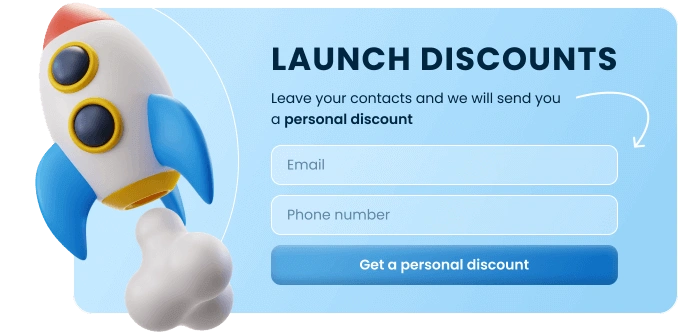
Top Template Categories
Take your website conversations and customer journey to the next level with zero coding and design skills. Claspo widgets are your key to maximum results with minimal effort.
GDPR Compliant. Your data is safe and secure with us.
Frequently Asked Questions
With an email newsletter subscription form template, you can design a subscription form without needing to code a single line. Such templates come with pre-made designs, which are perfect for generating leads by fetching your visitors' contact information immediately. These templates can be widely used by an email marketer to establish a database of subscribers to update them with news and fresh content. Claspo does not require you to personally code templates yourself; you just tweak the design using Claspo’s drag-and-drop tool to match your style.
With an email newsletter subscription form template, it’s much faster to create a lead-capturing campaign. They are the tools you need for preparing a product launch, running a blog, or building a lead-capture funnel. Our data proves that using the correct form builder and email newsletter signup form templates can significantly improve your sign-up rates.
We offer a collection of over 50 newsletter subscription form templates. You can quickly customize and add them to any website. Another feature you’ll like is that the email newsletter subscription form templates work on both desktop and mobile devices, thanks to responsive design. This means you don’t need to launch two separate widgets with the same form. Claspo’s customizable email newsletter form templates are proven to engage users, encourage sign-ups, and build your email list. With the right offer, your newsletter signup forms can be the key to growing your audience and keeping them informed.
The three most effective layouts for capturing emails are popup forms, inline forms, and floating bars. Each hits a specific goal depending on how visible you want the offer to be. Popups get maximum attention, inline forms sit naturally within your content, and floating bars remain visible while users scroll. All you need to do is decide on the level of engagement for your audience and find the email newsletter subscription form template using handy filters in the Claspo library.
Claspo offers several layout types of ‘Subscribe to our mailing list’ templates, each designed to engage users and encourage sign-ups:
1. Popup form (Maximum visibility)
A popup is the most direct way to grow your list. It appears over the website content, captures visitors' attention, and encourages them to subscribe to your email newsletter. Thanks to triggers such as time delays, scrolling, or exit intent, this form type appears when you tell it to and improves signup rates.
Best for: High-value offers like “10% off your first order” or exclusive lead magnets.
2. Inline form (Embedded & Subtle)
An embed form is seamlessly integrated into your webpage, usually inside a blog post, sidebar, or footer. Because it doesn't cover any content, it is friendlier to the user experience. It works perfectly for readers who are already engaged with your articles and want to hear more from you.
Best for: A non-intrusive, permanent subscription option.
3. Floating bar (Sticky & Persistent)
A floating bar is another name for a “sticky bar,” which is a narrow strip that remains fixed at the top or bottom of the page as users scroll. This is often the best choice for mobile users, as it takes up minimal screen space and keeps the “Subscribe” button always within thumb's reach.
Best for: Keeping your signup offer visible without blocking the main content.
An email newsletter is one of the best ways to nurture relationships with your audience. You can use email newsletter subscription form templates to grow your contact list, distribute lead magnets, offer ecommerce discounts, or prevent site abandonment. Even though the primary goal is to collect emails, you can change the approach based on your business model. Claspo’s newsletter subscription templates are adaptable enough to handle a variety of marketing scenarios.
Here are some popular types of email signup forms you can start with:
- Lead magnet signup. The most effective way to get a signup is to give something in return. You can use an email newsletter subscription form template to offer a downloadable PDF, checklist, or template in exchange for an email address. The form acts as the "gate" where the user exchanges their email for your high-value content. This classic form type is ideal for bloggers, coaches, and SaaS companies looking to grow qualified leads.
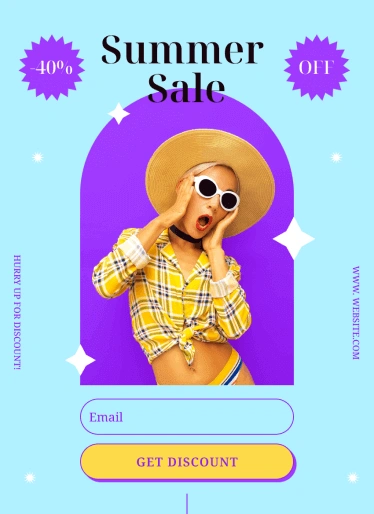
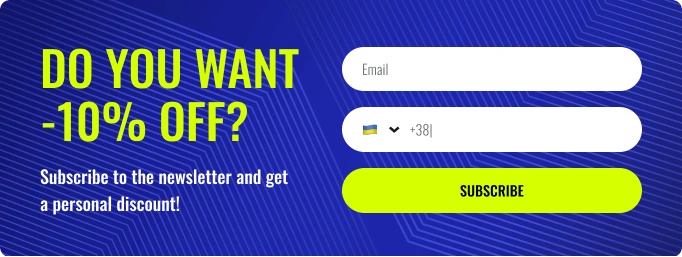
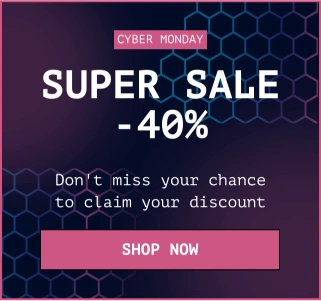
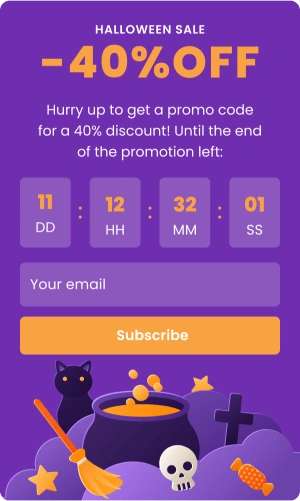
- Discount code widget. For e-commerce brands, a sign up for email newsletter template is often transactional. You can use an email newsletter subscription form template that reveals a discount code (e.g., “10% off your first order”) immediately after the user subscribes. This hits two goals at once: it grows your list and incentivizes an immediate purchase. Our blog features sign up for newsletter examples to inspire your next form.
- Exit-intent form. When a user moves their mouse to close the tab, you can trigger a specific email newsletter subscription form template. This is your “last chance” attempt. You can use this to say, “Wait, don't miss out on our weekly tips,” or “Grab this offer before you go.” These form types turn abandoning traffic into retained leads.
- Pre-order form. If you are launching a new product or feature, use a simple inline email newsletter subscription form template to build a "waiting list." This creates hype and ensures you have a warm audience ready on day one.
Claspo’s templates stand out for the following: professional design, high-converting behavior, and no-code design. Our email newsletter subscription form templates are not just static images but smart tools that help business meet their goals. We focus on flexibility and performance so you don't have to choose between a good-looking form and one that actually works.
Claspo offers a variety of email newsletter sign-up templates specifically optimized for growing your subscriber base.
Here’s our key differentiators:
- Customizable & scalable. Every element of the “Join our newsletter” templates is editable. You can change fonts, colors, button shapes, and background images to align with your brand guidelines and marketing goals. As your business grows, the forms scale with you.
- Mobile-optimized designs. A significant portion of web traffic is mobile. Claspo’s newsletter subscription form HTML templates are responsive by default. They automatically adjust sizing and layout to ensure the "Submit" button is always clickable and the text is readable on smartphones and tablets.
- High-converting features. Claspo’s “Subscribe to our newsletter” templates come with built-in behavioral triggers that increase conversion rates, such as exit-intent popups, time delay triggers, and easy-to-fill forms. These elements ensure that your email newsletter signup form is always optimized for higher conversions.
- WordPress integration. Using WordPress? Claspo’s got your back. Our WordPress newsletter signup plugin makes it super simple to grow your list — no coding, no fuss. Just install the plugin, pick a template you like, and drop it into your site.
To create a form, simply choose an email newsletter subscription template from the Claspo library, use the visual editor to customize the design, set your display triggers, and hit publish. The process is intuitive and allows marketers to launch campaigns without waiting for developer support.
How to create and publish a newsletter signup form in just a few simple steps:
- Choose a newsletter signup form template. Browse the Claspo library to find an email sign up list template that best fits your website’s needs. Filter by type (popup, floating bar, or inline) or by industry.
- Customize your design. Make an email newsletter form your own with Claspo’s intuitive drag-and-drop builder. Here, you can upload your logo, swap images, and rewrite the messages. You can adjust the “tone” of the form — making it professional, playful, warm, or urgent — by changing the colors and text fonts. You also have full control over the form fields. Need just an email? Easy, let’s keep only the essentials. Need a name and phone number? Just drag those elements in.
- Set your triggers and rules. Set when and how your form will appear on the page. You might set a 5-second delay so the user settles in first, or set it to trigger after they scroll 50% down the page. You can also set frequency rules to avoid annoying your visitors.
- Publish and track performance. Once your design is ready, publish your form with a click. You see how it performs via Claspo’s built-in analytics, test form versions, and adapt them for optimal CRs.
Using Claspo’s email newsletter signup templates significantly reduces design time while growing your email list and user engagement. We designed the email newsletter subscription templates following conversion rate optimization (CRO) principles, so they generally outperform generic, unoptimized forms.
Primary benefits:
- Increased email list growth: Effective forms nudge users to subscribe, helping you build a solid email list.
- Improved user interaction: Through periodic newsletters, you can update your subscribers and engage them with your services, content, and products.
- Higher conversions: With conversion-focused features like exit-intent popups and time delays, Claspo’s templates help you capture sign-ups at the most effective moments.
- Data-driven optimization: You always know what forms work. You can track views and CR. This allows you to A/B test different headers, elements, or offers to see which template yields the best results.
- Better brand awareness: Send newsletters regularly to keep in touch with your audience.
You can integrate your Claspo account with leading Email Service Providers (ESPs), Content Management Systems (CMSs), and CRMs, such as Mailchimp, HubSpot, Klaviyo, and GetResponse, to automate your routine operations. Thus, you can sync your subscribers' information directly into your database without any manual work. If you use a custom setup or other platforms not covered by Claspo integrations, you can also connect universally through Webhooks or Google Tag Manager.
No, you do not need any coding or design experience. Claspo is a user-friendly “no-code” platform for business owners, marketers, designers, and everyone interested in boosting their business. You can customize layouts, tweak triggers, and add data-driven elements to target your audience better. Installing the form is equally simple: you paste a single script line once, use our WordPress plugin, or connect via Google Tag Manager. Besides, we optimized the script so it does not slow your website down.
How no-code works:
- Visual interface: You see exactly what the form will look like as you are working on it (WYSIWYG).
- Drag-and-drop: Add an image, a video, or a text block by dragging it from the left sidebar to the canvas.
- No CSS/HTML: All styling (including margins, shadowing, and so on) is handled through simple buttons, toggles, and color schemes.
- Easy embed: The integration of embedding these forms into your website is either via a plugin (as with WordPress), using Google Tag Manager, or simply a one-line code placed immediately before closing with the tag .
Your header should state a strong offer that explains why [+people should care and join your email list. Instead of generic lines (like “Join our list”), tell what the user gets, such as “Unlock 15% Off,” “Get Exclusive Tips,” or “Download Free Guide.” Coupling a compelling headline with an incentive is the most practical way to capture high-intent leads and improve your conversion rates (CR).
Match your message to different stages of the user journey on your website. The best header depends on when the form appears:
- On first visit: Use a welcoming tone with an immediate reward; e.g., “Welcome! Save 10% on your first order.”
- On content pages: Reward with more value at the end of an article; e.g., “Enjoyed this post? Get our weekly marketing insights delivered to your inbox.”
- Exit-intent: When visitors want to leave, add a sprinkle of urgency; e.g., “Wait! Don't miss this limited-time offer before you go.”
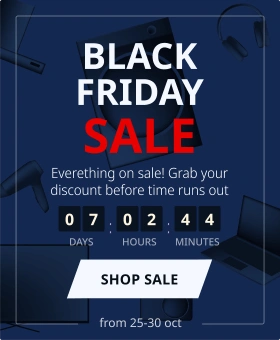
- Seasonal promotions: Make the text relatable to the date; e.g., “Get early access to our Black Friday deals.”
For the highest CR, keep your form as short as possible; ideally, add just the email address field. This follows the "friction rule": every extra field you add (like Name, Phone, or Company) creates more work for the user and typically lowers your signup rate.
If you focus on volume, stick to email only.
If you need further email personalization (e.g., “Hi Barbara”), you can ask for a First Name. However, be ready, as it is likely to slightly reduce submissions.
For those who require detailed data, we recommend progressive profiling: get the email first, then ask for details in a follow-up email or step.
To ensure compliance, your “sign up for newsletter” template must include an accessible link to your Privacy Policy and, in many regions, a checkbox for explicit consent. The checkbox typically states “I agree to the Terms and Privacy Policy.” It’s important to always leave the box not pre-checked, because you must leave this to a potential subscriber to actively select it if they agree and want to move on.
Another way to build trust is through transparency. It is best practice to add a small disclaimer under the “Subscribe” button (e.g., “We respect your privacy. Unsubscribe at any time”) and secure the form links directly to your full data processing policy.
Finally, the setup of “Double Opt-In” using your email service, which sends a verification email to confirm the address, is generally the gold standard.
(Note: Please keep in mind that this information serves as a general guide and does not constitute legal advice. Where possible, consult a qualified expert to ensure full compliance in your region.)
Yes, Claspo comes with an analytics dashboard to see how effective your email newsletter subscription forms are in real time. You can watch key metrics, including unique views, target actions, and CR across desktop and mobile devices. Claspo dashboard can also analyze dynamic activity over time and figure out how your forms improved their performance in your A/B tests, so you can make data-driven decisions to boost your sign-up rates.
What Our Clients Say About Us

Marketing Manager
For us, it actually works and stops people from leaving. The targeting settings let us show the pop-up only to potential clients who are really interested in our services. We synced Claspo with our CRM, and it helps us filter for the serious leads. Customer support was nice and helpful when we had questions.



CEO
It is very easy to use and support is very helpful plus has all features i need

Head of Marketing
I found Claspo by chance and was happy to see that it has a free forever plan without feature limitations. I like that there are a lot of ways to use it, not just for pop-ups. We used it to grow contact list with engaged visitors from our blog pages. The setup was fast, templates looked great, and we upgraded later when we got more visitors and needed extra page views.
Claspo has been an excellent addition to our store. It’s well-designed, easy to set up, and offers many useful features that make managing and growing our business much simpler. Overall, we’re very happy with the results and would definitely recommend this plugin to anyone looking to boost their store’s performance.

I installed Claspo to get an email newsletter popup when customers are getting ready to leave the page and it looks great! I also noticed that there are so many other popup options! It seems like it has the features of multiple apps all rolled into one. I'm looking forward to experimenting with all the options.