Subscription Form Templates for Websites
Grow your email list using Claspo’s subscription form templates. Each subscribe form template is easy to adapt to different pages and audiences.
We haven't created templates with selected parameters yet. Please let us know if you need precisely these templates.
Request Widget
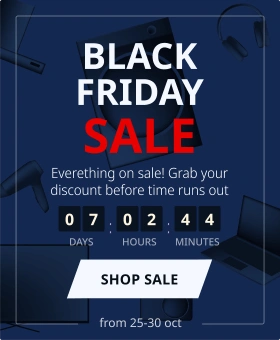
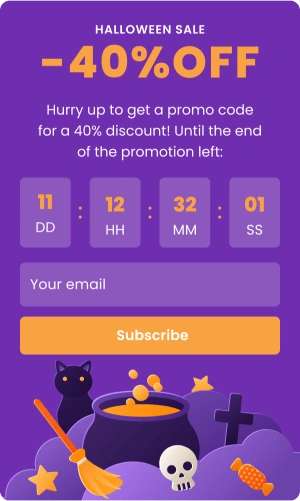
Top Template Categories
Take your website conversations and customer journey to the next level with zero coding and design skills. Claspo widgets are your key to maximum results with minimal effort.
GDPR Compliant. Your data is safe and secure with us.
FAQ
Subscription form templates are ready-made layouts you can use when you need to collect user details, such as email addresses or phone numbers, on a website. They give you a practical starting point instead of building a form from scratch every time.
Claspo maintains an ever-growing library of user-friendly, mobile-friendly subscription form templates that work across different pages and traffic sources. For marketers, this matters because sign-ups rarely happen in isolation — they’re influenced by context, timing, and how much effort a visitor needs to make. These forms display consistently on desktop and mobile.
They are used by a business, organization, or creator in different parts of a website, including content pages and product pages. Email signup forms are often placed where visitors already interact with an offer or piece of content. Changes to layout and text are made in the form builder. No coding required.
The templates support common tasks such as collecting email addresses, offering lead magnets, and requesting customer contact information. The sign-up process is kept simple and direct. This allows teams to work more efficiently and streamline routine marketing activities.
Claspo’s subscription form templates can be used in many everyday marketing scenarios, such as:
- Newsletter sign-up forms to collect emails from people who want your updates or content.
- Email-for-discount forms where visitors leave their email to get a special offer.
- Gamified sign-ups that turn email capture into a small interactive experience.
- Exit-intent forms to save abandoning visitors by offering one last reason to subscribe.
- Pre-order forms for collecting interest before a product or feature goes live.
- Welcome popups that help you introduce your brand and gently invite first-time visitors to subscribe.
- Lead magnet forms for offering useful materials like guides or PDFs in return for an email.
- Phone number forms to collect contacts for callbacks, SMS updates, or sales conversations.
- Lead generation quizzes that collect contacts while helping you qualify interest.
- Pricing request widgets for users who want more details before making a decision.
- Demo request forms where interested users can ask to see your product in action or book a call.
All templates come ready to use, but you can easily adjust the content and layout to fit your audience and campaign — no need to build everything from zero.
Subscription forms remain one of the simplest and most reliable ways to build an email list and keep a direct line to your audience. Whether you’re sharing a discount, growing a newsletter, or giving access to a free resource, the right form — shown at the right moment — can quietly outperform many more complex tactics.
Why marketers choose Claspo’s free subscription form templates:
-
Faster list growth with less setup
Each template is already laid out in a way that makes sense for sign-ups, which saves time and avoids a lot of trial and error.
-
Designed for real mobile behavior
Subscription forms are built to feel natural on small screens, which matters when a large share of sign-ups happens on mobile, not desktop.
-
Flexible, no-code editing
You can change the text, layout, and visuals to fit a specific campaign or audience — no developers involved and no code to deal with.
Free subscription form templates like these let you spend more time on what really matters, such as when and where a form appears, instead of rebuilding the same setup again and again.
Claspo’s subscription form template library is built for marketers, e-commerce brands, and content creators who want to grow their email list fast — without sacrificing design or control.
-
Fully customizable & easy to scale
From simple email capture to gamified and multi-step lead generation forms, Claspo templates are endlessly flexible. Change colors, fonts, copy, and triggers to perfectly match your brand. Want to offer a lead magnet or connect your CRM? No problem.
-
Mobile-optimized by default
All our subscription template samples are responsive and fully customizable for mobile. You can rest easy knowing your online forms will look clean and perform well across every screen size, from smartphones to tablets to desktops.
-
Built-in conversion tools
Boost sign-ups with features like exit-intent triggers, time delays, and targeting rules. Easily integrate discount codes, auto-responses, or redirection flows after submission. Plus, track every interaction with detailed analytics to optimize performance over time.
-
Works perfectly with WordPress and Shopify
Claspo works both as a WordPress plugin and a Shopify app, which makes setup straightforward on the platforms. On Shopify, the app lets you place subscription forms across storefront pages without interfering with site performance. Whether you're building a blog, online store, or landing page, Claspo works as a reliable WordPress email list plugin that helps you capture leads. Just install, choose a subscribe form WordPress template from the library, customize it in the drag-and-drop form builder, and publish.
Claspo’s subscription form templates stand out because they are designed around real usage scenarios, not just visual appearance.
The platform includes dozens of javascript email subscription form templates that cover different placement and interaction types. You can use the same system for a newsletter popup, an inline subscription form inside content, or a gamified opt-in without changing tools or workflows.
In practice, marketers often rely on the following options:
- Multi-step forms for breaking data collection into smaller steps.
- Exit-intent triggers for displaying forms at the point of exit.
- Gamification elements such as spin-to-win, scratch cards, or gift selection are available for cases where standard forms underperform.
- Smart targeting rules control when and where a form is shown. Targeting can be set using page conditions and visitor attributes.
- A/B testing allows multiple subscription form versions to be compared.
These features are used to manage subscriber lists growth over time. The subscription templates are flexible enough to be reused across campaigns, pages, and audiences, including flows tied to purchases or orders.
Customization is handled inside the editor, without technical setup. This allows teams to adjust design, targeting, and behavior as campaigns evolve, and to test ideas quickly without involving developers.
If you’re deciding which subscribe form templates to start with, it really depends on where and how people interact with your site. Different formats work for different moments — there’s no single “best” option.
A floating box is usually the least risky option. It shows up without taking over the screen, so people don’t feel forced into anything. This works well on blogs and longer pages where someone is already reading and has a bit of patience left.
Pop-up subscription forms are more aggressive, but that’s not always a bad thing. They’re useful when you actually need attention — a campaign, a limited offer. The trick is timing. Showing a pop-up the second the page loads is what gives them a bad reputation.
A sticky bar (floating bar) is more of a slow burn. It just sits there while someone scrolls. No pressure, no interruption. This works well for steady list growth, especially on product pages or homepages where people are still looking around and haven’t made up their mind yet.
Embedded subscription forms usually work best when they sit right inside the content. If someone is already reading or checking out a product, seeing the form there doesn’t feel pushy — it just feels like a logical next step.
And in reality, most marketers don’t rely on just one format anyway. They start with one or two, see how people respond, and then layer others in based on page type and traffic source. The key isn’t the subscription form itself — it’s matching the format to the moment when someone is actually ready to subscribe.
Creating a subscription form in Claspo usually starts with picking a template that’s close enough to what you want. There’s a whole collection of subscribe form templates, so instead of staring at a blank editor, you just look for something that matches the situation — popup, inline, sticky, whatever fits the page you’re working on.
The editing part is pretty hands-on. You open the template, change the text, move things around, swap colors — mostly small adjustments until it fits the page and doesn’t look alien. You can add things like images or a countdown, but honestly, many subscription forms work fine without piling too much on.
Then there’s the question of when the subscription form should actually appear. In a lot of cases, the form just lives on a single page and that’s it. In other setups, people wait a bit before showing anything — after some scrolling, a pause, or depending on where the visitor came from.
Publishing itself is quick. The bigger part is what happens after. You check how many people actually submit the form, how many leave, and whether small changes make a difference. Most people end up duplicating a form, changing one thing, and letting an A/B test run instead of guessing. That’s usually how decent subscription forms come together over time.
In real setups, Claspo usually connects to the same tools people already have — things like Mailchimp, HubSpot, Klaviyo, ActiveCampaign, GetResponse, Brevo, or Salesforce. If you’re collecting emails or leads and want them to land in your ESP or CRM, that part is typically covered.
On the website side, forms integrate with common CMS and e-commerce platforms — WordPress, Shopify, WooCommerce, Wix, Magento, and similar setups. You don’t need a custom environment or anything exotic for this to work.
If your stack is a bit more custom, there are webhooks and Google Tag Manager support, so you can pass data wherever you need. That’s often how teams connect Claspo to internal systems or less common tools.
Yes — customization is basically the whole point. The templates are just a starting layout. The editor allows changes to colors, fonts, spacing, margins, and alignment to fit the subscription form into an existing page layout. Nothing in the template is locked. You can change the text, buttons, fields — all the usual stuff you’d expect to tweak.
Fonts work the same way. If your site already uses a specific font, you can apply that exact one to the subscription form so it doesn’t look alien. And if you don’t know what font your site is using (which is pretty common), there’s a short guide right in the editor that shows how to check it on your own site. No guessing, no trying to match it by eye.
Many settings can be left as they are. Some teams only change a few things, others adjust spacing and alignment in more detail. Both approaches work.
Yes. All subscription form templates are already set up to work on mobile by default, so you don’t have to do anything special just to make them display correctly on phones.
That said, a lot of people still tweak the mobile version separately — and you can. In the editor, mobile and desktop can be edited separately. Changing one doesn’t affect the other. On mobile, people often strip things down a bit — images, social icons, long headlines. Whatever doesn’t really need to be there. The desktop version stays as it is. Mobile layouts usually end up simpler just because there’s less room. You can keep things cleaner on mobile while leaving the full version for desktop visitors.
Yes — they’re free. And not just the subscription form templates on this page. All designs in Claspo’s library are available for free. That includes everything — the 1000+ templates overall, not only basic subscription forms. Gamified templates, multi-step forms, NPS widgets, surveys — all of them. There isn’t a separate “free” vs “paid” template list where some designs are locked away. You can browse the full library, pick any template, and use it as a starting point.
We take user data privacy seriously, and we designed Claspo with this in mind from the start. When you use our subscription forms, you stay in control of the data you collect. We don’t use or sell your visitors’ data for our own purposes. Claspo acts as a data processor, while you, as the site owner, decide what information is collected and how it’s used.
To support GDPR and similar regulations, we give you practical tools inside the builder:
- you can add consent checkboxes,
- customize consent text,
- and include a link to your own privacy policy directly in the form.
And every subscription form template includes them by default.
On our side, we follow standard security and data-protection practices and process only the data needed to provide the service. Details about how we handle data, what’s stored, and for how long are openly described in our Privacy Policy.
When you pop open a specific widget, you get a set of stats that's just for that subscription form — views, target actions and conversion rates. And it's nice to see how that widget is performing on both desktop vs mobile — handy when something looks fine on desktop but acts up on phone.
There's a simple timeline view to check what's going on, so you can easily change the date range and see how the numbers change over time.
For gamified subscription forms there's even more data to dig into — like how rewards are being doled out, how many times each prize was won, and what the winning rate is. That makes it easier to figure out if those rewards are balanced out or if one particular option is getting all the attention.
What Our Clients Say About Us

Director of Business Development
We've been using Claspo for a few months to promote our upcoming launch and collect waitlist signups. We chose pre-order forms for waitlist and notification bar to inform visitors about recent news and deals. It was easy to set up widgets and style to our website design. The marketing team did it without any devs help, and the widgets looked professional and up to expectations. The analytics dashboard helped to track engagement. We also liked the direct integration with CRM and we didn't lose any leads during pre-launch period. The customer support was very helpful and instructed us on how to target the widgets the way we wanted.



CRM marketing manager
Claspo is a great popup service. The visual editor is very intuitive — we were able to set up everything quickly, integrate with Brevo, and start collecting contacts in no time.
I especially like how easy and transparent the display condition settings are. The Annoyance Safeguard feature is also fantastic – it lets you define how often and with what priority a popup will appear right when you’re setting it up.
I also love the Launcher feature – the ability to create a small clickable mini-popup that triggers a larger popup. It’s a smart and quite unique option that I haven’t seen often in other tools.
Customer support works really well — it’s convenient that you can ask questions right in the website chat and get a quick reply from a real person, not a bot. The responses are fast and helpful, which makes the setup process much easier.

Head of Marketing
I found Claspo by chance and was happy to see that it has a free forever plan without feature limitations. I like that there are a lot of ways to use it, not just for pop-ups. We used it to grow contact list with engaged visitors from our blog pages. The setup was fast, templates looked great, and we upgraded later when we got more visitors and needed extra page views.