What is a Popup? Definition, Meaning & Examples

Summarize
To understand the modern popup meaning, we’ll look past the historical stereotype of early-2000s browser clutter. In modern digital marketing, popup definition has shifted to a powerful marketing tool for increasing website conversions.
Popup definition: What is a popup in marketing?
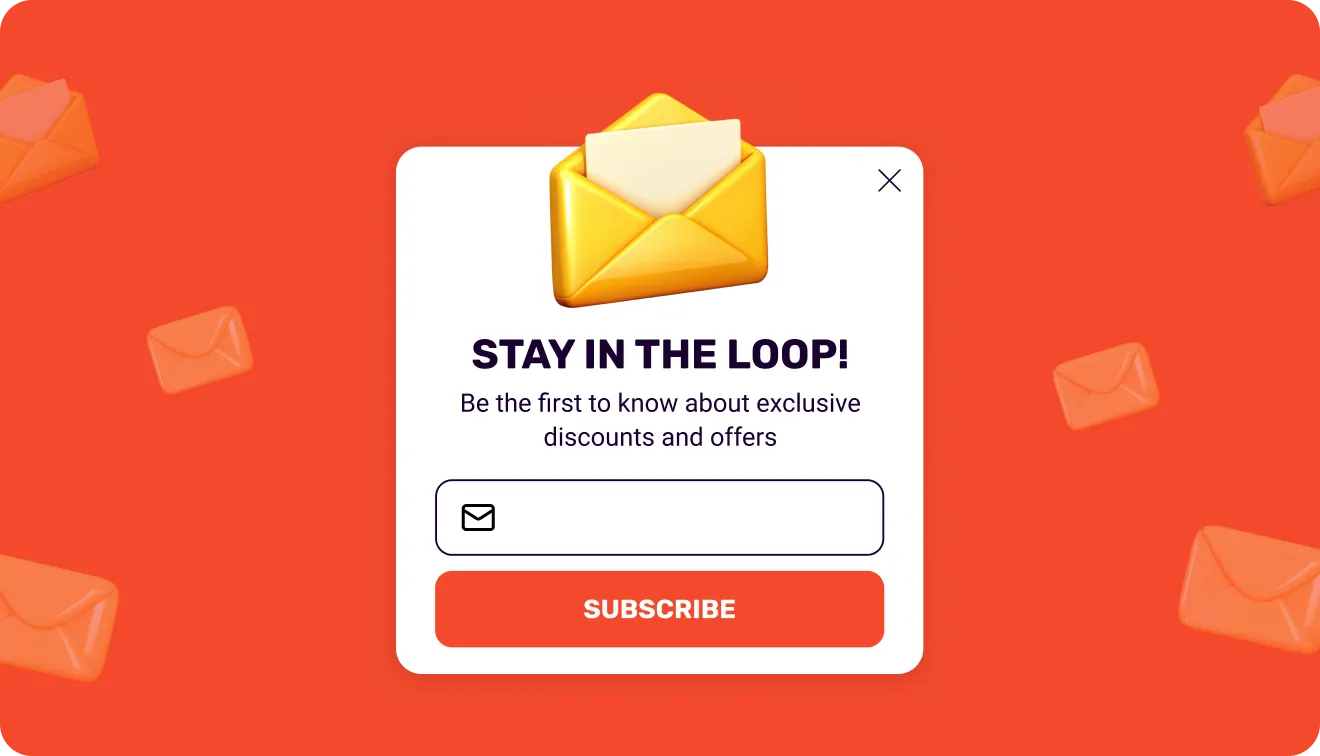
In marketing, a popup — or pop-up, or popup window — is a UI element that shows up on top of a webpage. It displays messages, forms, or offers. Popups can appear automatically (based on behavior or timing) or be triggered by user action, such as a click.
Marketers commonly use popups for:
Lead generation through email signup forms
Promoting discounts and special offers
Reducing bounce rates by engaging visitors before they leave
Supporting customer communication and chat prompts
Popup windows are usually made with JavaScript and embedded into websites either as dynamic overlays or inline components. On WordPress, you can add them through plugins or custom code — it depends on how much control you need.
Popup vs. pop up: What’s the difference?
Is it popup or pop up? Or maybe pop-up?
Pop up (phrasal verb) describes the action of something appearing suddenly.
Example: “A discount offer might pop up while you browse.”
Pop-up / popup (noun) refers to a website element like a message, form, or offer.
Example: “We added a newsletter pop-up to the page.”
In practice, the latter variation is used interchangeably in digital marketing.
Pros & cons of popups
Pop-ups are widely used because they balance attention, conversion impact, and flexibility. But they also come with trade-offs depending on how they’re implemented.
Pros | Cons |
Capture attention in seconds on low-attention traffic. | Can feel intrusive if poorly timed. |
Increase conversions with clear CTAs (up to 4× lift). | Overuse may increase bounce rates. |
Flexible for different goals (leads, sales, retention). | Requires careful targeting to avoid fatigue. |
Easy to launch and update without code. | Poor design hurts user experience quickly. |
The ROI of popups: Industry benchmarks
We did a massive cross-industry study of every single popup published by Claspo users over 3 years. The following statistics cover more than 779M impressions in total. We mapped over 120 conversion-driving parameters (from spatial layout and emotional copy tone to structural design styles and behavioral triggers).
Industry | Popup category & goal | Avg. performance | Top 10% performers | Key strategic driver |
E-commerce | Promo popups (Click-through) | 8.95% CTR | 43.10% CTR | Clean, minimalist design + explicit incentives. |
E-commerce | Sign-up forms (Subscription) | 4.72% CR | 41% CR | Gamification. |
Travel & Tourism | Promo popups (Click-Through) | 9.35% CTR | 25.67% CTR | Non-intrusive floating boxes. |
Travel & Tourism | Sign-up forms (Subscription) | 2.58% CR | 13.98% CR | Free destination guides. |
Food & Drinks | Sign-up forms (Subscription) | 6.75% CR | 30.50% CR | High-contrast product photography. |
Food & Drinks | Promo popups (Click-through) | 5.74% CTR | 23.25% CTR | Immediate, margin-safe promo codes. |
SaaS Platforms | Engagement / Feature updates | 4.88% CTR | 20.50% CTR | Problem-solution framing without urgency. |
SaaS Platforms | Lead gen / Free trials | 1.06% CR | 3.81% CR | High intent actions like demo requests. |
Education | Engagement / Course alerts | 4.68% CTR | 18.62% CTR | Structured, motivational copy and clear deadlines. |
Education | Sign-up forms (Lead gen) | 4.19% CR | 11.60% CR | Mentorship-driven tone and financial rewards. |
Media & Publishing | Informational / Content guide | 2.40% CTR | 23.15% CTR | Centered layouts mimicking breaking news alerts. |
Media & Publishing | Newsletter sign-up popups | 0.33% CR | 0.51% CR | Post-content or embedded forms. |
The difference between the average and top performance lies in popup structure, explicit value proposition, and strict behavioral triggers. For instance, 95% of top-performing popups ask for only one or two fields. Additional requests, like phone numbers or preferences, often reduce popup conversion rates. First, capture the lead and only then run progressive profiling.
Main types of popups by layout (with examples)
A great offer can still underperform if it's shown in the wrong format. For a broader comparison by layout, goal, and trigger, see our guide to 50+ types of popups. Our analysis of 779 million impressions found that popup layout has a major impact on popup conversion rates. Here are the six core popup formats and when to use each one.
Centered popup
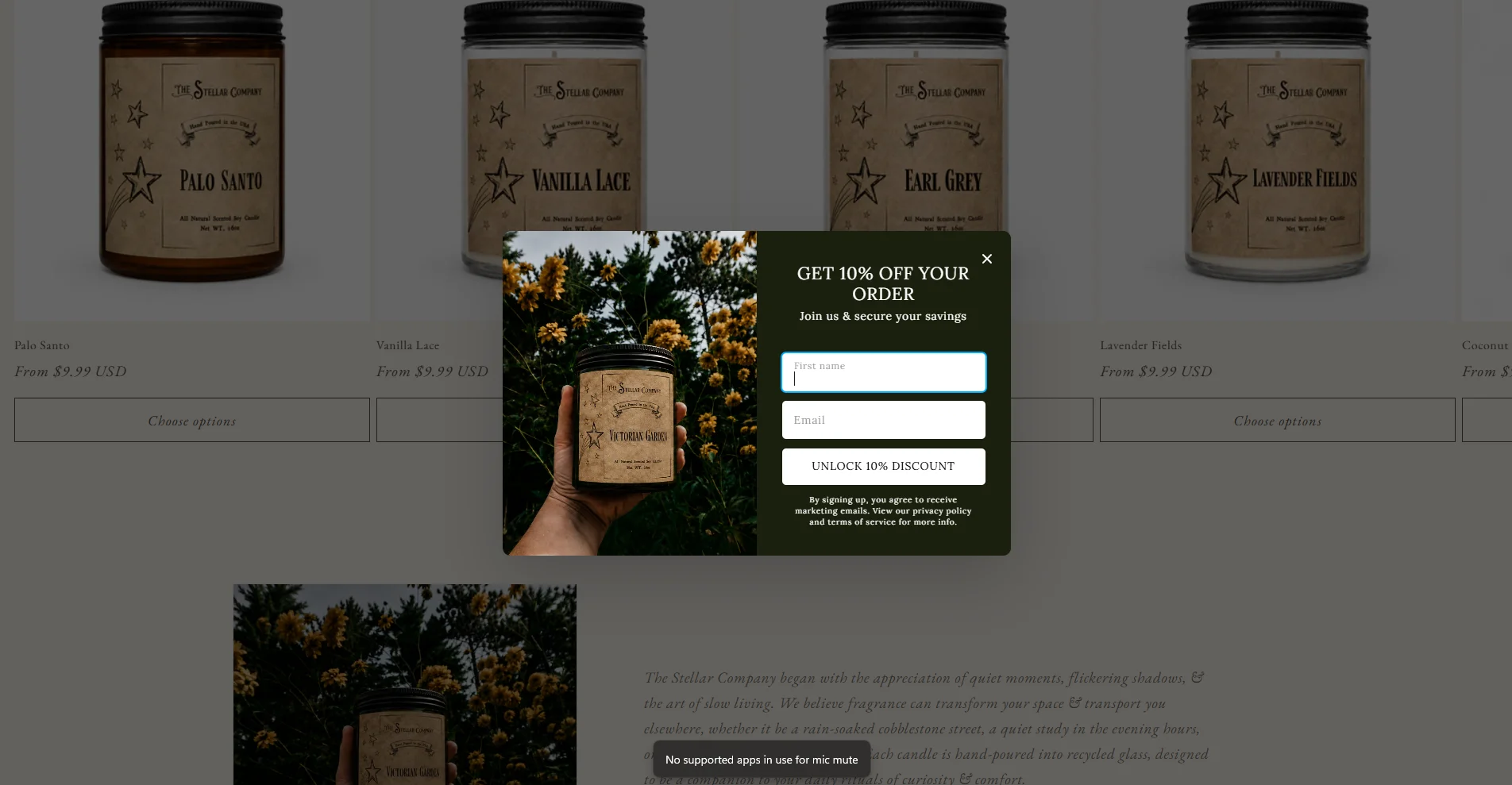
A classy centered popup appears in the middle of the screen and overlays your website content by darkening it as a background. This layout successfully directs attention to a single message and a call to action (CTA).
Performance: Centered popups consistently outperform other formats across industries. 74% of the top 1% of signup forms use centered popups. In e-commerce, centered promo popups achieve a 10.6% average CTR, while list-building signup popups convert at 4.87%. In SaaS, feature announcements lead their category with a 6.01% average CTR.
Why it works: It focuses on a single message and CTA, captures attention immediately, and makes the next step obvious.
When to use: Use this format for welcome offers, site-wide promotions, product launches, and big sales events such as Black Friday and Cyber Monday.
Full-screen popup
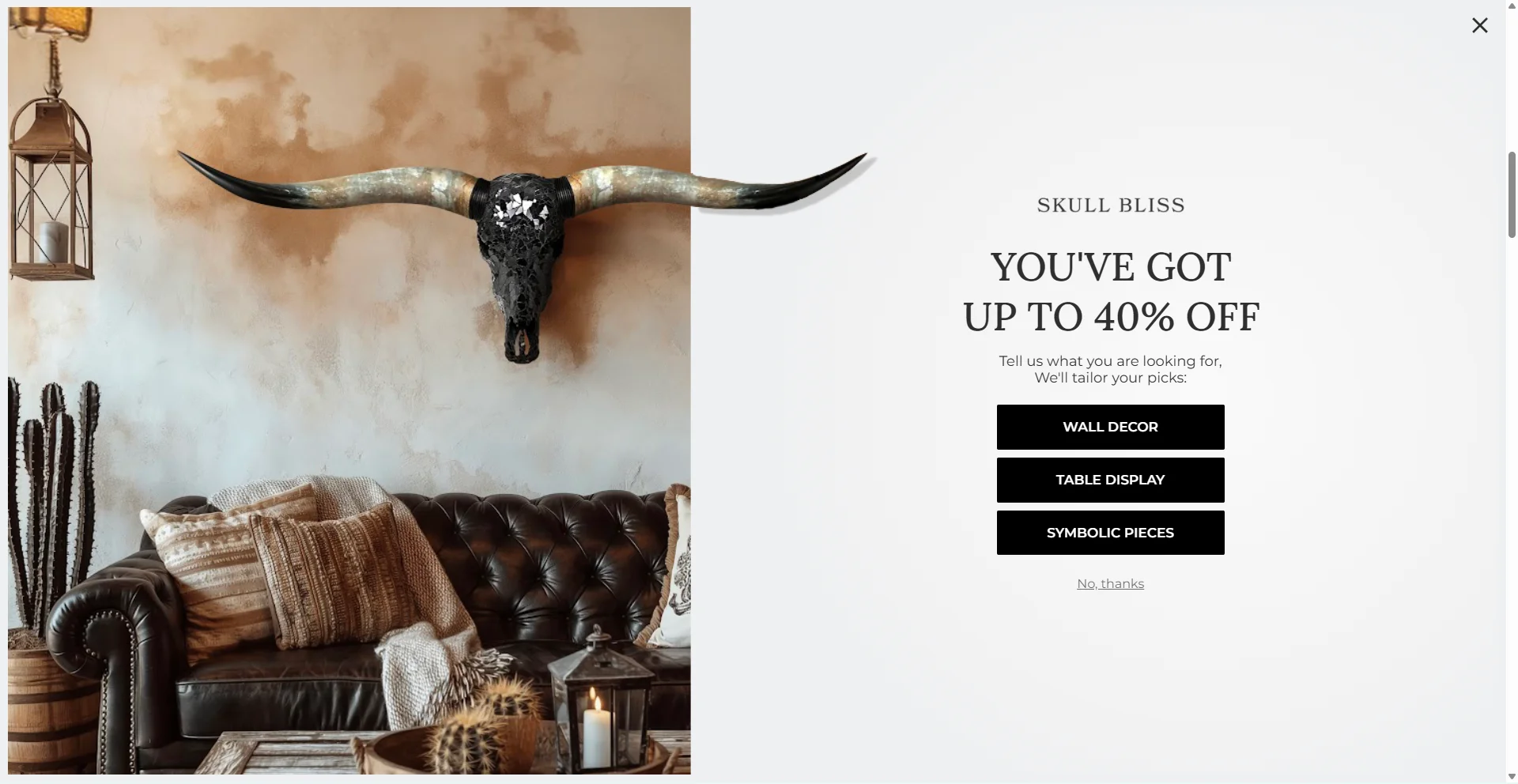
A full-screen popup covers the entire browser window. It’s commonly used for urgent messages, content blocking, audience segmentation, and age verification.
Performance: According to statistics, full-screen popups have a solid conversion of 3.41%.
Why it works: This format eliminates distractions so that visitors focus on your offer and act in order to get back to the site content.
When to use: Best for high-priority interactions such as audience segmentation, age verification, consent collection, important announcements, or legal requirements.
When to avoid: Don’t use full-screen popups as the first interaction for standard promotions, newsletters, or low-priority offers. They might be seen as intrusive and create friction.
Floating box
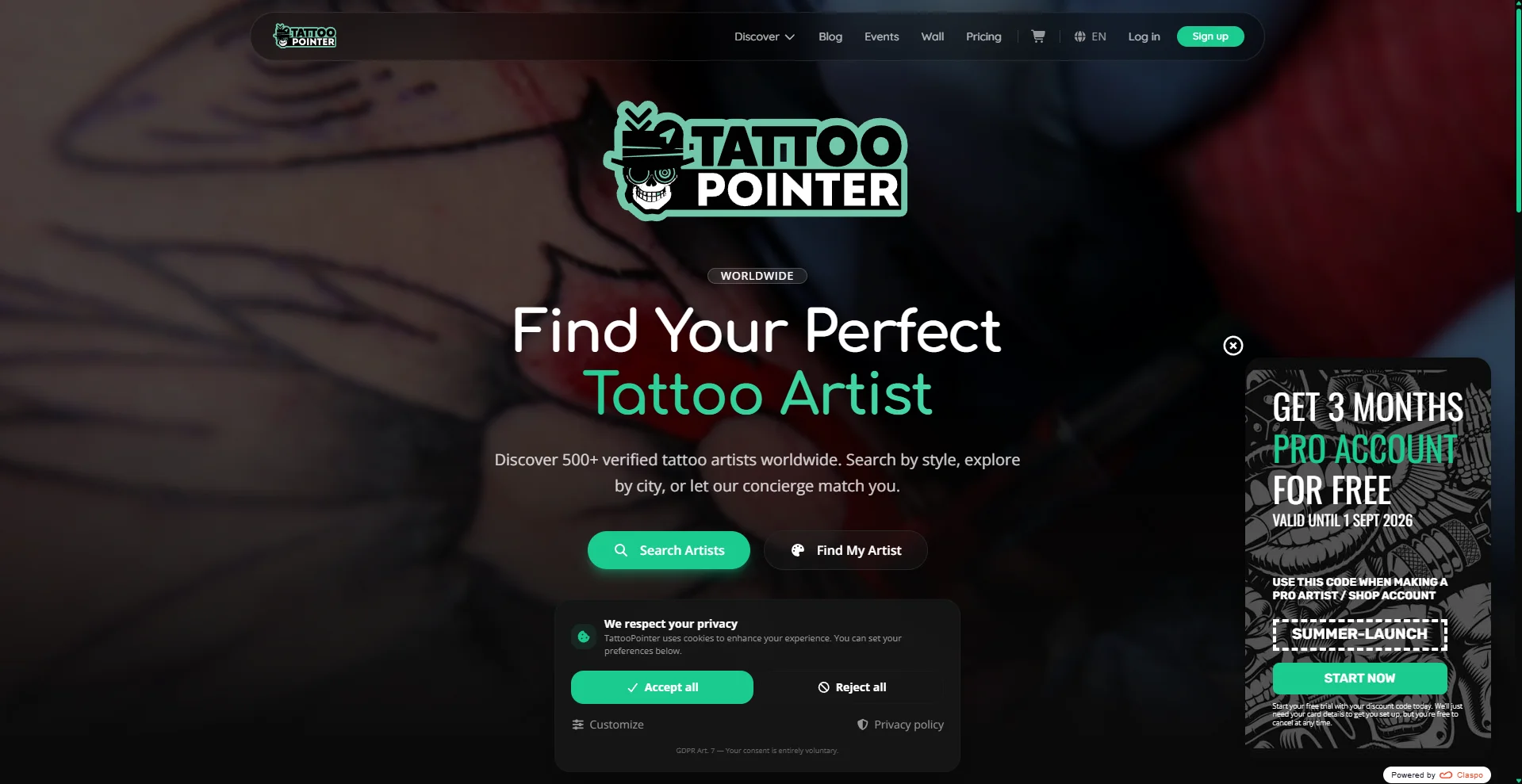
Floating boxes sit quietly in a specific perimeter of the screen (typically the bottom-right or bottom-left corner). Their main feature is that they do not overlap the website's content as visitors scroll through a page.
Performance: Floating boxes are a strong alternative when you focus on visibility. In Travel & Tourism, they achieve an average CTR of 11.42%, outperforming centered popups (6.35% CTR). In e-commerce, floating-box signup forms convert at 4.78%, second to centered popups (4.87%).
Why it works: They don’t interrupt the browsing experience.
When to use: Ideal for ongoing awareness campaigns, product pages, secondary promotions, and industries with longer consideration cycles, such as travel, B2B SaaS, and financial services.
Floating bar
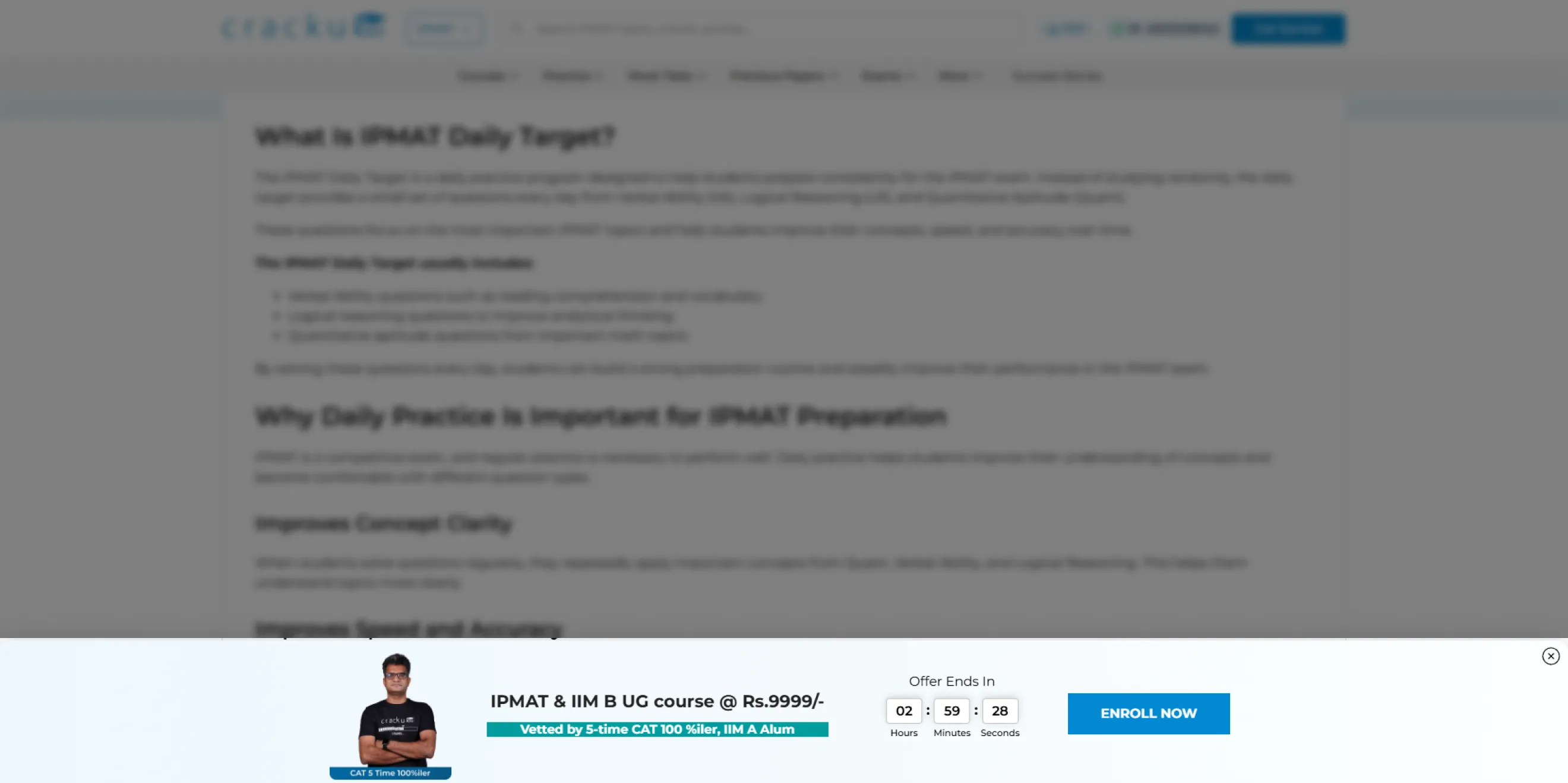
Like a floating box, a floating bar stays visible as visitors scroll. The difference is that it takes up far less screen space, making it one of the least intrusive popup formats.
Performance: In e-commerce, floating bars perform well for promotions and reminders, averaging a 7.49% CTR. However, they are less effective for lead capture: subscription bars convert at just 2.12% on average. SaaS campaigns show a similar pattern, with an average CTR of 3.27%.
Why it works: Floating bars stay visible throughout the browsing session without interrupting the user's primary task.
When to use: Use floating bars for simple, non-gated messages such as free shipping progress, sale countdowns, coupon reminders, product announcements, or cookie consent notices.
Inline widget
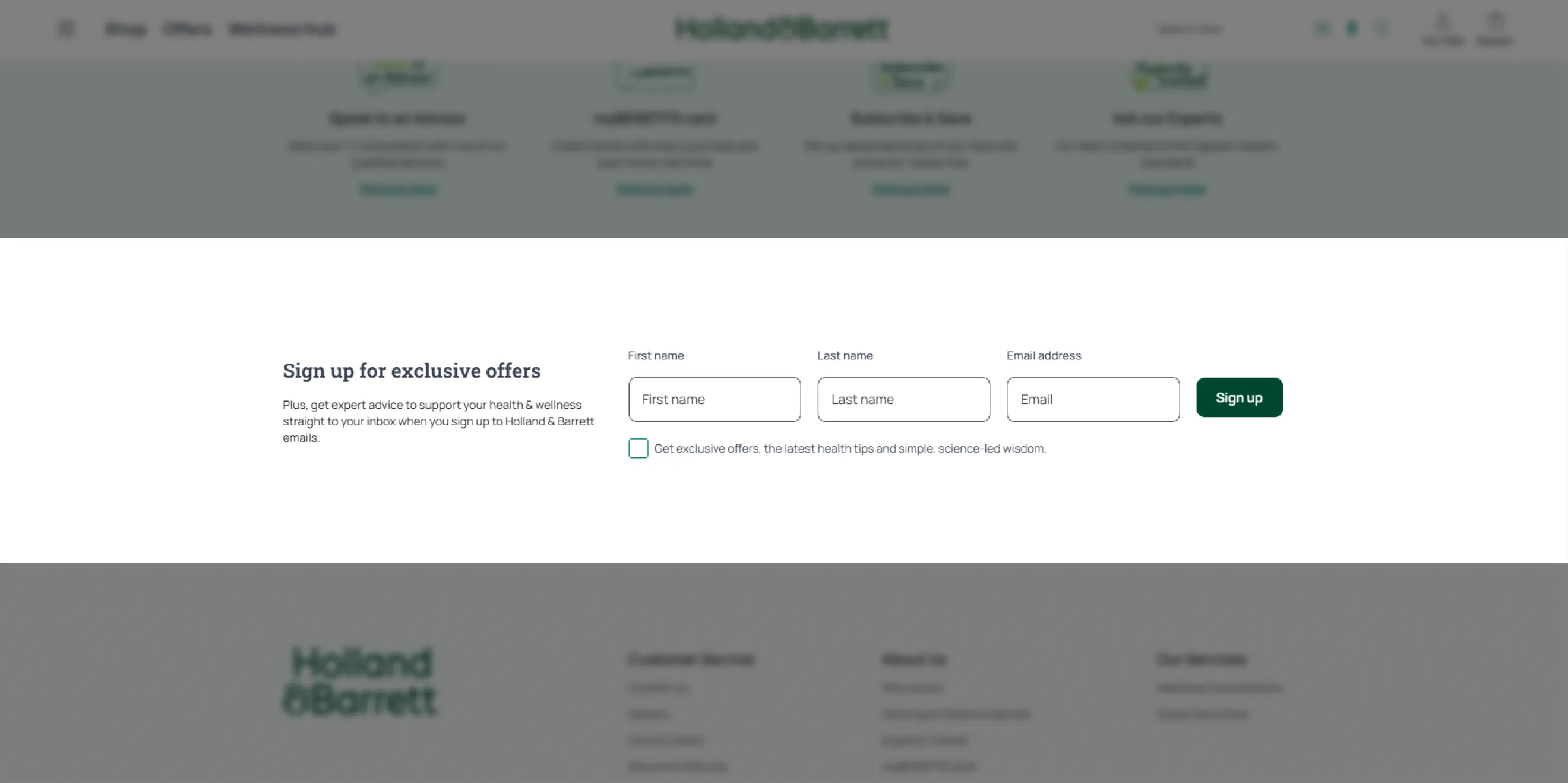
Built-in elements are embedded directly inline with your webpage content and styled natively using CSS. They can be static or slider-based.
Performance: Inline widgets have a 0.77% CTR in Publishing and 1.23% in SaaS, because many visitors simply scroll past them. In e-commerce, however, they can be highly effective, reaching a 4.37% CR.
Why it works: They blend naturally into the page layout, so you can present relevant offers or information without interrupting the visitor.
When to use: High-intent areas such as product recommendation sections, checkout flows, post-purchase pages, or loyalty program invitations.
Teaser
A teaser (or launcher) is a small, minimized version of a popup — usually a badge or icon — that invites users to open the full message when they are ready to interact with it.
Performance: Because the full message is revealed only after a user clicks, click-triggered setups can achieve up to 3× higher popup conversion rates compared to automatic overlays.
Why it works: It creates curiosity and lets visitors decide when to engage.
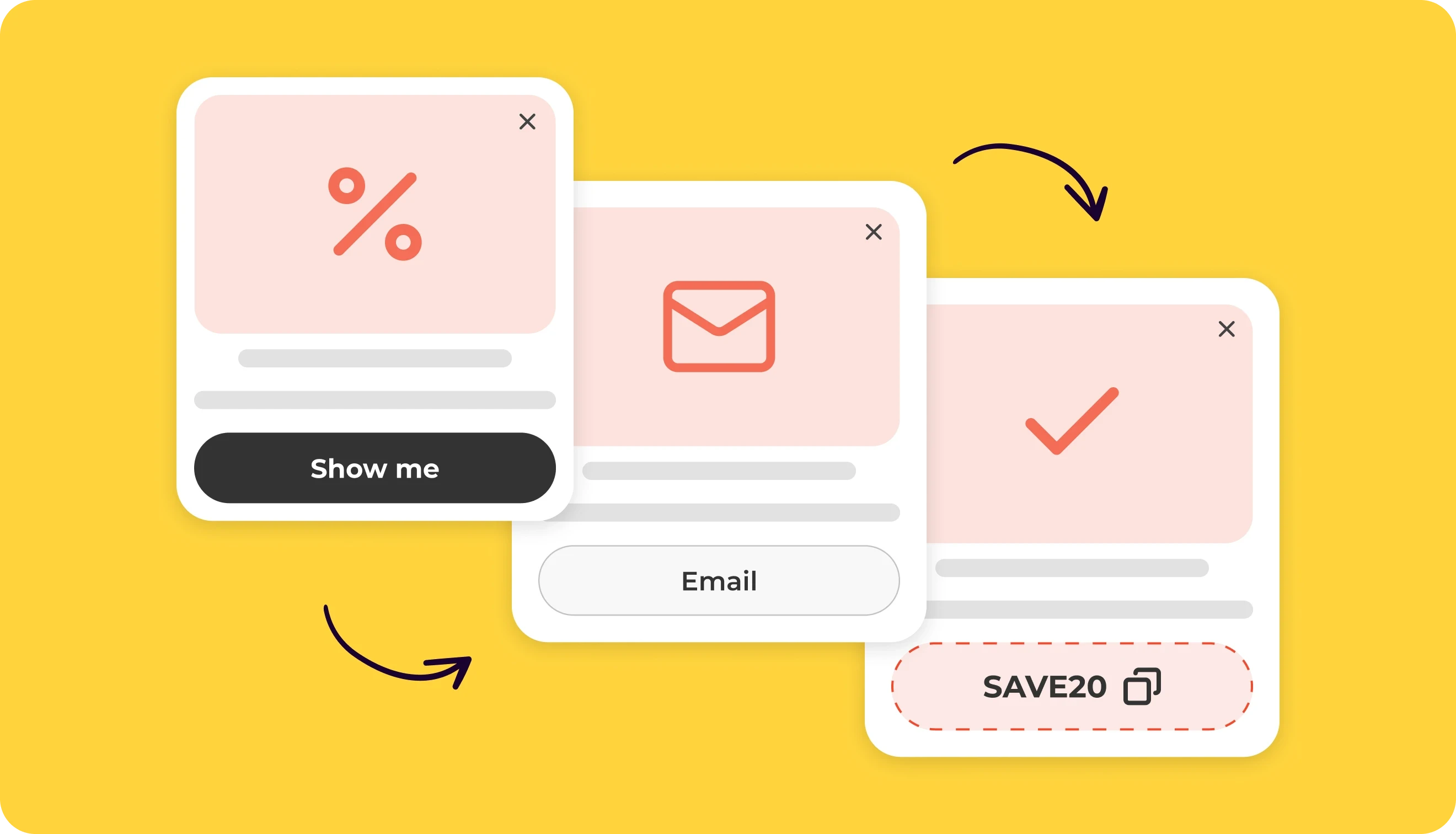
When to use: Ideal for basic popup templates, gamified experiences (like wheels or scratch cards), persistent feedback forms, or ongoing loyalty and seasonal offers that shouldn’t interrupt browsing.
To sum up, to choose the correct popup layout for your specific business goals, use this blueprint:
If your marketing goal is... | Your ideal layout choice is... | Because... |
E-commerce list building | Centered popup with a Teaser | It captures rapid traffic. |
Travel sales & promo routing | Floating box | Travelers favor inspiration over interruption (gets 11.42% CTR). |
SaaS feature & product announcements | Centered popup | Concise, value-first product updates hit a 6.01% CTR. |
Urgent shipping / Timer reminders | Floating bar (Sticky Header / Footer) | It maintains session-wide visibility with a strong 7.49% CTR |
Account pages / Post-purchase perks | Inline popup | It performs best in high-intent zones with a 4.37% CR. |
Main types of popups by goal (with examples)
Website popups can serve many different purposes, which is one of their main advantages. Our website popup examples show how brands adapt them to different goals.
Grow email list
The foundation of owned marketing ROI is turning anonymous website traffic into long-term email and SMS subscribers. These popups can also help collect more detailed insights, such as content preferences, marital status, interests, etc. Traditional static subscription fields pull a baseline 3.53% CR across all industries.
Welcome popup
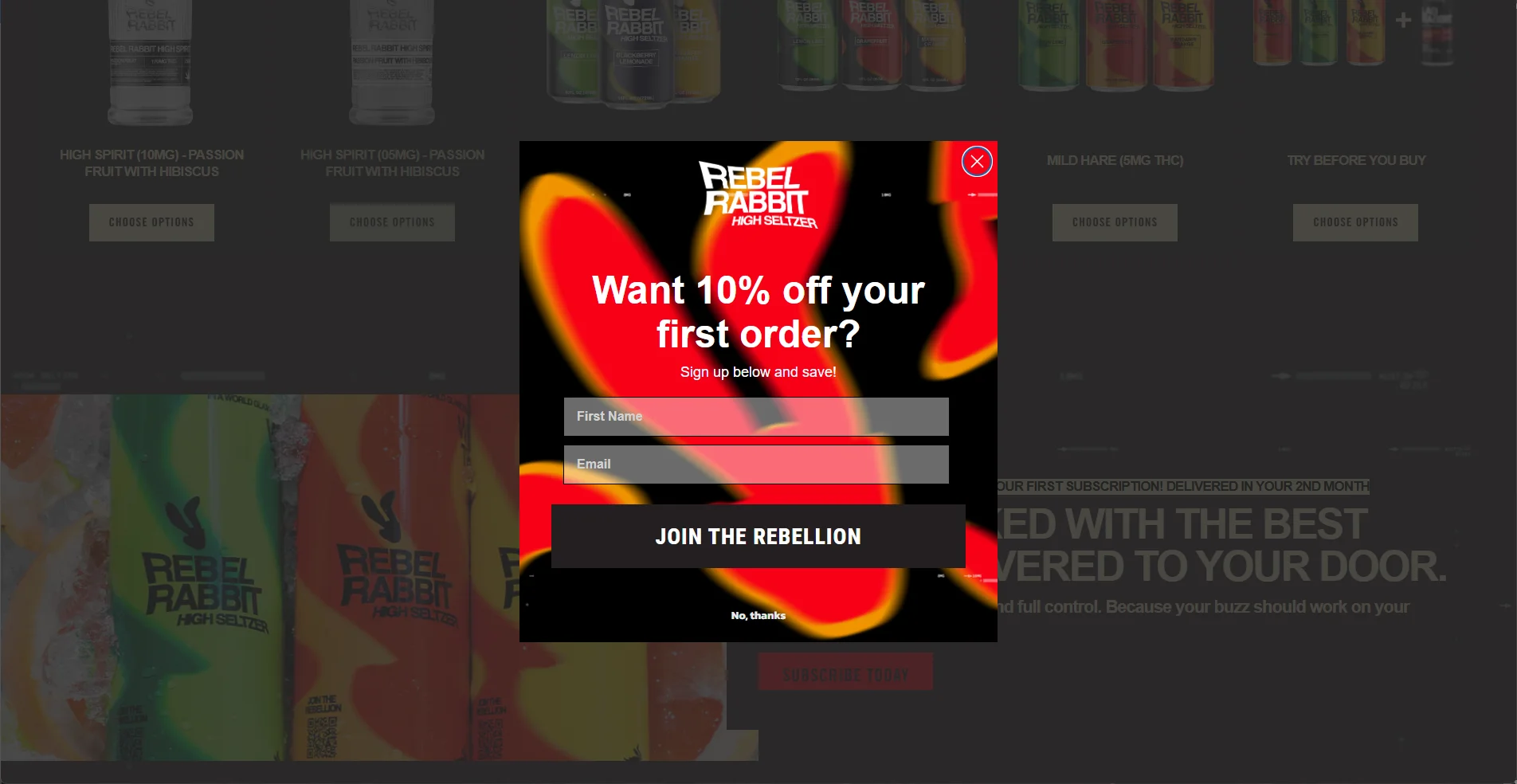
A targeted welcome discount popup window shown on entry to an e-commerce site delivers a 4.87% CR. For store owners, Shopify popups are one of the fastest ways to launch high-converting welcome flows.
Newsletter sign-up popup
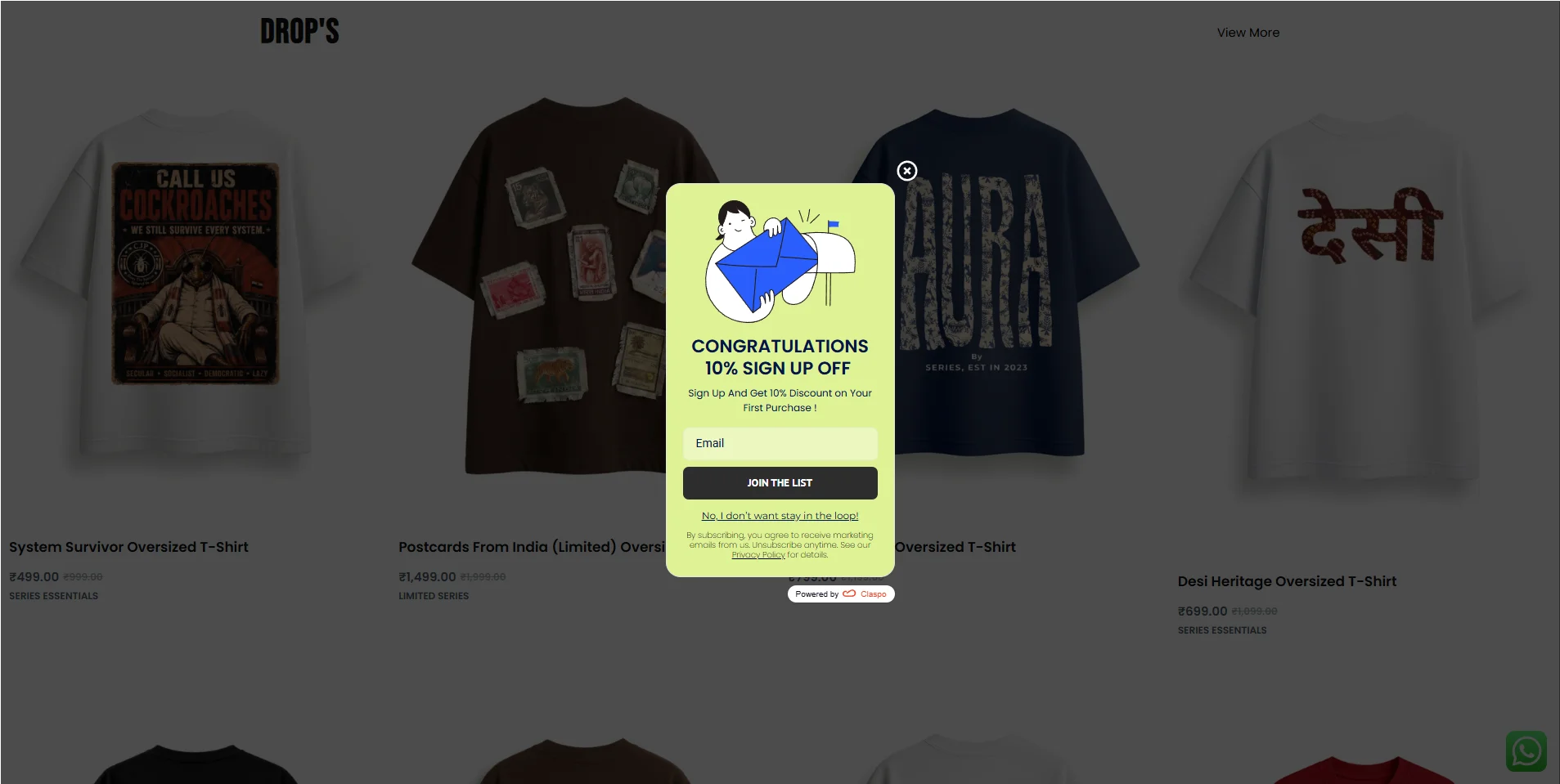
Standard e-commerce newsletter signup popups average a 5.19% CR. For best results, use simple, single-field forms. Entrepreneur said this popup type allowed them to increase their subscriptions by 86%.
Exit-intent popup
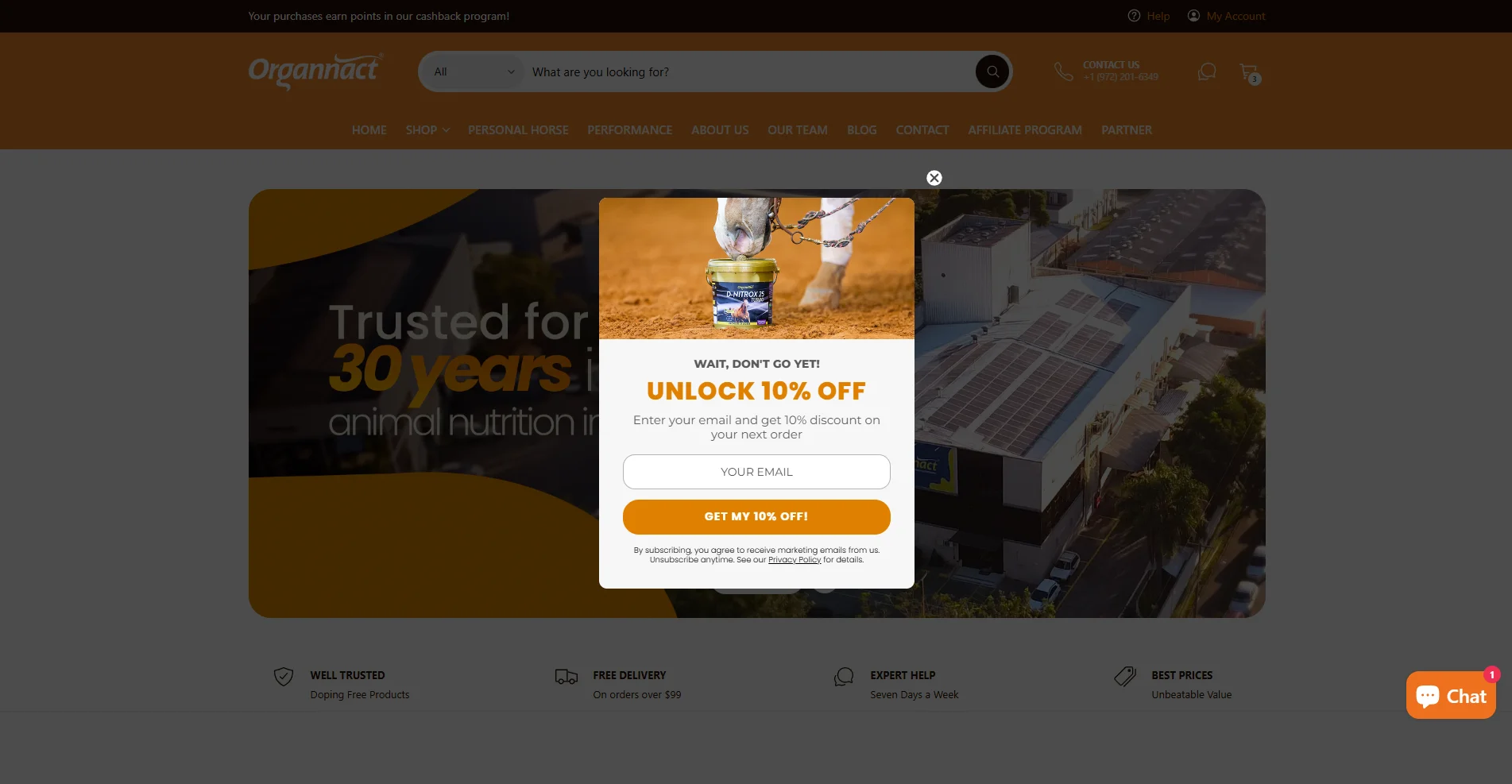
A simple email field paired with an exit-intent discount offer delivers an 5.76% CR — up to 2× higher than standard popups.
Gamified popup
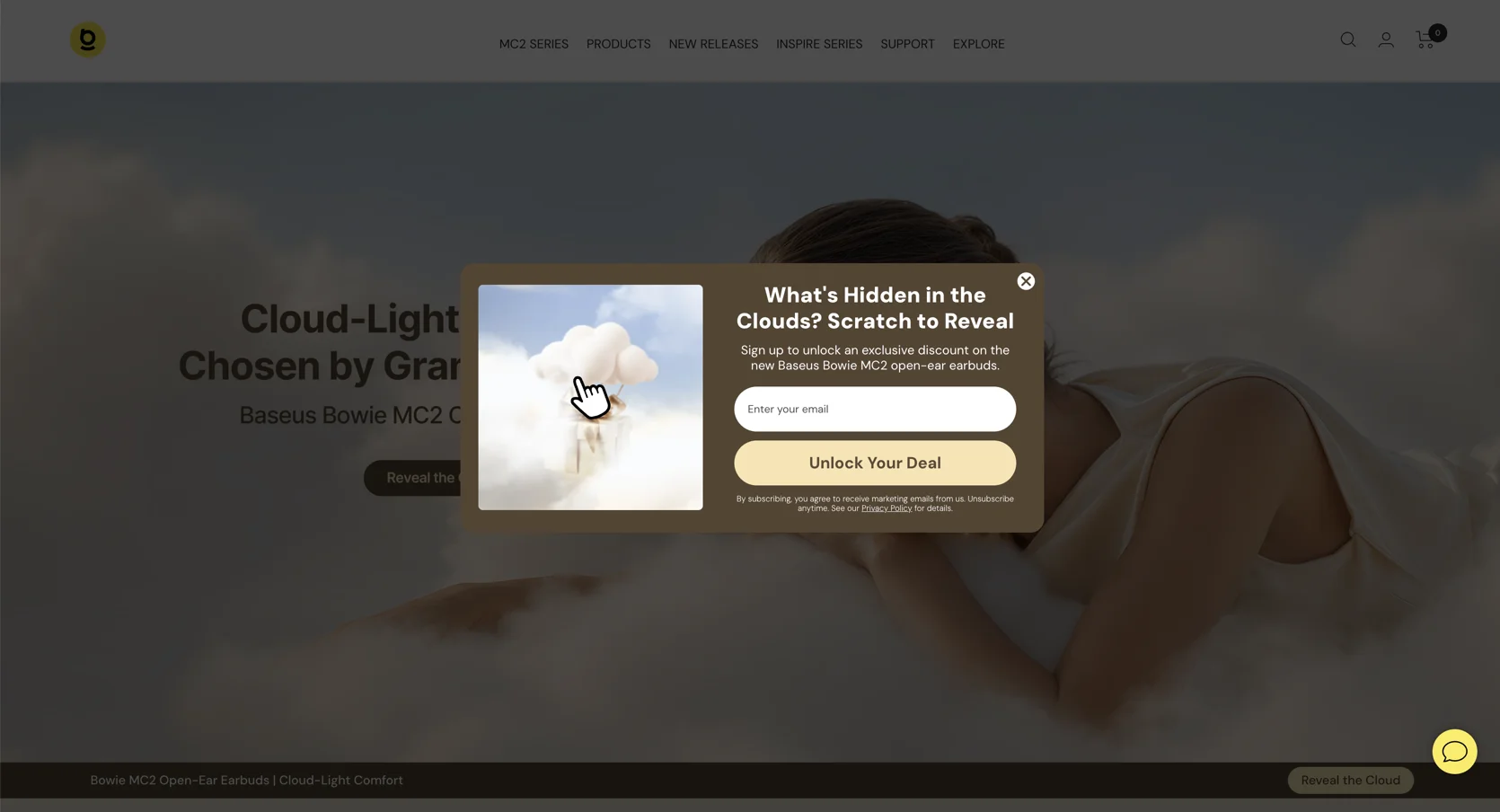
Scratch card component is the highest-converting gamification format in our dataset with an 11.29% CR. They combine curiosity with a simple interactive action.
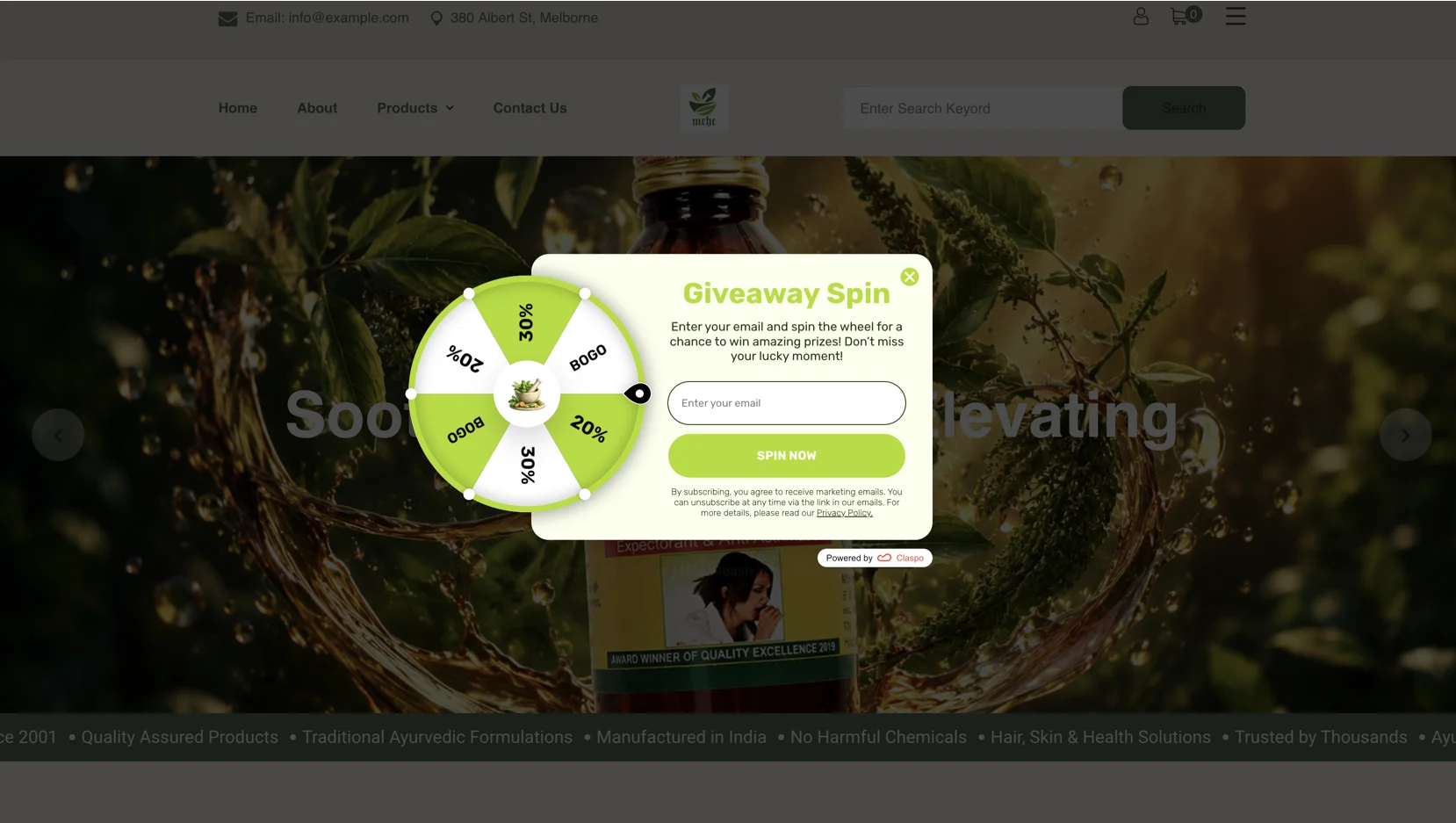
The most widely used gamification format appears in approximately 76% of top-performing campaigns. Spin-the-Wheel (or Wheel of Fortune) popups achieve a 9.25% CR by combining anticipation with an immediate reward.
Increase sales
Sales-focused promotional popups perform exceptionally well because they target visitors who are already in shopping mode. E-commerce promotions average an 8.95% CTR. At the same time, the highest-performing campaigns reach 43.10% CTR by combining a clear offer with a simple path to action.
Sale announcement
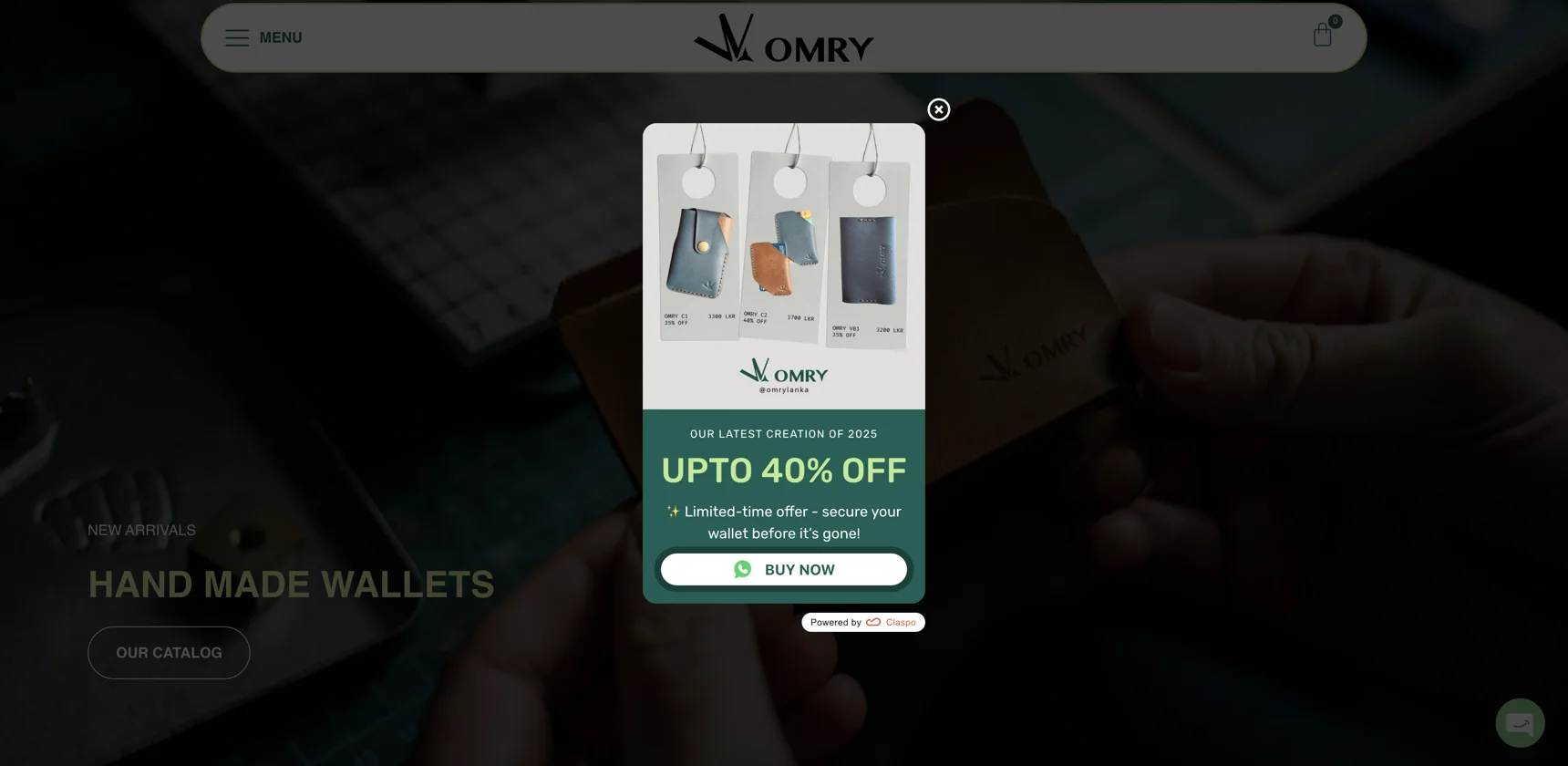
Promoting flash sales, clearance events, or seasonal offers is one of the most effective ways to direct shoppers toward high-intent product collections. Interestingly, 60% of top-performing promotional popups don't use discount codes or additional incentives. Instead, they rely on a clear value proposition and a prominent CTA, such as “Shop Now” or “See Details.”
Cart abandonment discount popup
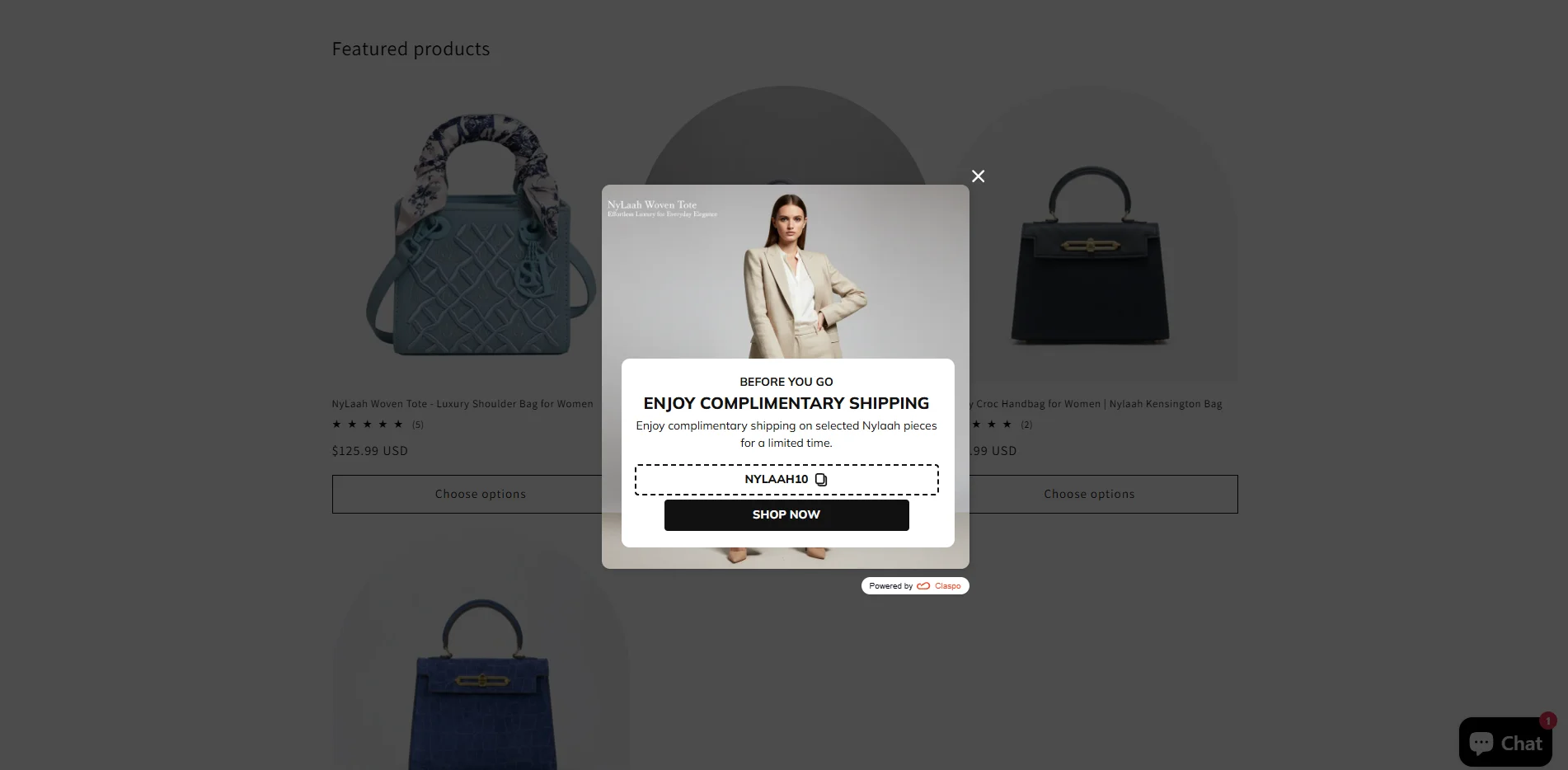
Cart abandonment popups are one of the most effective ways to recover abandoning shoppers. On average, they have a 4.43% CTR, but the type of incentive matters more than the trigger itself.
Countdown timer popups
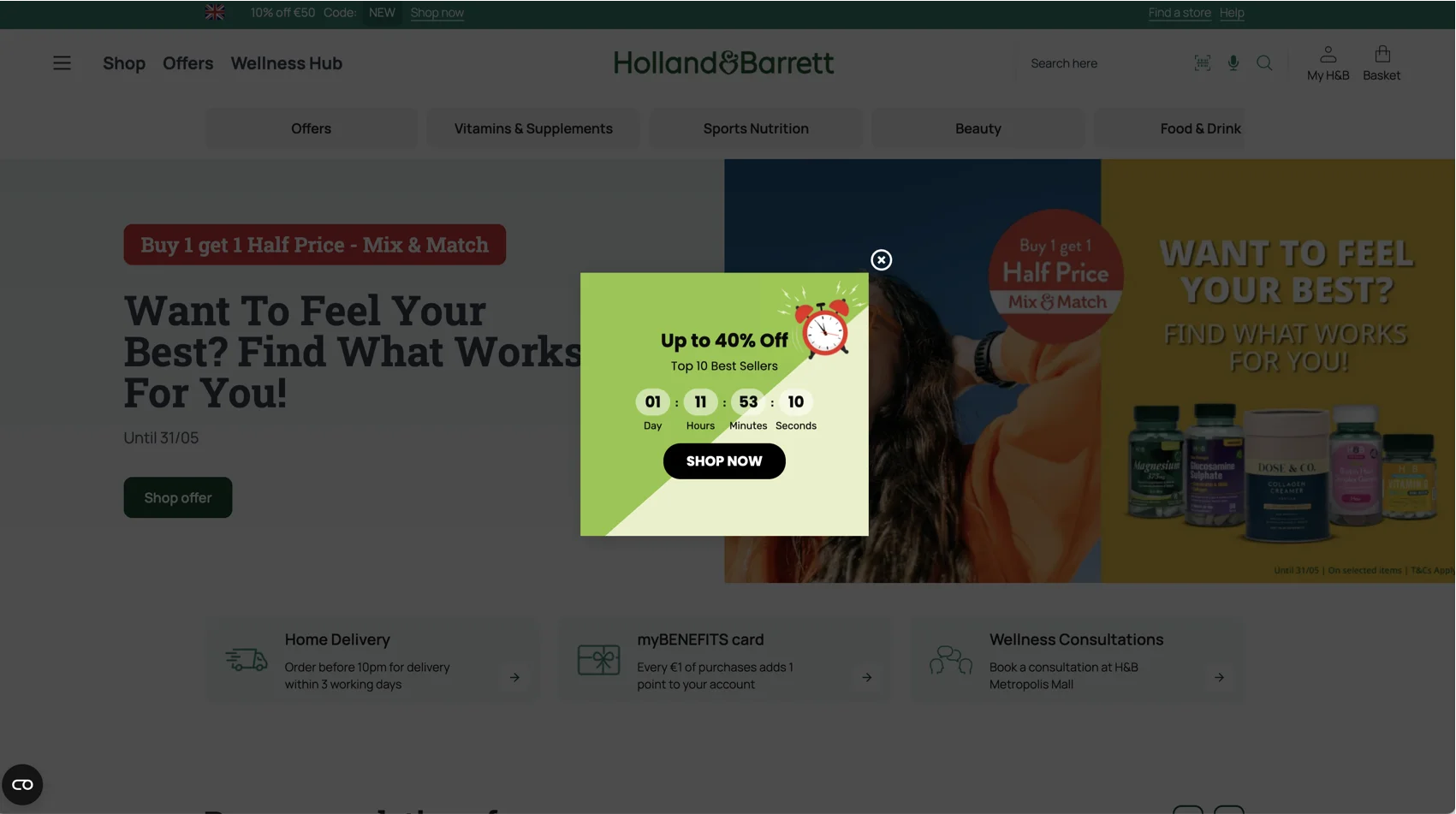
Countdown timers achieve a 5.72% CTR and work especially well for time-sensitive campaigns.
Gamified discount
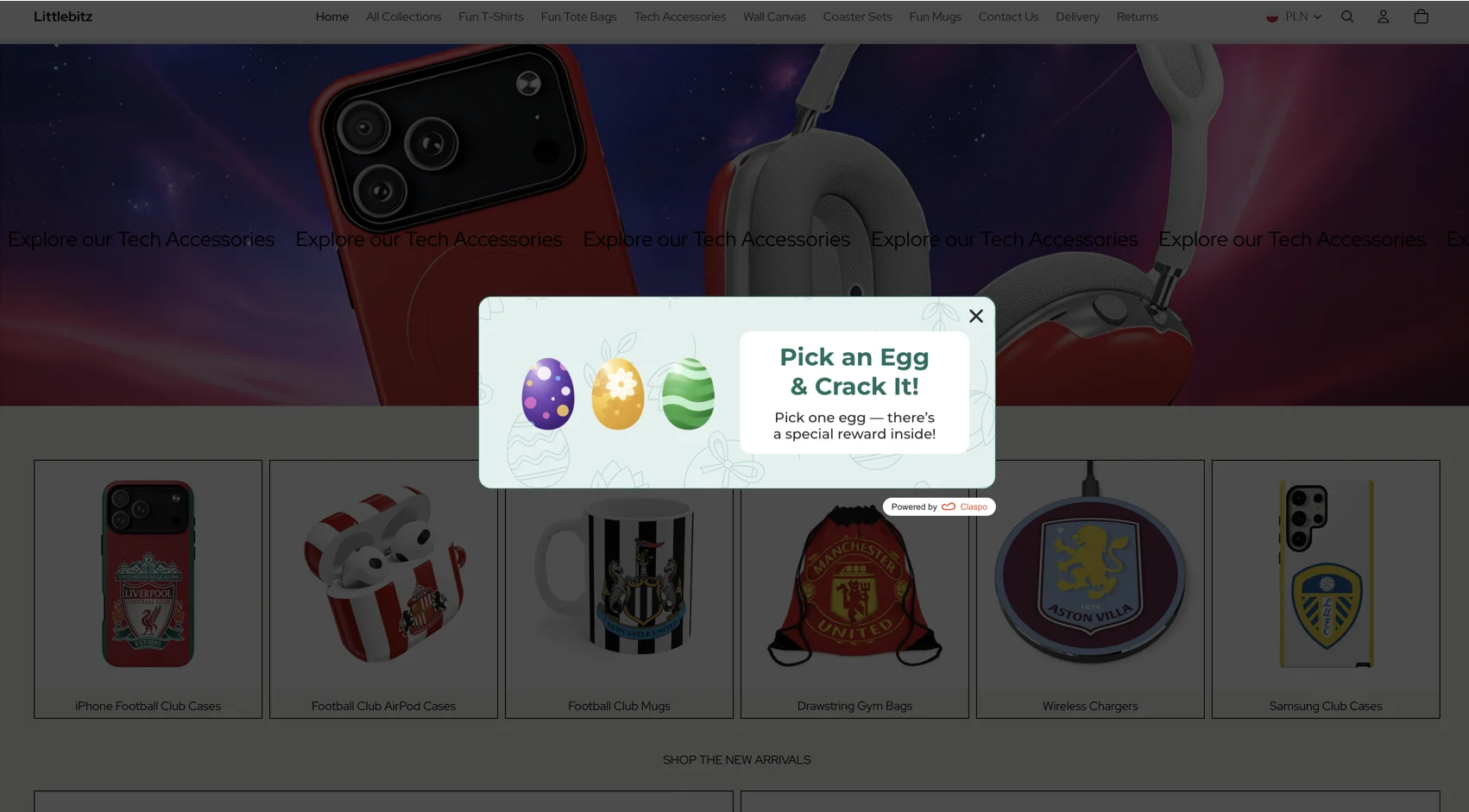
Turning a promotion into an interactive game reduces banner blindness and increases engagement. Mystery-style mechanics like gift boxes achieve a 7.26% CR.
Discount coupon popup
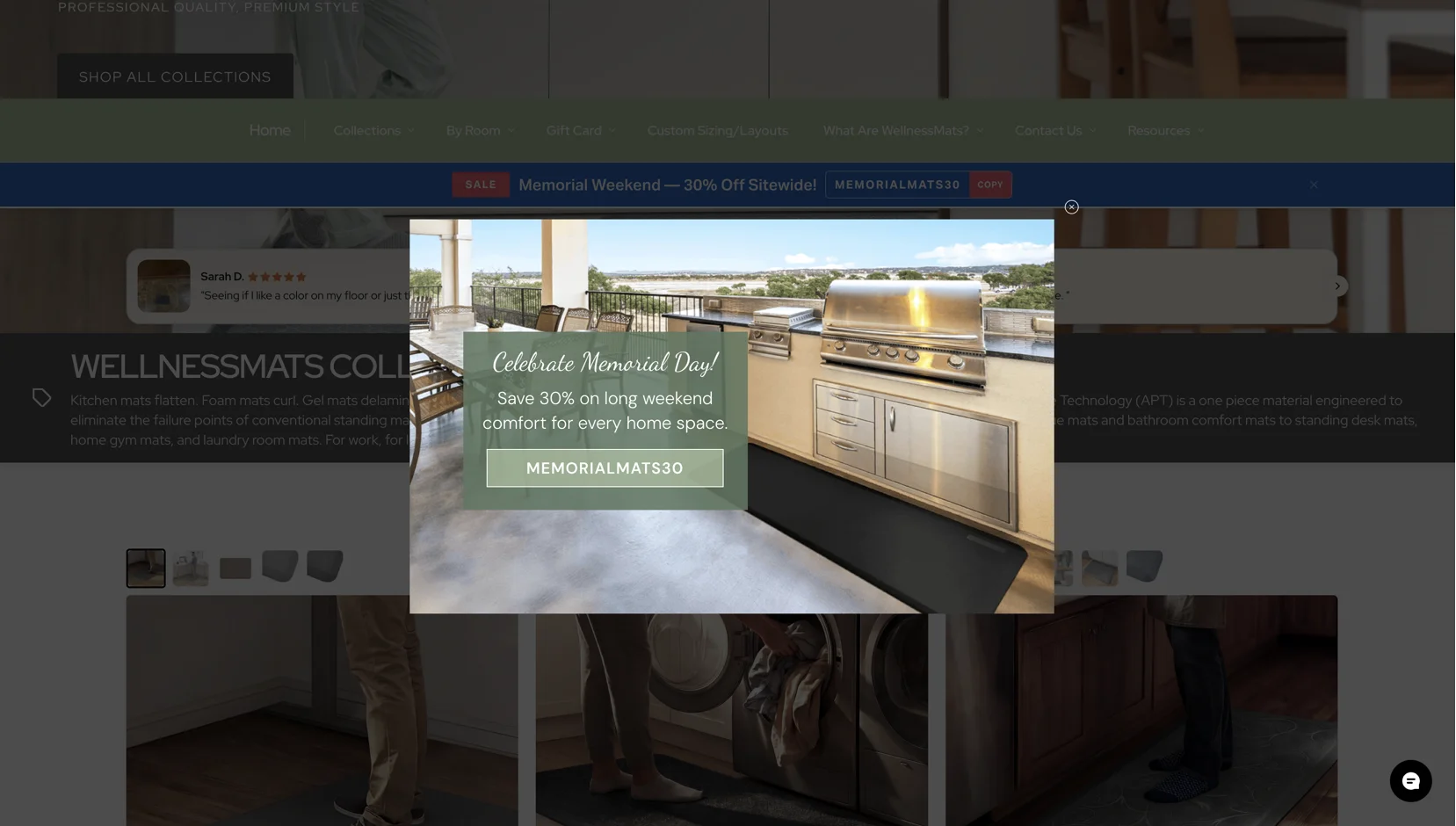
94% of customers look for a good deal before buying. Clear, immediate savings are one of the most effective ways to reduce hesitation and increase purchases. According to our data, a standard promo code popup delivers a 6.18% CTR.
Product discovery quiz
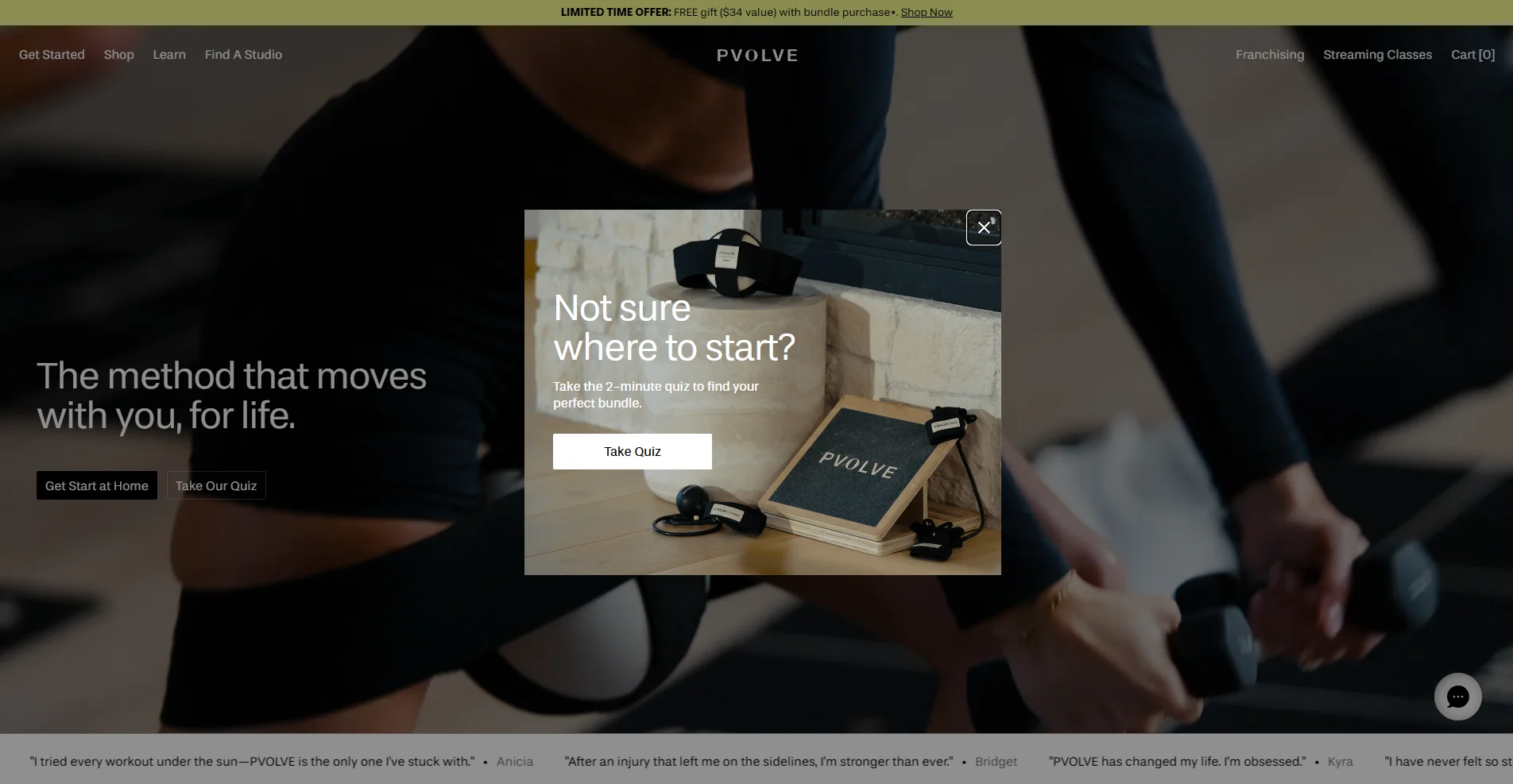
A product quiz helps shoppers who feel overwhelmed by too many choices on your website. A short guided multi-step flow ends with a personalized recommendation, averaging a 4.56% CTR.
Increase Average Order Value (AOV)
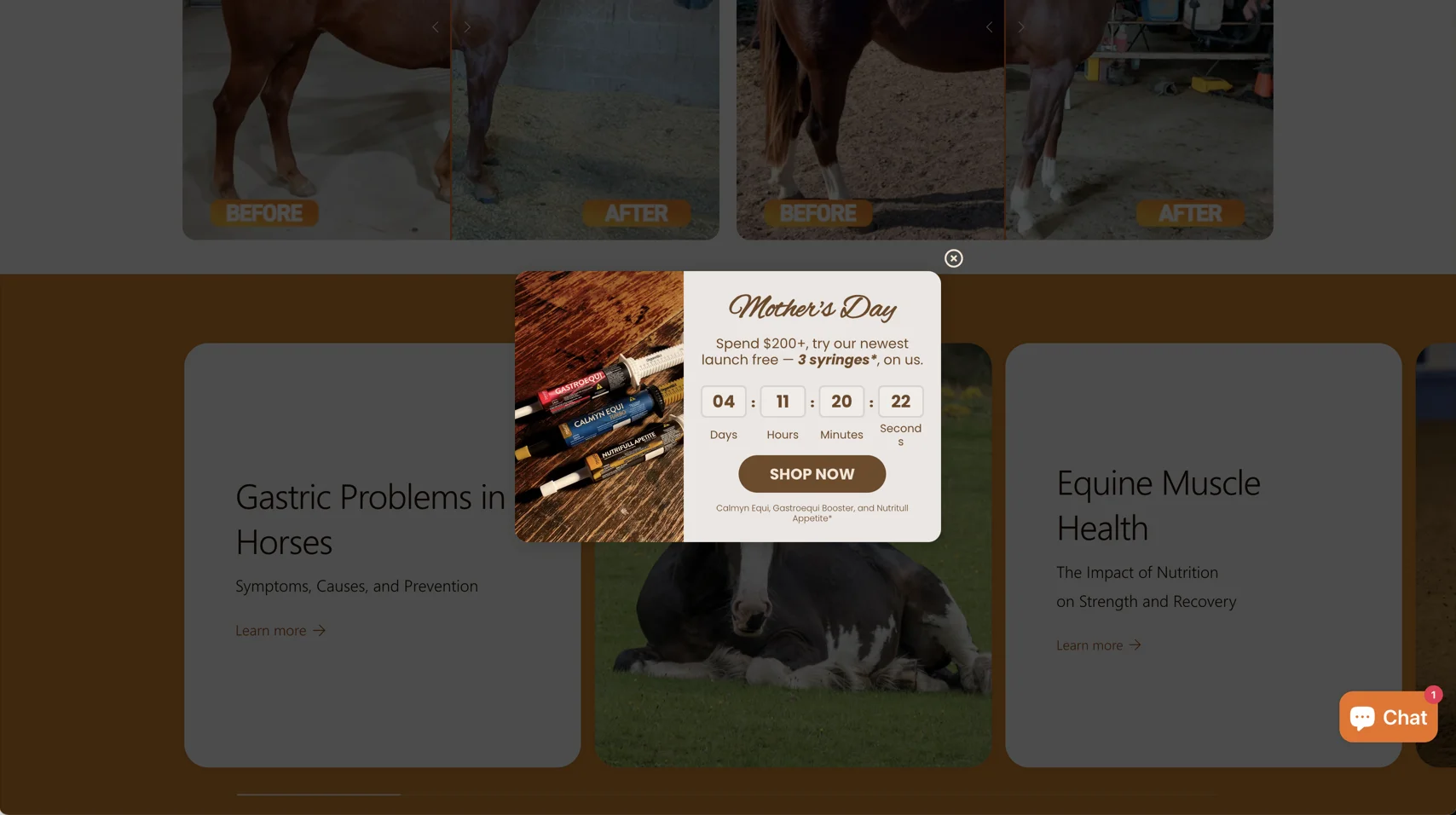
These targeted popups achieve a 5.41% average CTR by encouraging shoppers to increase their spend in exchange for a meaningful reward.
Lead generation
For SaaS and B2B companies, popups are built to generate qualified leads instead of quick sales. Cold signups average just 1.19% CR, but value-driven offers convert much higher.
Lead capture popup
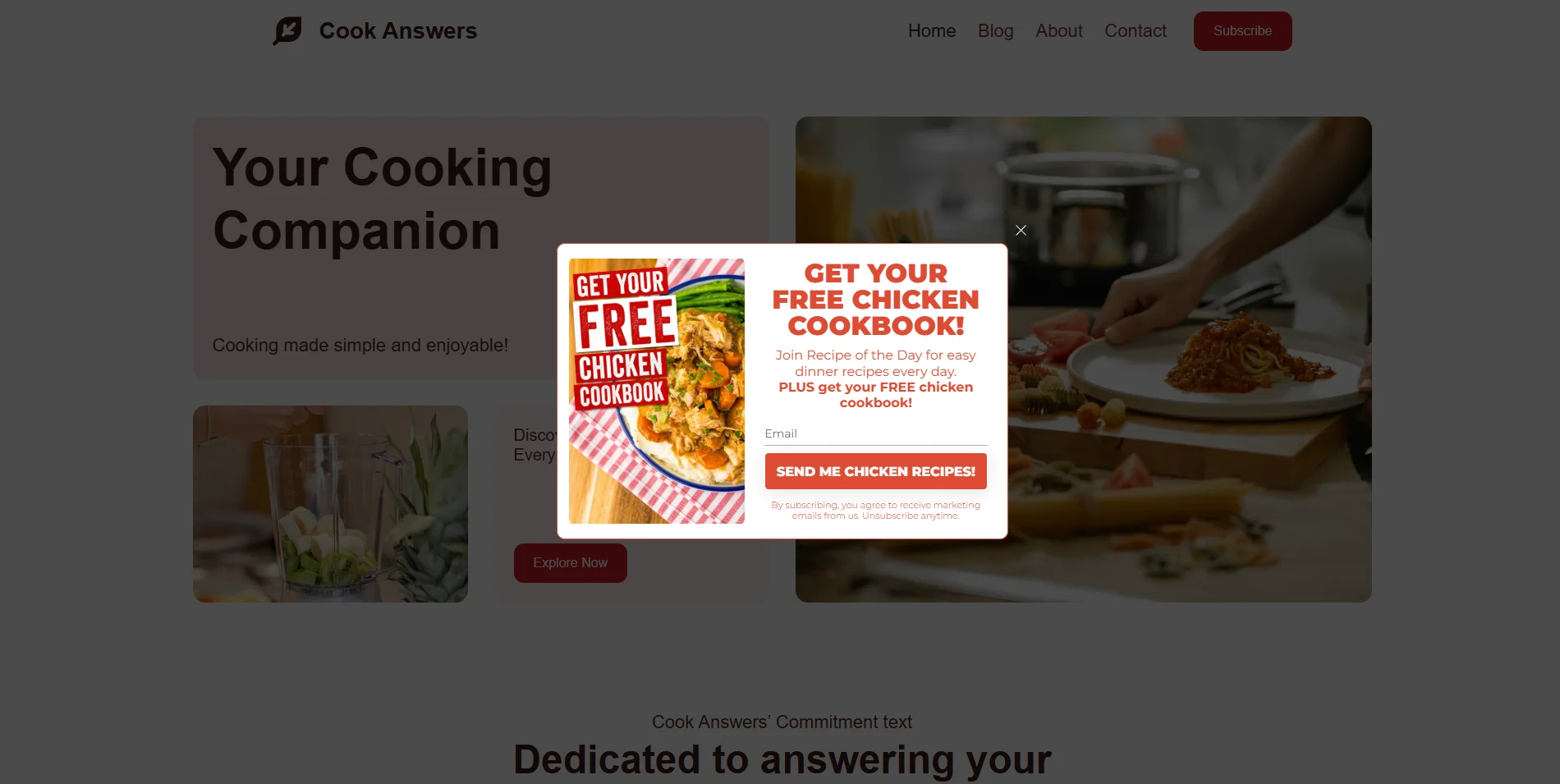
The most effective way to increase lead volume is to replace generic newsletter signups with targeted lead magnets. Offer useful resources like whitepapers, ebooks, or templates in exchange for contact details.
Lead generation quiz
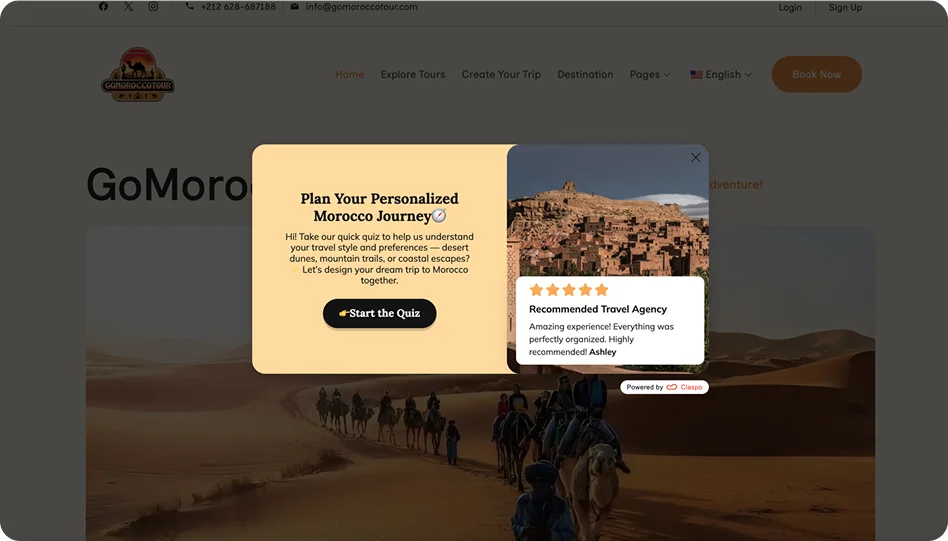
With an average 5.4% CR, this multi-step quiz gathers user information step by step, acting as an automated lead qualification tool for your sales team.
Webinar registration popup
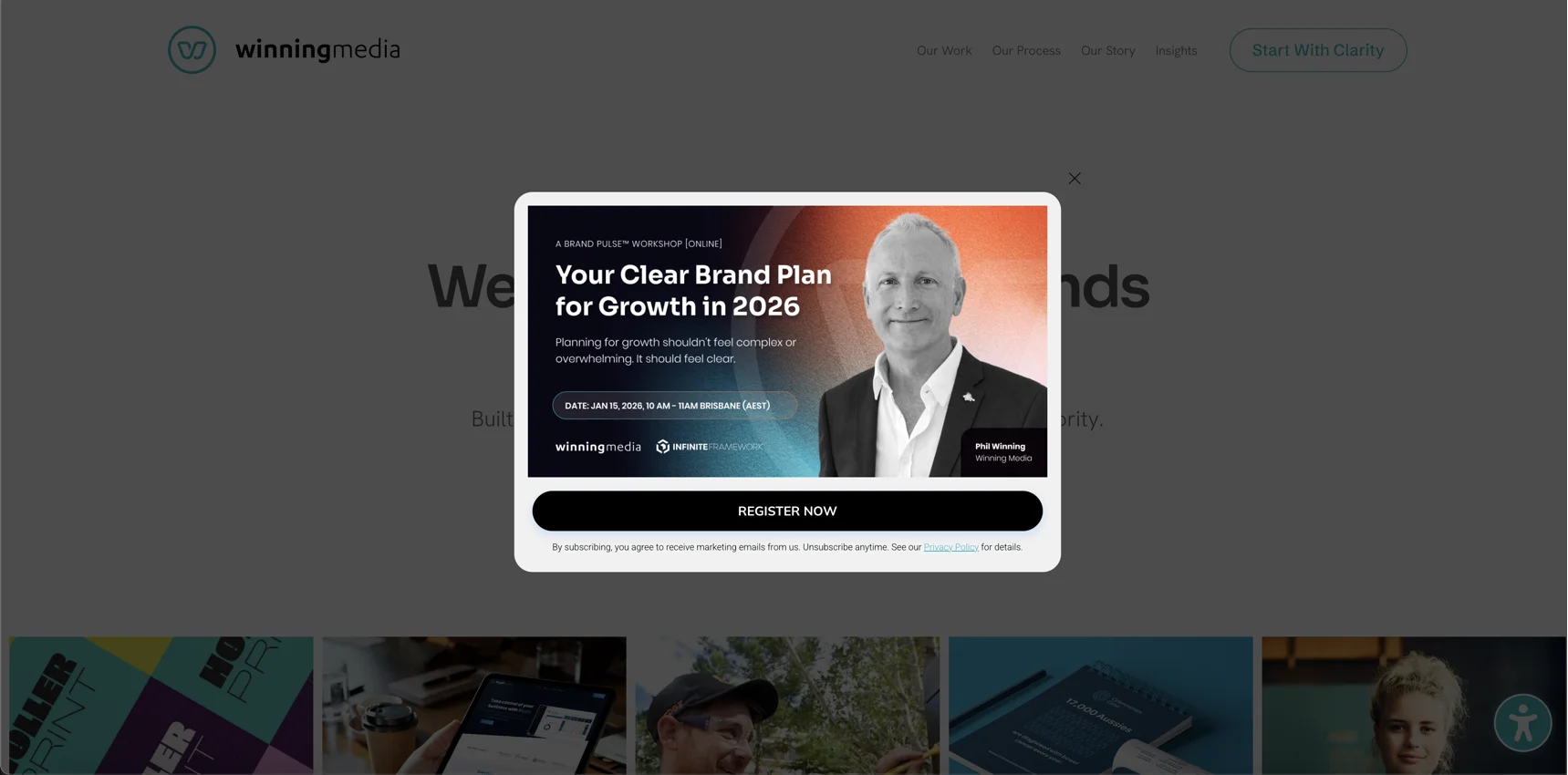
Webinar popups interact with a highly engaged audience and convert at an average rate of 4.99%. To improve signups, high-performing layouts usually use a simple email field combined with elements like countdown timers or short video previews.
Product demo popup
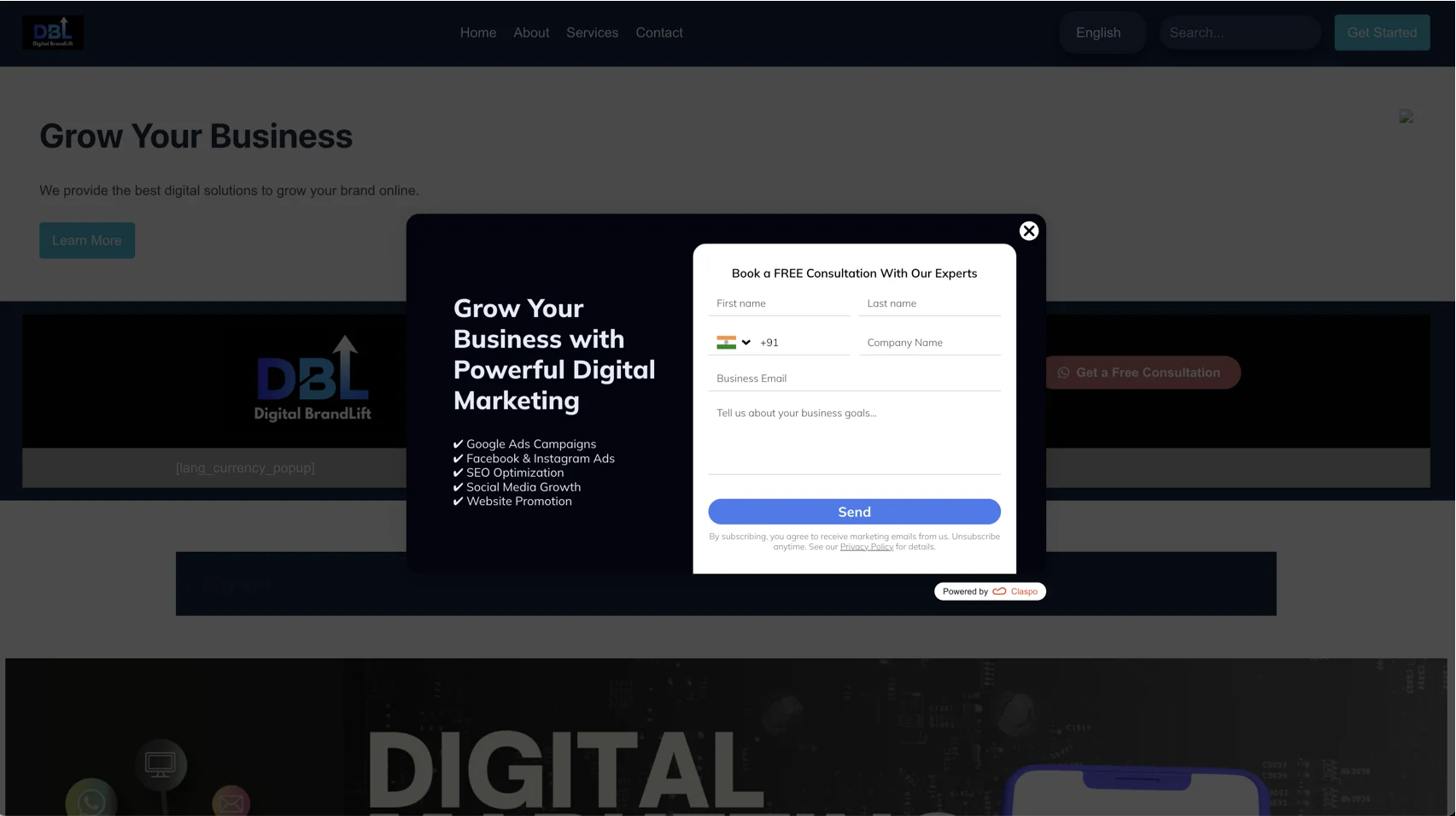
Popup forms like “Request demo” or “Book a consultation” reach a 5.16% CTR because they clearly explain the next step and expected value.
Feedback collection
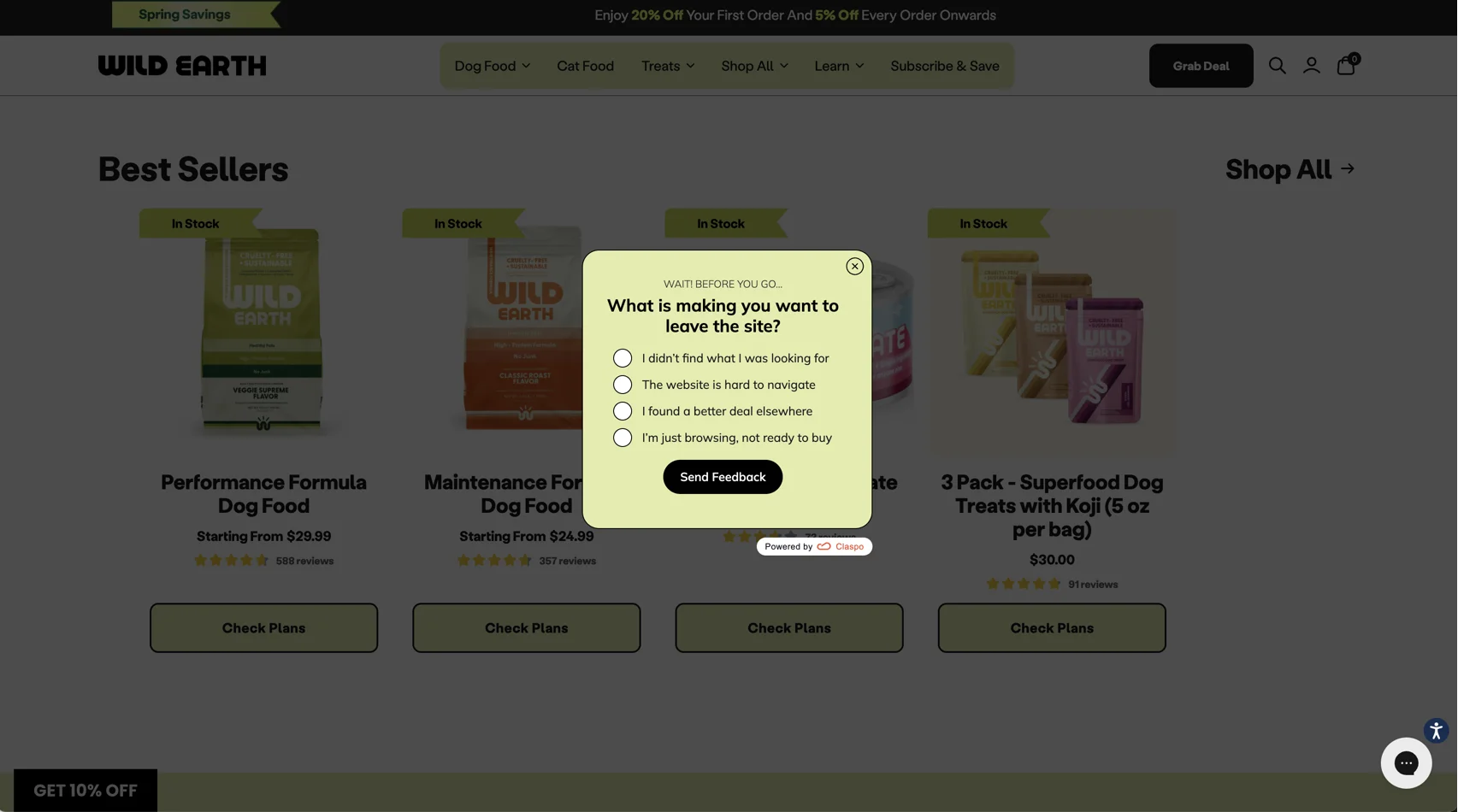
Your customers love to be heard and want their opinions to matter — 77% prefer companies that collect feedback and act on it. Feedback popups are one of the most effective ways to gather insights, achieving a 5.28% CTR because users are willing to share quick opinions, especially after updates or key moments
Display social proof
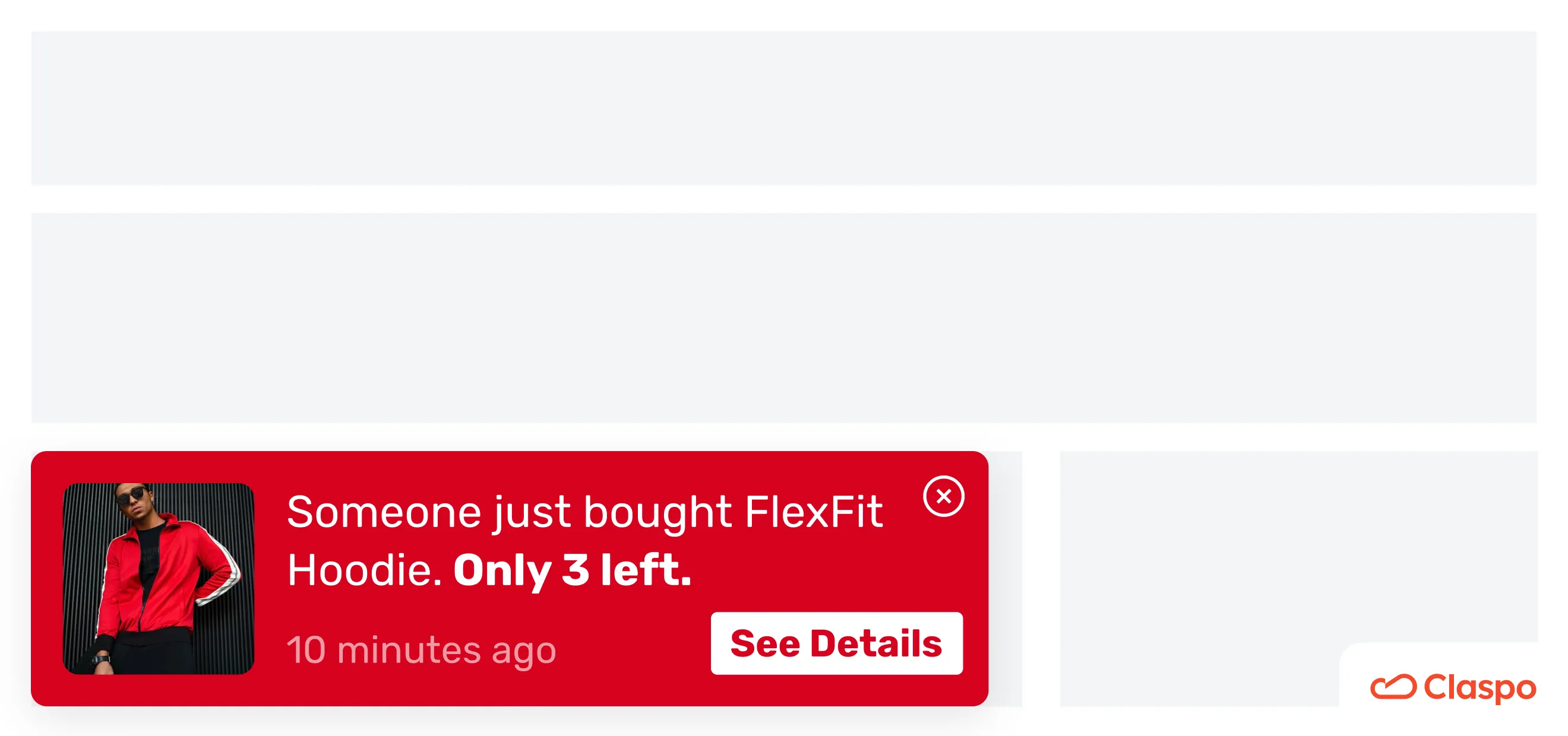
Integrating reviews, recent purchase alerts, social walls, and user-generated content (UGC) into your website shows real customers using your product, helps capture attention, and builds trust during browsing.
Inform or guide users
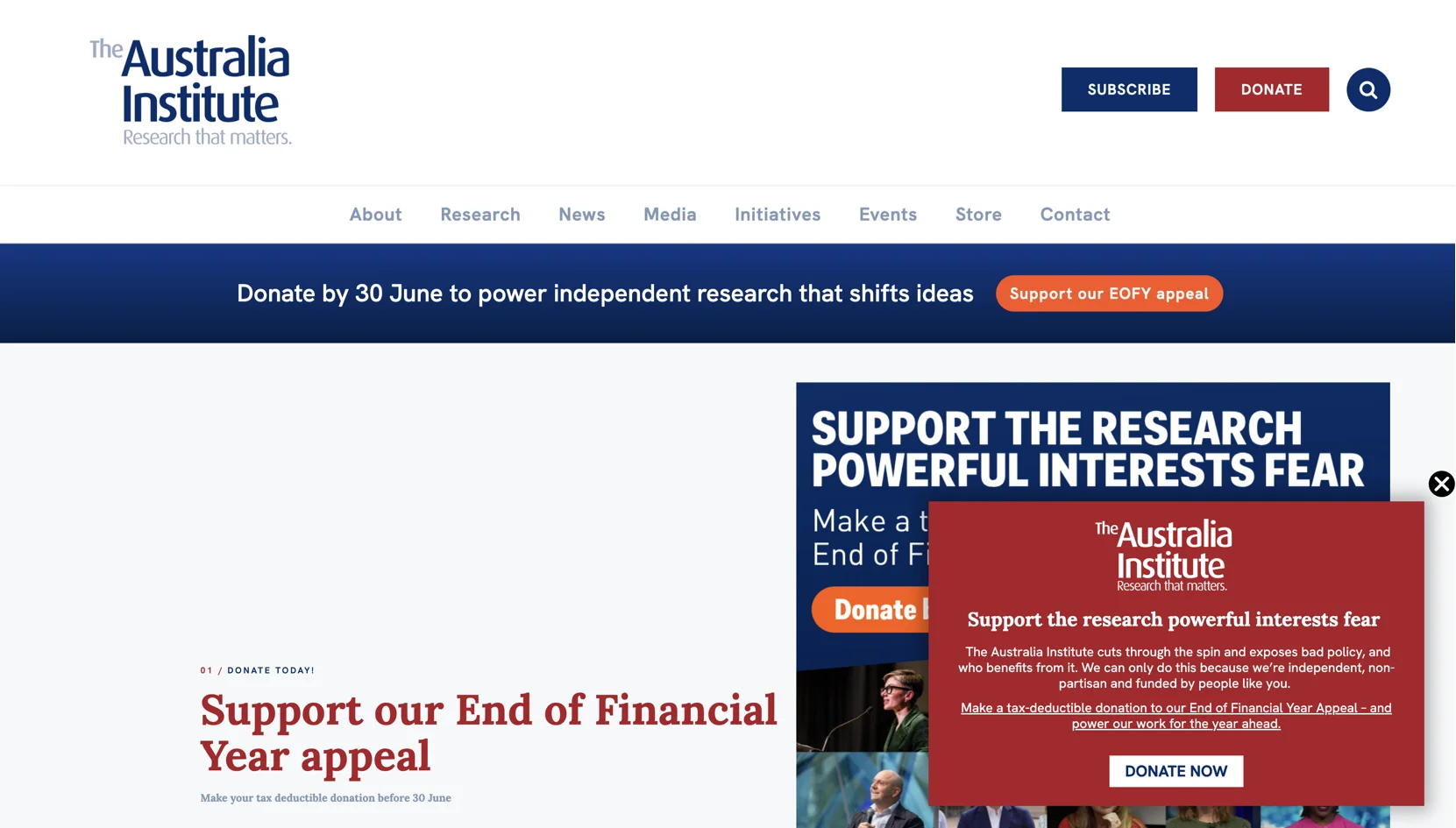
When your goal is civic engagement, fundraising, or advocacy, not sales, on-site informers help guide readers from content to action. Standard informers average a 4% CTR during ongoing campaigns.
Communicate with visitors
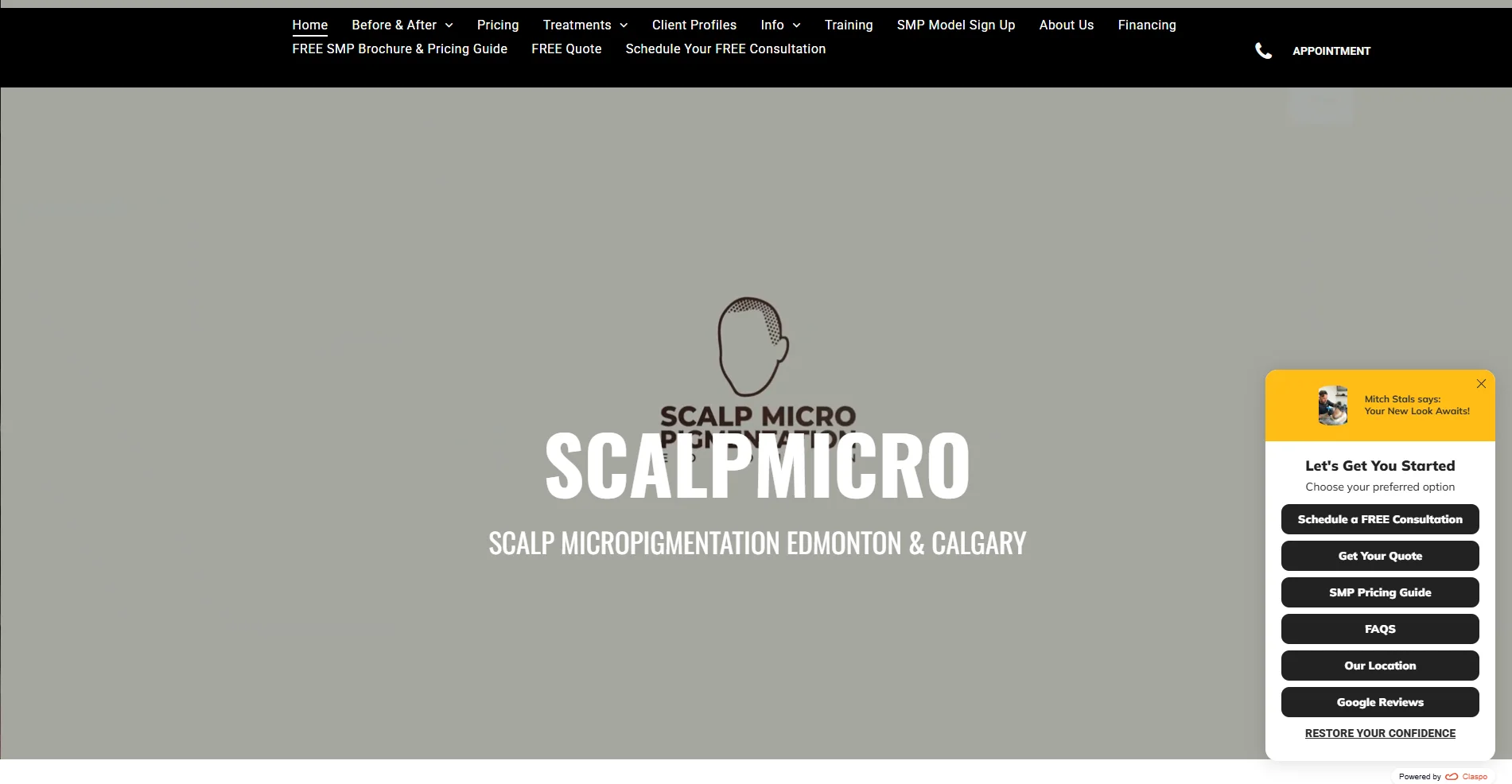
Engagement-focused popups are designed to build awareness and achieve a lower but steady average CTR of 1.04%.
What makes a high-converting popup
Based on our analysis of 3 years and 779M+ impressions, the highest-converting popups bypass standard banner blindness by following these 6 fundamental best practices.
The layout
Match popup format to the goal. Different goals require different layouts. The wrong format increases friction and lowers performance
Layout format | Use case | Performance | Funnel placement |
Centered popup | Lead capture, sales, and gamification | 10.6% CTR | Homepage, exit-Intent |
Slide-in | Promotions, product discovery | 9.53% CTR | Product or category pages |
Floating box | Contextual offers, soft nudges | 7.49% CTR | Product pages or active blog layouts |
Full-screen | Welcome offers, seasonal campaigns | 6.61% CTR | Homepage or dedicated landing pages |
Floating bar | Site-wide messages, alerts | 5.13% CTR | site-wide alerts |
Inline | Native signups, checkout support | 4.90% CTR | Checkout flows or mid-article breaks |
Teaser | User-initiated engagement | 12–15% CR | Screen corner |
Input fields
Form complexity kills conversions. Our study showed that 95% of top-converting popups use 1 or 2 fields (typically email-only or email + name). Adding phone numbers drops performance significantly to 0.44% CR.
Field & component combination | Avg. CR |
Phone field only | 0.44% |
Multi-step form (Text fields) | 0.43% |
Email + Phone number | 1.99% |
Email + Phone number + Promo code | 2.10% |
Email + Preference checkboxes | 2.38% |
Email-only | 2.48% |
Email + Countdown timer | 2.56% |
Email + Countdown timer + Promo code | 3.42% |
Email + Promo code | 3.85% |
Email + Promo code + Exit-intent trigger | 5.76% |
Gamification vs. static popups
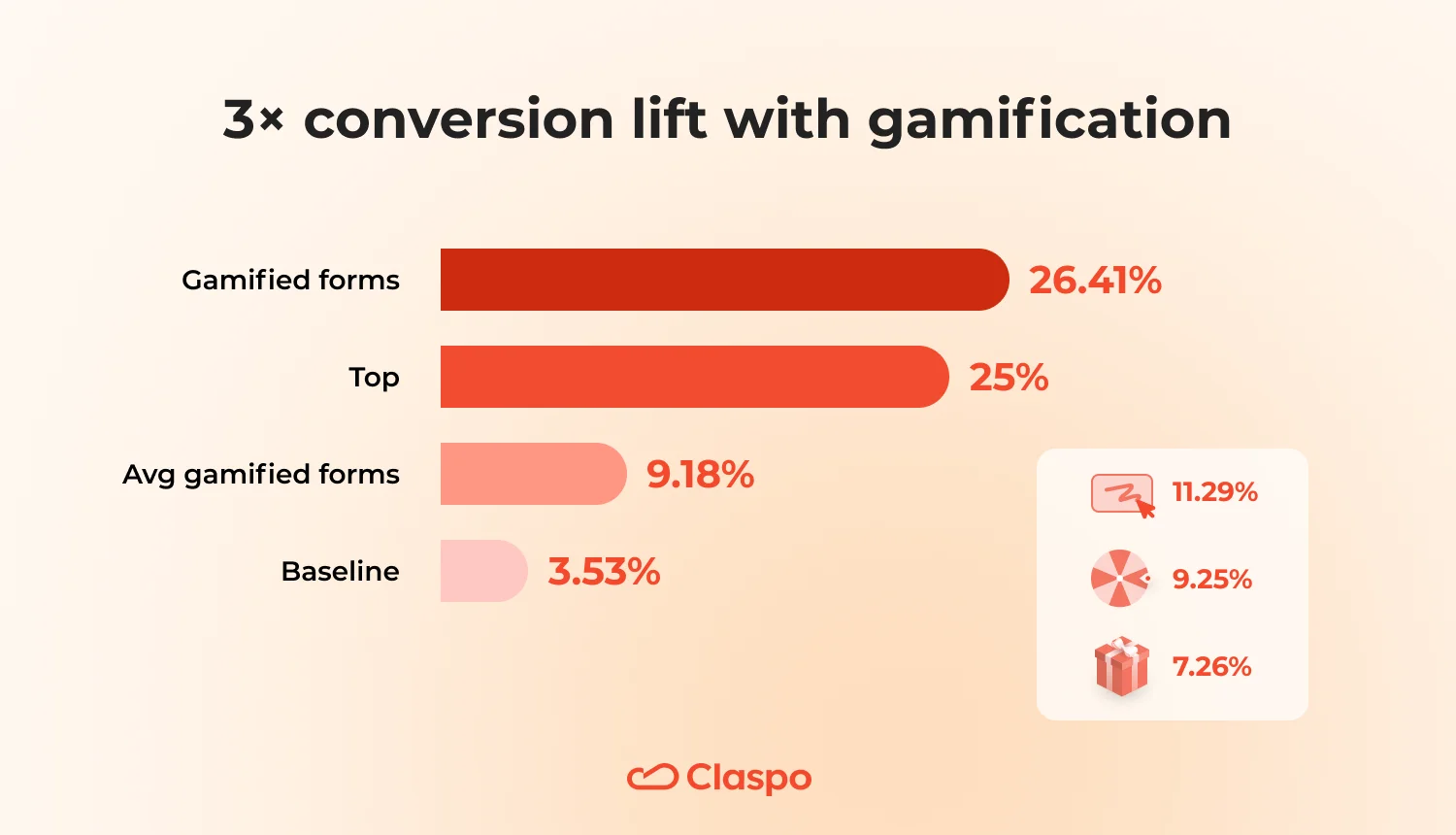
Interactive experiences always win over cold transactional popups: 9.18% CR vs. 3.53% CR. If you optimize your popup, you’re very likely to achieve a top 25% performance of 26.41% CR.
Intent-based triggering and targeting logic
Don’t pop up too soon. 28.6% of users report extreme annoyance with instant-load popups. So, give them time to scroll and get comfortable. It will improve their user experience and your conversions. Track behavioral signals to match the exact context of the user journey.
Goal | Target audience | Trigger setup | Why it works |
New customer acquisition | First-time site visitors | 20s delay | Allows users to explore before seeing an offer |
Engaged reader capture | High-retention blog/content traffic | 50% scroll | Targets users already consuming content |
Mobile sales lift | Mobile shoppers | 30% scroll | Waits for clear product interest |
Cart recovery | Exit-intent users | Exit-intent | Captures users at the moment of abandonment (5.76% CR) |
Paid traffic capture | Incoming paid social traffic | 10s delay via UTM | Matches popup message to the ad context |
The copy
The messaging structure of the top 10% of performing popups follows a strict architectural sequence.
High-performing copy layout | ||
Headline | Benefit | “Get 15% Off Your First Order.” |
Sub-headline | Condition | “Valid on all new arrivals this week only.” |
CTA button | Outcome | “Unlock My Discount” |
Never use mechanical text like “Submit”, “Click Here”, or “Subscribe”. Buttons must highlight the outcome of the action.
Tech compliance and accessibility
To improve usability and keep conversions high, follow these fundamentals:
44×44 mobile touch targets. All interactive elements (buttons, inputs, and close icons) should meet a minimum 44×44px touch area to ensure good mobile UX and reduce user errors.
Clear close behavior. The close button must remain visible and easy to access.
Screen space limits. Centered popups should not cover more than ~30% of the mobile viewport on initial load to avoid blocking core content, maintain usability, and comply with Google interstitial best practices.
No overlay stacking. Only one widget should be active at a time. If a floating bar is shown, other overlays (center popups, slide-ins) should be delayed or suppressed.
6 Common popup mistakes to avoid
You may have implemented all the best practices at this point, yet you don’t see those thrilling conversions. In such a case, we recommend that you check your popup strategy for common mistakes we have all made one too many times.
Interrupt critical actions
Don’t: Trigger popups during critical flows like checkout, form completion, or payment steps. This creates friction at the worst possible moment and can increase abandonment.
Do: Trigger popups based on behavior and intent. Use exit-intent for recovery campaigns, and place quizzes, lead magnets, or discovery tools earlier in the journey.
Overload users with multiple popups
Don’t: Stack multiple triggers (banners, popups, chat widgets) within the same session. This creates visual clutter and forces users to constantly dismiss interruptions.
Do: Prioritize one goal per session and one primary CTA per popup. The highest-converting popups consistently focus attention on a single action.
Ignore audience segmentation
Don’t: Show the same message to all visitors. Generic offers can waste incentives on loyal users or misalign with purchase intent.
Do: Segment by behavior, source, device, and lifecycle stage to keep messaging relevant.
Create overcomplicated forms
Don’t: Ask for more data than you can immediately use. Long or complex forms reduce completion rates and create drop-off.
Do: Start with minimal fields (often just email). Collect additional information later.
Skip testing and optimization
Don’t: Rely on assumptions about timing, design, or copy. What looks good internally may not perform externally.
Do: Continuously A/B test layouts, triggers, and messaging to identify what actually drives conversions.
Hide the value
Don't: Rely on flashy designs or vague copy to generate interest.
Do: Put the value upfront. The best-performing popups clearly communicate the reward, offer, or outcome.
Wrapping up
So, what is popup meaning in the context of modern marketing? It’s far more than a temporary interruption — it’s a smart, strategic tool to engage, convert, and retain customers. Whether you're debating popup or pop up, one thing’s clear: with the right platform, like Claspo, popups become an asset, not an annoyance.
FAQ
Are popups the same as pop-up ads?
No. Popups are marketing or UX elements built into a website to capture leads or guide users. Pop-up ads are typically unrelated, intrusive ads that open in new windows and are often associated with outdated advertising practices.
Popup vs modal, what’s the difference?
A popup is a general term for any overlay displayed above page content. A modal is a specific type of popup that disables background interaction, meaning you need to interact with the modal first. Modals demand you to act, while popups can stay on the page without interrupting your experience.
What is a good popup conversion rate?
Popup conversion rates depend heavily on your niche and marketing goals. The Claspo statistical benchmarks show that average popup conversion rates range from 3.5% to 5%. Well-optimized campaigns (with gamification, strong targeting, and incentives) achieve significantly higher average CRs, from 26.41% to 34.48%.
Can a popup hurt SEO?
No, properly configured Claspo popups do not hurt SEO or user experience, as the script loads asynchronously and is optimized for performance. However, intrusive interstitials—such as full-screen overlays on entry or popups without a clear close button—can negatively affect user experience and may impact rankings if they violate search guidelines. For best results, follow Google’s recommended practices when designing and triggering popups.
What triggers a popup to appear?
You can set up precise display rules to trigger popups by user behavior or timing, such as time on page, scroll depth, exit intent, click actions, or traffic source (e.g., UTM campaigns).