How to add a Shopify newsletter signup form [+Tips & Templates]

![How to add a Shopify newsletter signup form [+Tips & Templates]](https://framerusercontent.com/images/gaUyr3IzRWTvkAgiuADQZzNguFk.png?width=780&height=528)
Summarize
A Shopify sign up for newsletter on your store helps you collect email addresses and build a direct communication channel with your customers that isn’t affected by social media algorithms or rising advertising costs.
Stores that rely only on passive signup placements, such as the footer Shopify newsletter signup forms, convert around 3.53% of visitors on average. Based on our analysis of 779 million impressions, better offers, timing, and targeting can significantly improve that result.
What is a Shopify newsletter signup form
A Shopify newsletter form invites visitors to subscribe to your emails. With a Shopify email signup, you don’t need to cross your fingers and hope visitors return. You can build your list and create a direct communication channel for future promotions, product launches, and repeat sales.
With a Shopify sign up for newsletter, you can:
Grow your subscriber list faster
Reduce dependence on paid ads
Recover future sales opportunities
Build long-term customer relationships
Increase brand engagement
How to add an email sign up to Shopify
It’s easy to create a Shopify sign up for newsletter with Claspo. Just follow this simple 5-step integration workflow.
Step 1. Install the app and enable background embeds
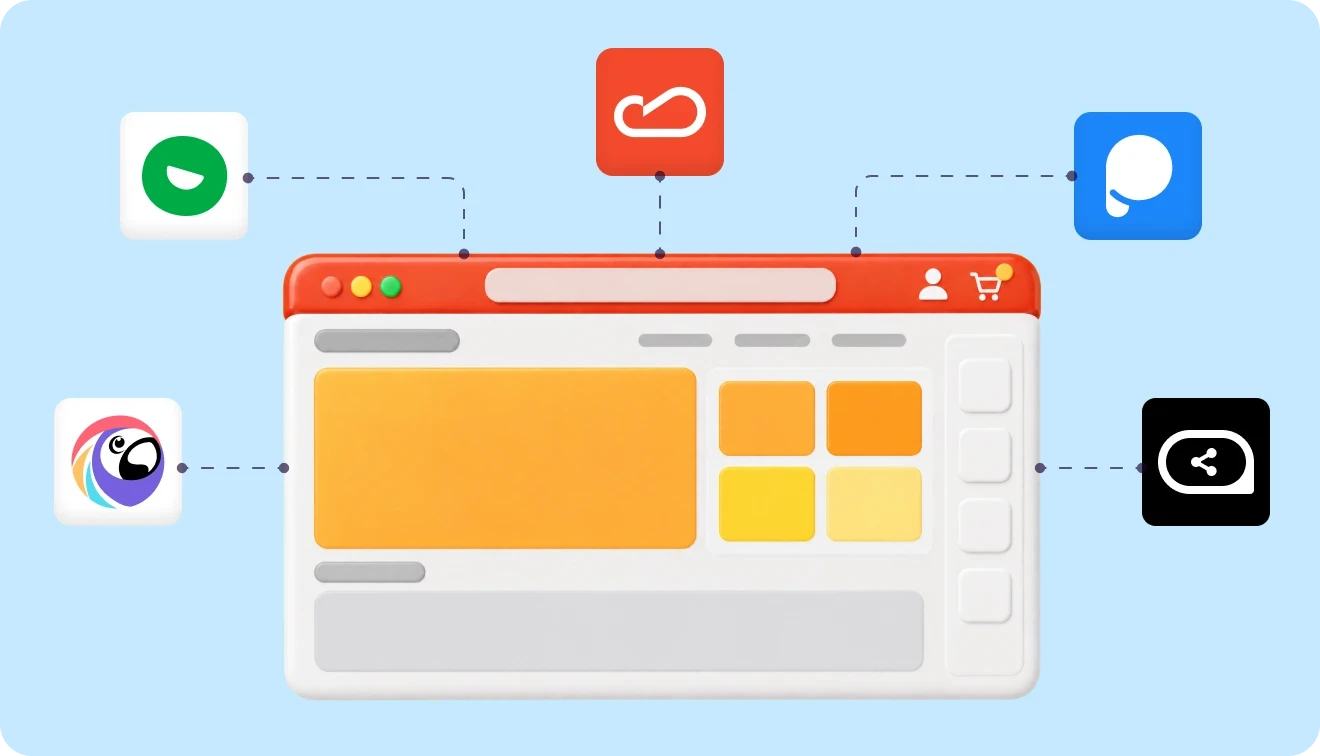
Install Claspo via the Shopify App Store and enable App Embeds in Shopify. This ensures asynchronous loading of your Shopify sign up for newsletter and protects performance budgets.
Go to Online Store → Themes → Customize → App Embeds.
Enable Claspo and click Save.
This way, your site speed stays intact while your Shopify newsletter signup form appears only when triggered.
Step 2. Select a template based on intent
Don’t start from scratch; choose from 1,000+ CRO-ready templates of subscription forms to build your Shopify sign up for newsletter. Filter the library by “Grow email list” and pick the outline you like best.
Make your choice based on your intent:
Footer forms for passive signups
Floating forms for active browsing
Gamified popups for high engagement
Step 3. Customize for brand consistency
A Shopify newsletter form that doesn’t look native won’t perform well; that’s why we take the customization functionality seriously. Here’s what you can do with the Claspo editor:
Apply brand colors automatically via smart Theme sync
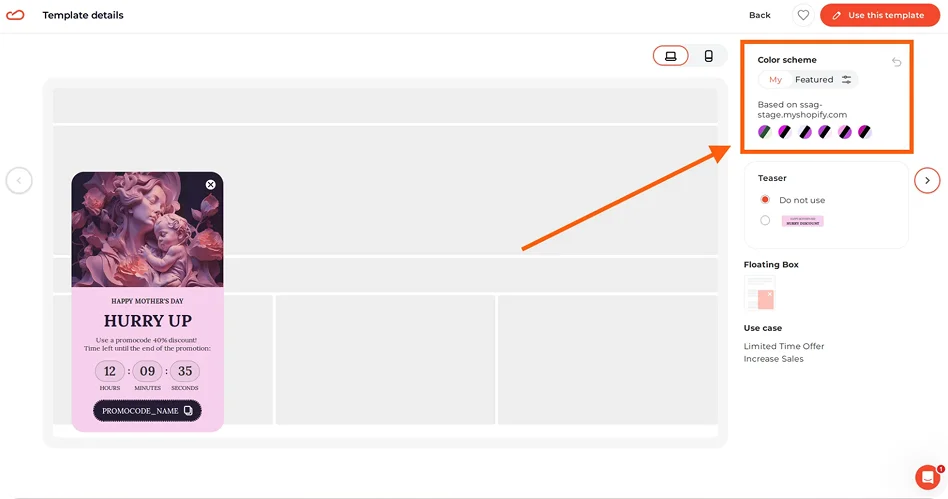
Use the smart Theme setting to auto-generate matching color palettes for your Shopify sign up for newsletter in a single click.
In case you don’t like the colors, you can always change any element of your Shopify sign up form (text, background, accent color) manually.
Write high-converting copy
While customizing your Shopify sign up for newsletter, click any text block to type your message, or use the Claspo AI agent to scan your domain and generate a copy for your headlines and CTAs that aligns with your brand’s ToV.
Add dynamic elements
If a static image feels limited, add a dynamic slider to your Shopify email signup form. It lets you show multiple products in one element, using a carousel, shuffled sequence, or random image rotation.
Add a Teaser
Add a Teaser — a small, non-intrusive floating tab that remains visible if the main Shopify newsletter signup form is closed. This allows shoppers to get back to your offer whenever they are ready to commit, which is vital for mobile UX.
Review Thank you pages
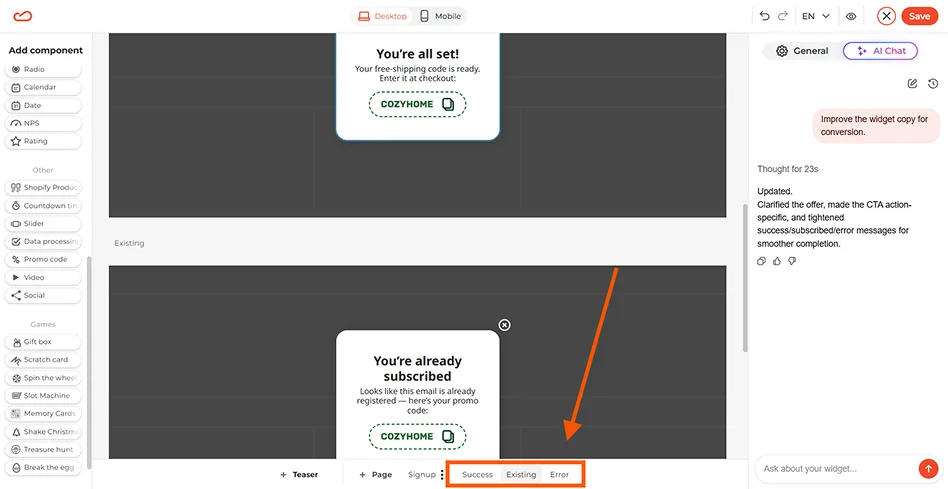
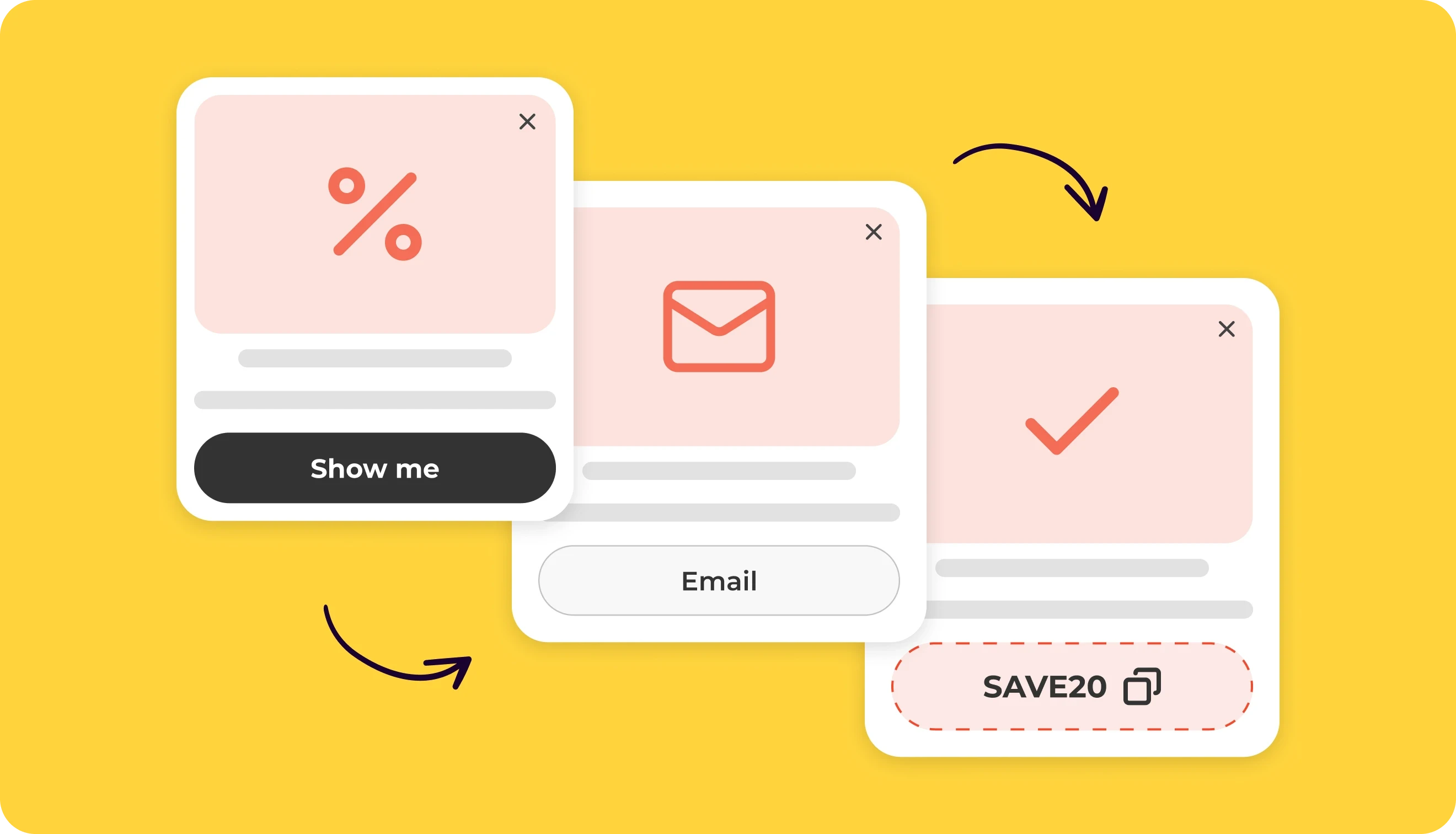
Check that the Success, Already Subscribed, and Error states match your overall design. While you can add a click-to-copy icon for promo codes, Claspo goes further. Shopify newsletter signup form code can be automatically applied to the Shopify session the moment a user signs up, removing all checkout friction.
Step 4. Set display rules
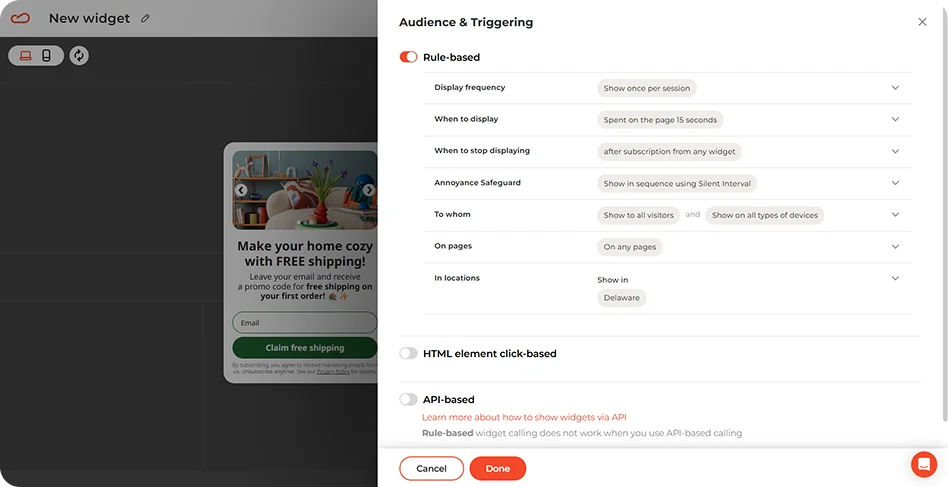
Use the display conditions panel to match your Shopify sign up for newsletter to specific marketing goals:
Marketing goal | Trigger | Why it works |
Grow a general email list | 20-second delay or 30% scroll, only to New visitors | Gives people time to explore your store. removes friction and protects margins from loyal buyers. |
Recover hesitant shoppers | Exit-intent shown to visitors with items in their cart | Reaches shoppers just before they leave without completing their purchase. |
Capture leads from paid traffic | 10-second delay with UTM source | Reinforces the ad's message and helps convert expensive clicks into long-term subscribers. |
Run localized promos | 15-second delay with geotargeting | Shows offers tailored to a visitor’s country or city, increasing relevance and trust. |
Step 5. Connect and launch
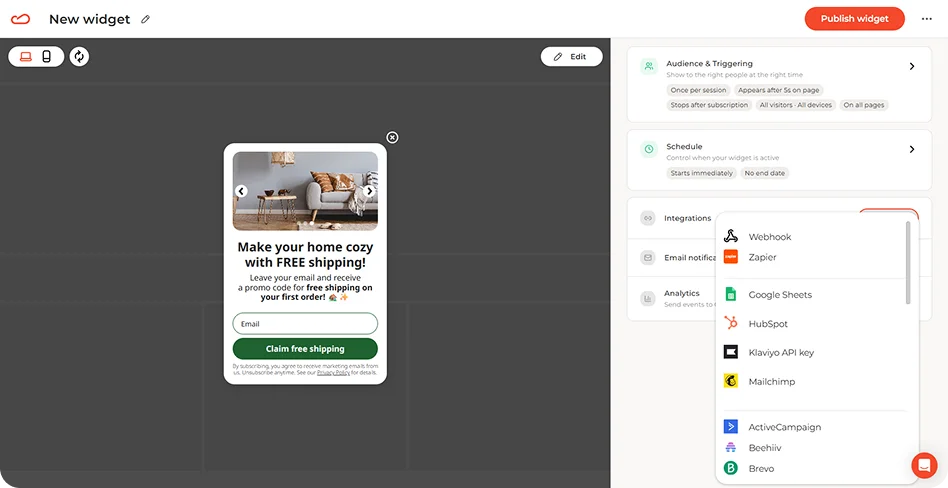
Finally, connect your tools to transfer the user data from your Shopify email signup form and go live.
Best practices for optimizing Shopify email signup conversions
Growing your email list consistently requires more than adding a basic Shopify sign up for newsletter to your store. The highest-performing signup forms are built around data, user behavior, and thoughtful timing.
The recommendations below are based on our analysis of 779 million impressions, which revealed the patterns that help successful stores convert more visitors into subscribers.
How to choose the best type of Shopify newsletter signup form
Most stores choose Shopify customer sign up forms based on aesthetics. If native Shopify forms are too limited, compare the best email list builder tools before choosing a dedicated platform. For the same email goal, shopify email popup apps are worth a look. The design of the Shopify newsletter signup form should suit what the user needs at the point in time, and not just be beautiful. The visitors can either just be exploring, comparing, or ready to register. The best stores adjust the form type to match those different states.
1. Embedded forms for low-friction discovery
Embedded Shopify sign up forms sit inside the page and don’t compete for attention. They work best when a visitor already understands the brand and just needs a simple way to subscribe.
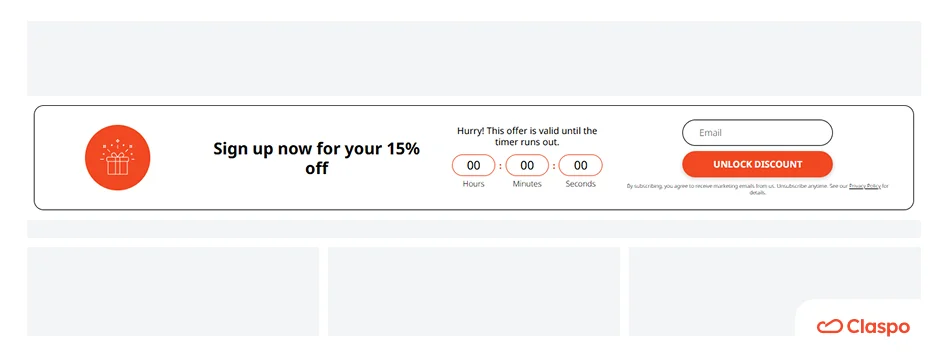
Use case | Performance | Best placement |
High-intent fans seeking long-term connection. | 4.37% avg. CR with the highest lead quality. | Site footer or About Us page. |
2. Floating boxes for active browsing
Floating boxes stay visible while users scroll, which makes them useful during product exploration. This type of Shopify sign up for newsletter works especially well when attention is already on the content.
Use case | Performance | Best placement |
Reminders during product exploration. | 5.13% CTR and 4.78% signup rate with low friction. | Product detail pages (PDPs). |
3. Centered popups for focused attention
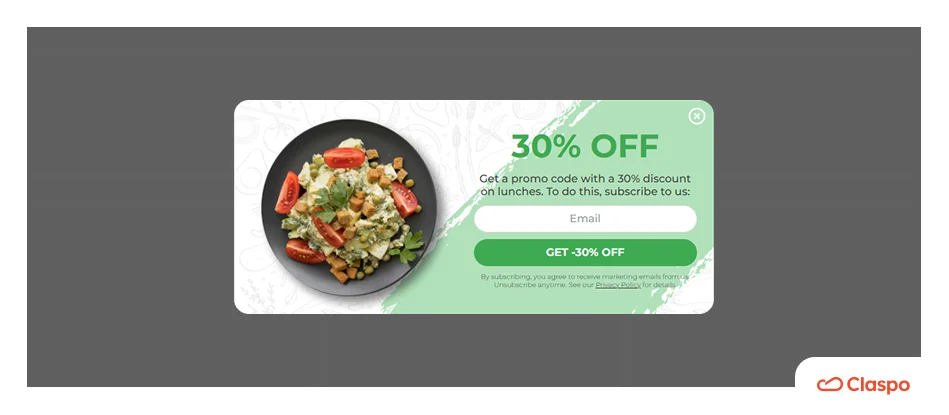
This is the classic Shopify sign up for newsletter. It appears in the center of the screen and darkens the rest of the page so the user focuses only on the offer.
Use case | Performance | Best placement |
High-value welcome offers or cart savers. | 10.6% CTR and 4.87% CR, top conversion driver. | Homepage (after 15–20s delay) or key campaign pages. |
4. Full-screen forms for high-intent moments
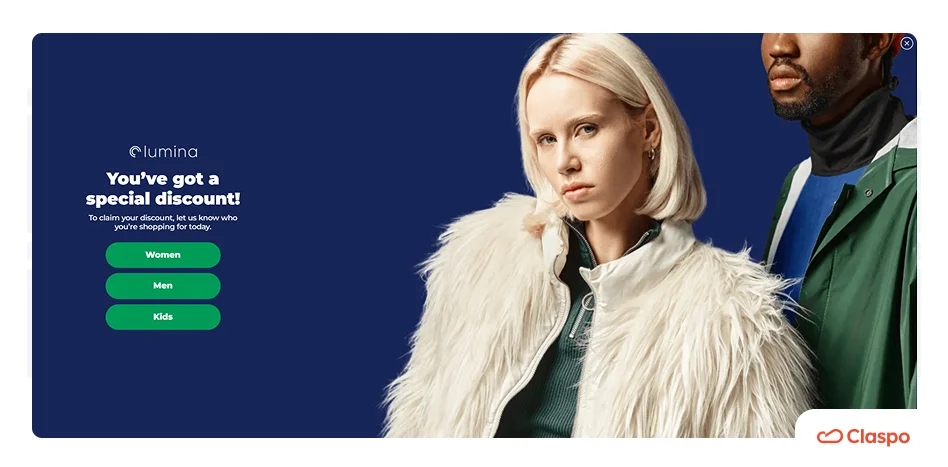
Full-screen Shopify sign up for newsletter captures attention when intent is high or when a visitor is about to leave. They interrupt the flow, but only at moments where interruption is justified to reduce bounce rate on Shopify stores.
Use case | Performance | Best placement |
Gamified events or saving bounce traffic. | 2%-3.5% CR with the highest attention rates among form types. | Homepage, exit-intent triggers, or time-sensitive campaigns (seasonal/flash sales, limited drops). |
The anatomy of a high-performing Shopify newsletter signup form
A strong Shopify sign up for newsletter form combines clarity, simplicity, and behavioral triggers:
Clear, benefit-led headline. People don’t sign up for newsletters; they sign up for value. Discounts or early access are more effective than generic messaging (e.g., “Get 15% off your first order”).
Minimal fields. The fewer fields, the better. Every extra step reduces conversions.
Single CTA. One action reduces hesitation. “Claim my discount” consistently outperforms generic “Submit.”
Trust signals. A visible close option actually increases trust and reduces resistance.
Besides the basic components, you need to optimize a few key elements in your Shopify email signup form to improve your CR from the average 3.53%. Here are our pro recommendations based on 779M impressions.
Element | Average approach | Top 1% approach | Impact |
Mechanic | Static forms | Gamified elements (wheels, scratch cards) | 9.18% avg CR |
Strategic add-ons | On-load display | Exit-intent, promo codes, timers | 5.76% CR |
Layout | Footers, static blocks | Centered popups, floating forms | 7.49%–10.6% CTR |
Complexity | 3+ fields | 1–2 fields max (email/name+ email) | 2.48% CR baseline |
Incentive | “Join our newsletter” | Clear value (discount, reward) | +3.85% CR |
CTA | Multiple options | One clear CTA button | Eliminates friction |
How to choose an incentive that protects your margins
Most high-performing forms for Shopify sign up for newsletter offer a discount, but the best incentive depends on your average order value and brand positioning. If a discount is the right incentive, compare it with a dedicated discount popup.
Percentage discounts (10–15%) help increase cart size when order values vary.
Fixed discounts ($5–$10) help control margins with stable AOV.
Non-discount incentives like guides or samples are ideal for premium positioning.
The idea is to offer something valuable enough to get signups, without hurting profitability too much.
When to show a Shopify sign up for newsletter
Shopify newsletter forms are particularly effective for:
New visitors who are discovering your brand
Returning visitors who didn’t subscribe the first time
Price-sensitive shoppers browsing sale pages
Visitors from paid ads or affiliate campaigns
Users who are about to leave without converting
A common setup for a Shopify sign up form is to show it after a 15–20 second delay, at 50% scroll depth, or when exit intent is detected. These behavioral triggers help you reach visitors after they’ve demonstrated genuine interest.
How to use privacy compliance in Shopify sign up for newsletter
A Shopify email signup form should clearly explain how user data will be used. This supports compliance with GDPR and CCPA and helps shoppers feel more comfortable subscribing.
To strengthen trust in your Shopify newsletter signup:
Add a short explanation below the CTA describing how you will use their email address.
Link directly to your store’s Privacy Policy and Terms of Service.
Use an explicit unchecked consent checkbox.
When visitors understand what they are signing up for and how their data will be used, they are more likely to complete the Shopify newsletter signup.
Summing up: Shopify sign up for newsletter build an audience you own
A basic Shopify email signup form in the footer can collect subscribers, but it usually leaves most of your traffic untouched. To improve performance, Shopify signup forms need to be triggered based on behavior and intent.
When you optimize the Shopify sign up form format, incentives, and display rules together, you can significantly increase conversions and build a direct channel to your customers via email and SMS.
Claspo lets you test this approach with a Lifetime Free plan and a 14-day Pro trial, so you can experiment with different Shopify newsletter signup forms directly on your store.